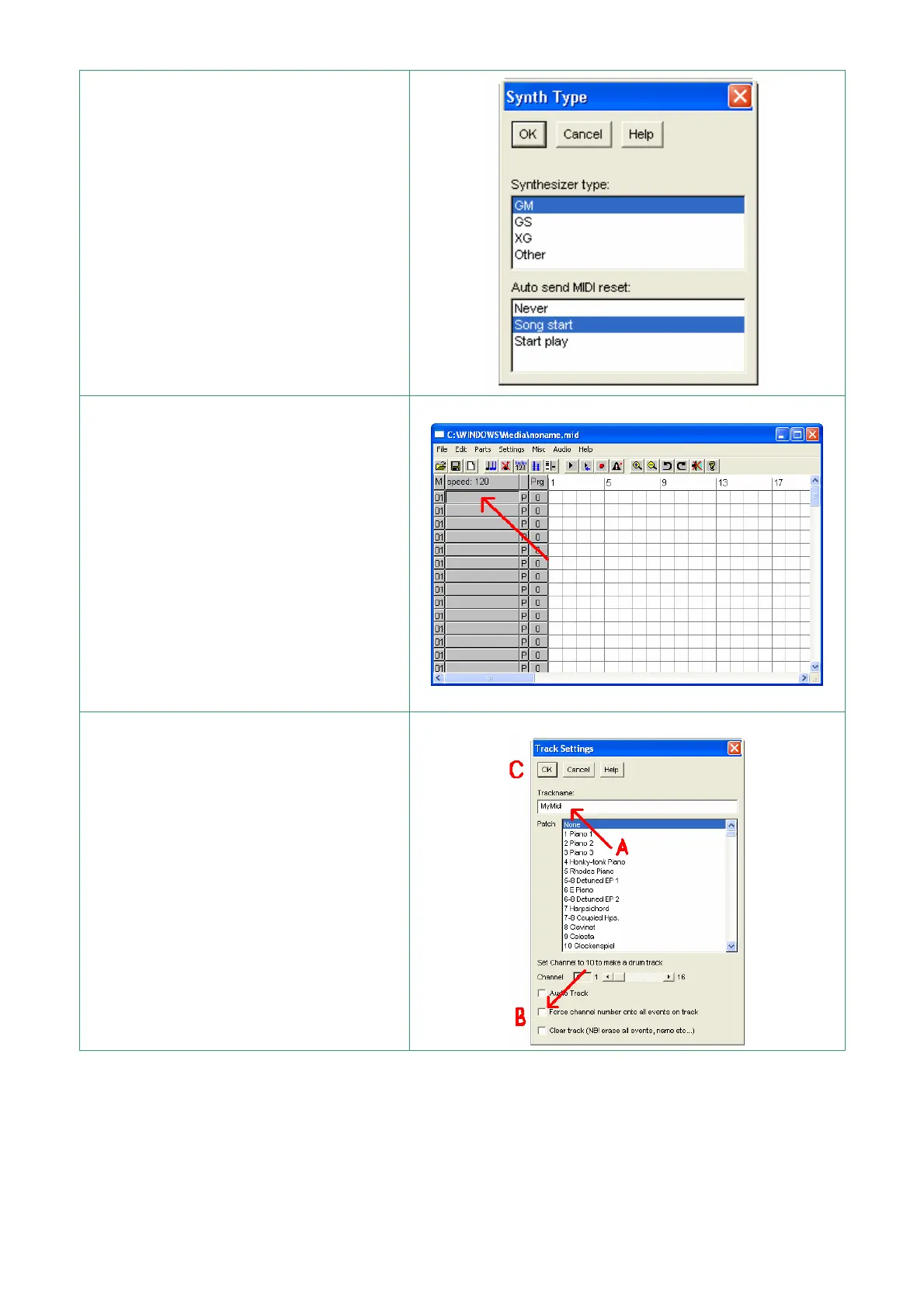
Only for the first execution of
JAZZ+ + select “GM” in “Synth type”
option
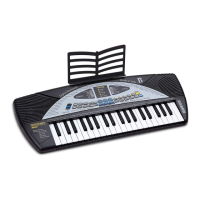
Select File| New
With the left mouse button, press the
field indicated by the red arrow
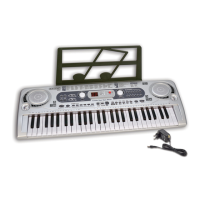
A – Write the name of the track on
which to record the notes
B – With the mouse “click” on “Force
channel number onto all events on
track” box so it remains white
C – Press OK


 To Next Page