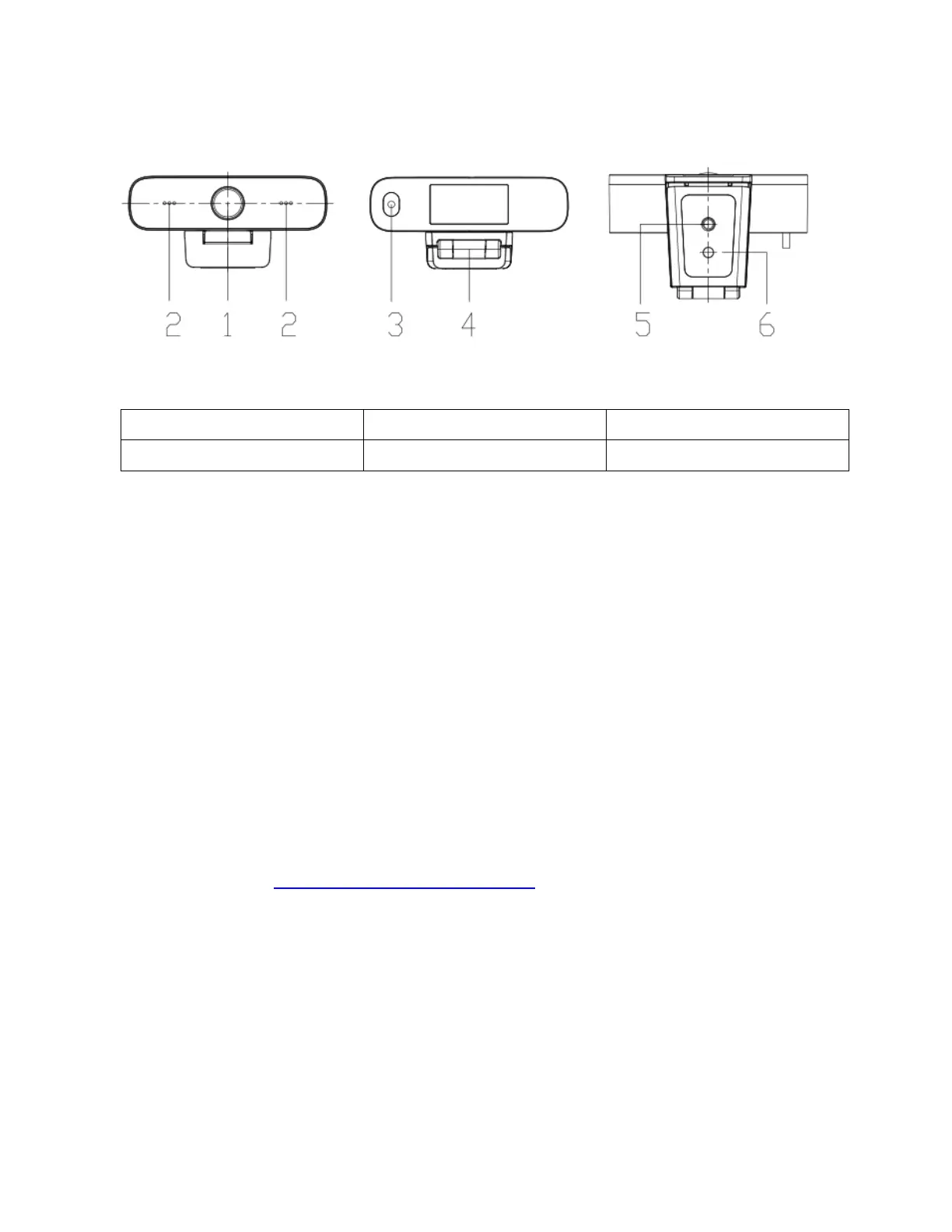
Features
5. Tripod mount: ¼" female
2. Audio IN (built in pick-up)
6. Optional bracket mount
*USB 2.0 both connects the camera and provides power
What’s in the box?
Boom Mini camera
Quick Guide
Let’s get started
1. Clip the webcam to your screen, laptop, desktop or mount on optional tripod
2. Connect the USB cable with computer, video conference device or other USB input device
3. Open the video software, select the video device, and enjoy
4. Need help? Drop us a line or give us a call:
• Phone: +1 888-534-BOOM
• Web support: BOOMcollaboration.com/support
• Email:
support@BOOMcollaboration.com



 To Next Page