5
EN
www.boost-sound.com
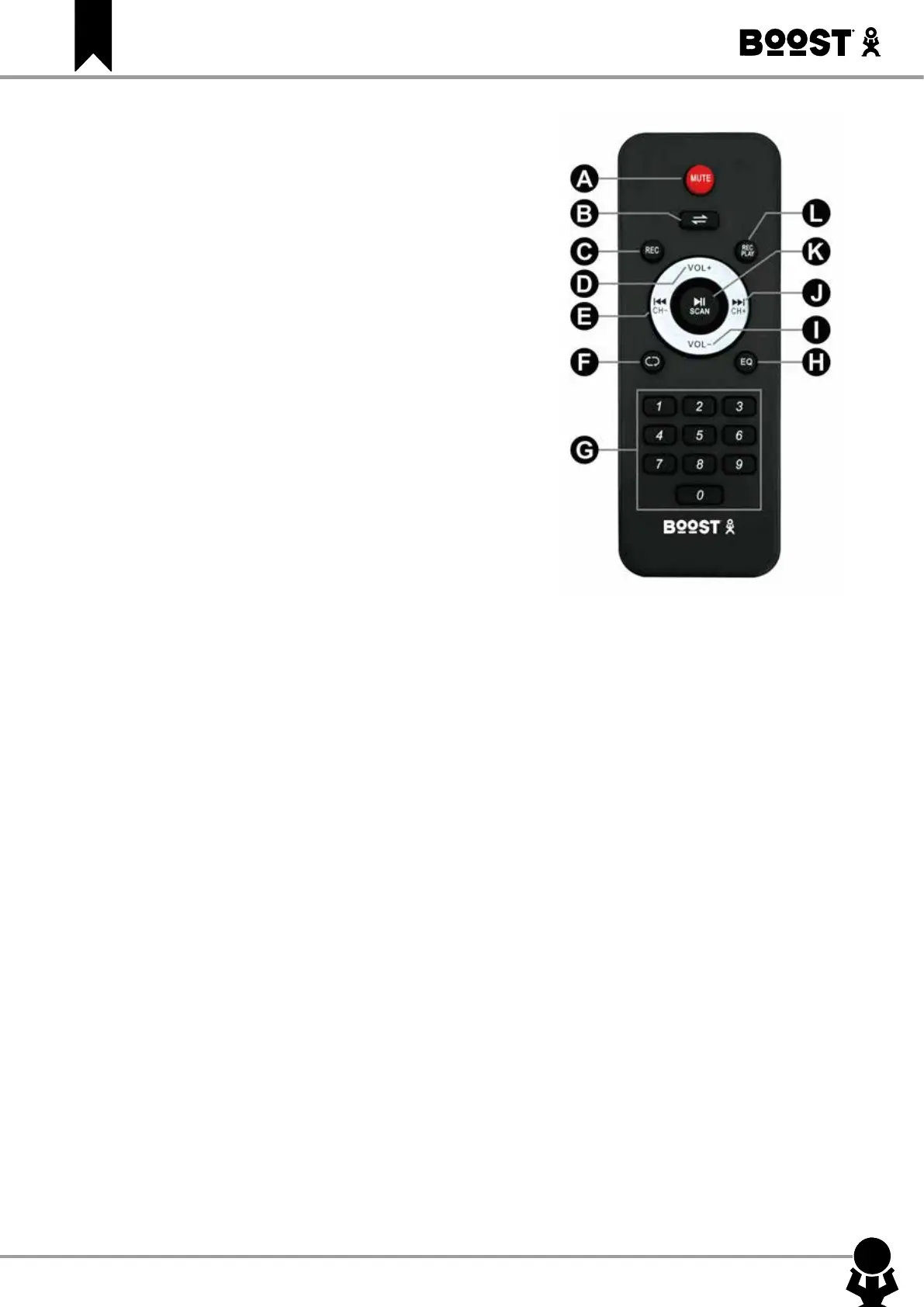
DESCRIPTION OF THE REMOTE CONTROL
A. MUTE: Mutes the sound output
B. Input selector: Press this button to switch between the various
inputs (LINE (AUX-in, USB, TF, Bluetooth)
C. REC: Press to record your voice
D. Increase the volume
E. Select previous le
F. Repeat one or all songs in USB & TF mode
G. Number buttons for direct input of a le number in USB & TF
mode. Press the number of the le to access it directly. For les
numbers above 9, press 1+ the unit. Ex. For le number 15,
press 1 + 5. For le number 38, press 3+8
H. Equalizer: Cycles through the various music styles: Normal –
Rock – Classic – Jazz – Pop
I. Reduce the volume
J. Select next le
K. Play/Pause/Select
L. REC PLAY: Press to play your record
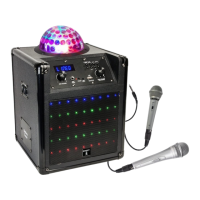
CONNECTION OF A WIRED MICROPHONE (not included)
Connect the microphone to the MIC IN socket and switch it on.
Note: If you are playing music from any other input, connecting the
microphone will not mute the sound output.
KARAOKE Function
This feature is available with any input. Play a track through AUX/USB/TF/Bluetooth, connect a microphone
and sing along.
Built-in REC function
A. Plug a microphone into the MIC IN input.
B. Insert a USB/TF card into the corresponding port. Press Input selector button and select USB/TF mode.
C. If the USB/TF card is plugged into the speaker for the rst time, the system will automatically create a
folder named ‘record’ to save the recorded les.
D. When you are ready to record, press REC button to record the sound of the wireless or wired microphone.
USB/TF Operation
Keep the speaker away from high temperatures, strong magnetic elds and any equipment that could gene-
rate interference. If the speaker stops working, switch it o and on again, or unplug USB/TF card and re-plug
it. The speaker should be back to normal status.
The maximum size of USB/TF device that can be connected is 32 GB.
Supported music formats: MP3, WMA
BLUETOOTH OPERATION
A. Turn on the unit and press the input selector button on unit to select the Bluetooth function.
B. Activate the Bluetooth feature on the external device to be paired.
C. Initiate a search for devices. The device shows up as "BOOST-POWERSOUND290".
D. Press the ▶ to start playing and the buttons and for the selection of songs.


 To Next Page