
EasyManua.ls Logo

Booster BA-4510D - User Manual

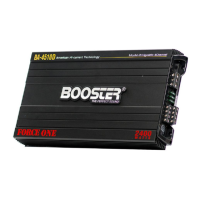
Booster BA-4510D
8 pages
Print Icon
To Next Page IconTo Next Page
Loading...
THE PERFECT SOUND
V0 1002
MODEL NO : BA-4510D

Questions and Answers

  • G
    gjacksonJul 31, 2025
    Why is there noise in the audio from my Booster BA-4510D?
    • G
      grahammelissaAug 1, 2025
      If you're experiencing audio noise with your Booster Amplifier, and it sounds like a whine that changes with the engine speed, ensure the amplifier and all source units (radio, EQ, crossover, etc.) are correctly grounded. A popping or crackling sound that follows the engine speed often comes from the vehicle's ignition system. Make sure your vehicle has resistor plugs and wires and that the ignition system is in good repair. Also, keep speaker and input wires away from wires connected to lights and other accessories. If the interference persists, consider having a professional mobile audio system installer inspect the system.
  • J
    josephsnyderAug 11, 2025
    What to do if only one channel works on my Booster BA-4510D?
    • R
      Ruth LewisAug 11, 2025
      If only one channel is working on your Booster Amplifier, first, check that the speaker wire connections are secure. Then, make sure the 'BALANCE' control on your car stereo (or signal source) is centered. If you're using a low-level RCA input cable, swap the input plugs on the amplifier (right to left). If the silent channel switches sides, the issue is with the car stereo (EQ, crossover, or another signal source) or the cable connection. Also, verify the input sensitivity adjustment control.
  • K
    Kevin Roberts DVMAug 19, 2025
    How to troubleshoot no sound output from Booster Amplifier?
    • C
      Christopher WeberAug 20, 2025
      If there's no sound output from your Booster Amplifier, ensure all terminals are securely connected. Check the in-line and internal '+12V' fuses and the 'RMT' terminals for +12V at the chassis ground. Confirm that the signal source (car radio/deck, EQ, crossover, etc.) is powered on and sending a signal. To test if the amplifier is working, connect an RCA cable to the LEFT & RIGHT inputs and gently tap the center pin of each RCA plug (unconnected) with your finger; this should produce a noise (feedback) in the speakers.

Summary

Introduction

Features

Warning

Planning Your System

Mounting Your Amplifier

Mounting Surface

Connecting the Speakers (Class AB)

4 CH Mode

Diagram showing speaker connection for the amplifier in 4-channel mode.

3 CH Mode

Diagram showing speaker connection for the amplifier in 3-channel mode.

2 CH Mode

Diagram showing speaker connection for the amplifier in 2-channel mode.

Specifications

Booster BA-4510D Specifications

General IconGeneral
BrandBooster
ModelBA-4510D
CategoryAmplifier
LanguageEnglish