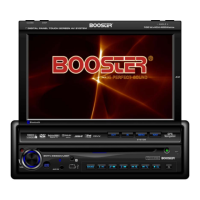
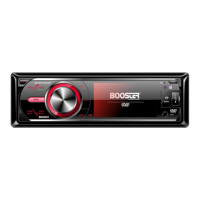
BDVM-8360UBT USB, SD/MMC Operation
USB, SD/MMC Operation
In MP3 mode press “ ”/” ” on remote control or long press BAND
on the panel , cursor move to folder, then press “Enter” on remote
control or press “VOL” on the panel to confirm selection .then press
the button on the front panel or on the remote to play
the previous track. Press the on the front panel or on the
remote to play the next track. Press the digital buttons (0-9) to
select the desired track.
In PICTURE Mode press the button on the front panel
or on the remote to play the previous image. Press the on
the front panel or on the remote to play the next image. Press the
digital buttons (0-9) to select the desired track. Press / buttons
on remote control to rotate picture 90 degrees. Press / button
on remote control to mirror the picture. Press stop button on the
remote to exit the current mode and press / buttons on the
remote or press BAND on the panel to select MP3/PICTURE/MP4
mode.
In MP4 Mode, press “ ”/” ” on remote control or long press BAND
on the panel, cursor move to folder, then press “Enter” on remote
control or press “VOL” on the panel to confirm selection .then press
the button on the front panel or on the remote to play
the previous track. Press the on the front panel or on the
remote to play the next track. Press the digital buttons (0-9) to
select the desired track Press stop button on the remote to exit the
current mode and press / buttons on the remote or press BAND
on the panel to select MP3/PICTURE/MP4 mode.
Factory default settings (“RESET“)
By using the reset function, the device can be changed back to the
factory default settings. To use the reset function, please press the
OPEN button on the front panel. Now press the RESET button with a thin
object. The device will then be reset and turned off if required.
Note: When the factory settings are restored, the clock and the stored
radio stations will also be reset and erased.
–23–


 To Next Page