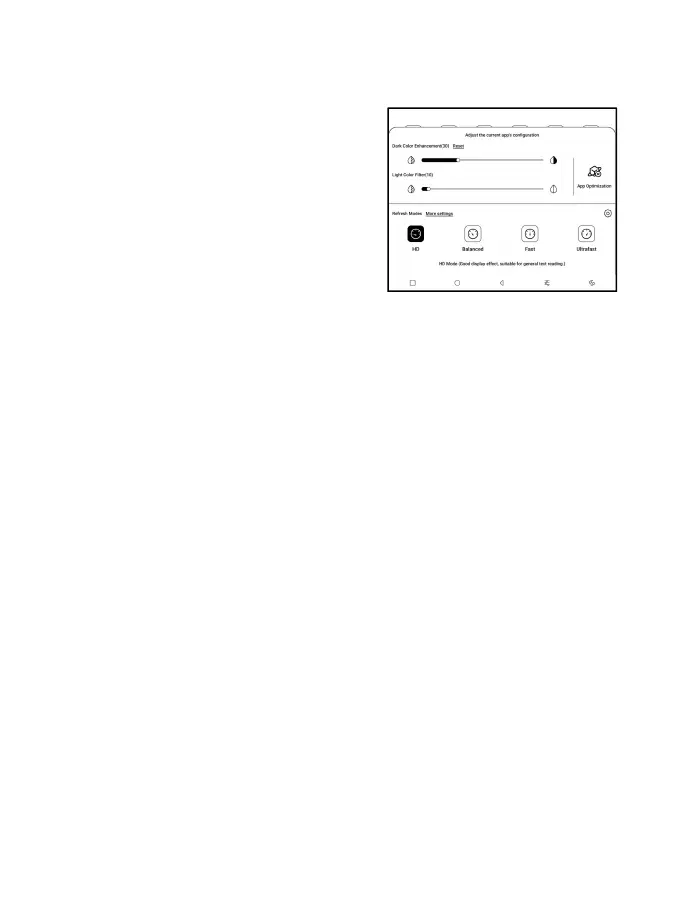
4.3 E-ink Center (App Optimization)
It can be called from the Control
Centre or swiping up from the
bottom. This function is mainly
used to optimize the display
effect of third-party apps on E
Ink devices. When it is called on an app interface, the
optimized configuration is applied to that app only.
Refresh Modes
You can preset different refresh modes for different apps,
or change later.
HD: Good display effect, suitable for general text reading.
Balanced: Heavier ghosting, suitable for quickly skimming
through images and text.
Fast: Heavy detail loss, suitable for browsing webpages.
Ultrafast: Heavier detail loss, suitable for playing videos.



 To Next Page