5. System Functions
5.1 Screen Recording
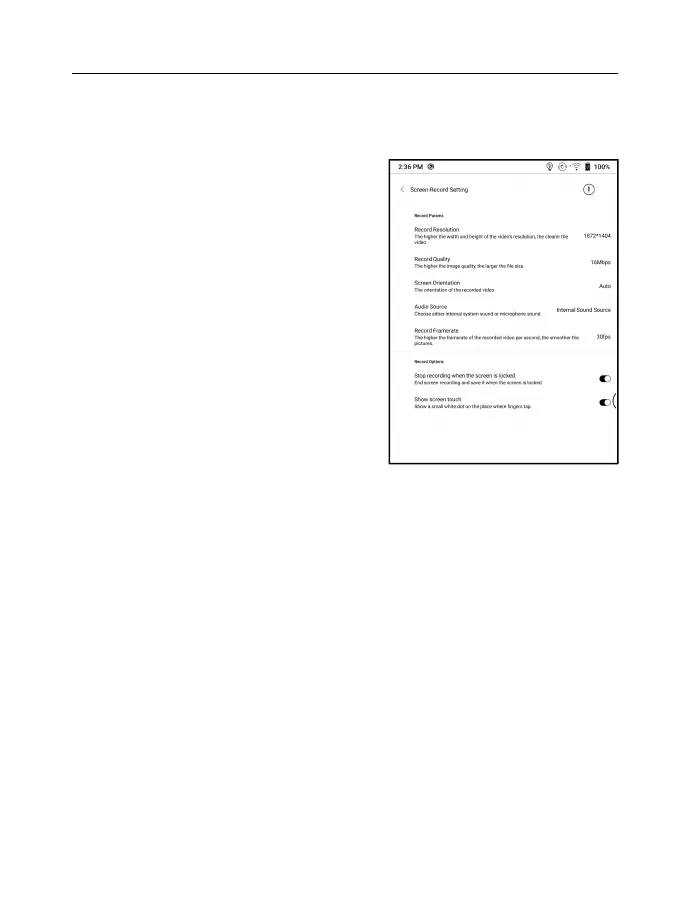
Long press Screen Recording
icon to go to screen recording
settings. You can customize
Resolution, Recording Quality,
Screen Orientation, Audio
Source, Recording Framerate,
etc.
If you use Screen Recording for the first time, you are
recommended to adjust the relevant settings first.
Tap Screen Recording icon to enter recording widget. Tap
the Start icon to start recording and tap the Close icon to
stop recording.
After recording is done, there will be a thumbnail enabling
you to play or share the recorded video.



 To Next Page