Lock
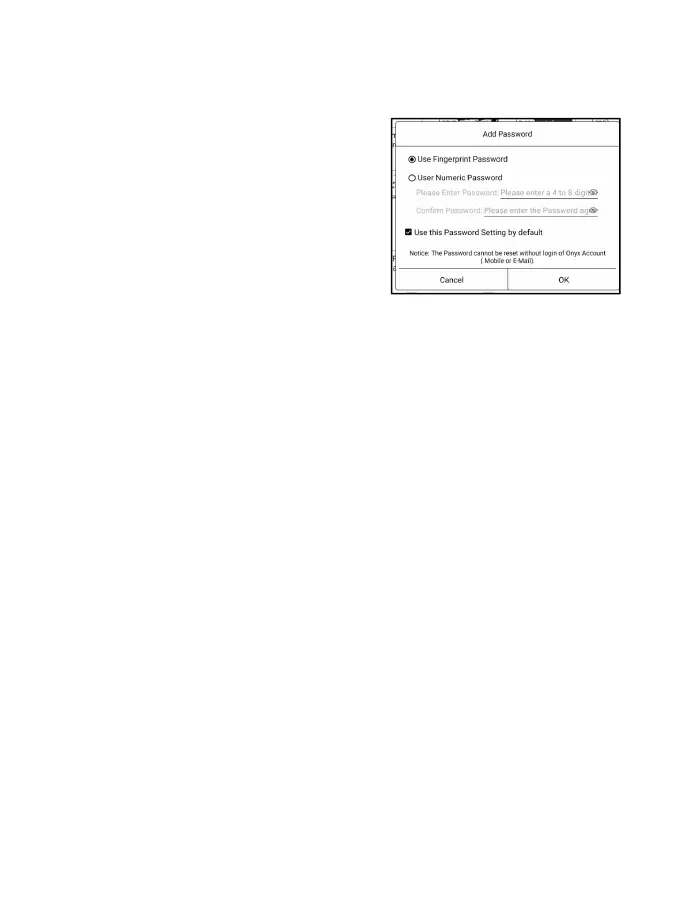
Add locks to documents
(reading passwords) to protect
personal reading data. The
password is used to open books
in NeoReader. When the
documents are exported or copied to other devices or other
apps, the password will not be valid anymore.
The digital password only supports setting one password.
After setting the digital password for the first time, you do
not need to set it again if you use the digital password for
other documents. You only need to add locks to other
documents.
The reading password cannot be retrieved. If you forget
your reading password, you can only reset the password
through Onyx Account (only Mobile phone and Email login



 To Next Page