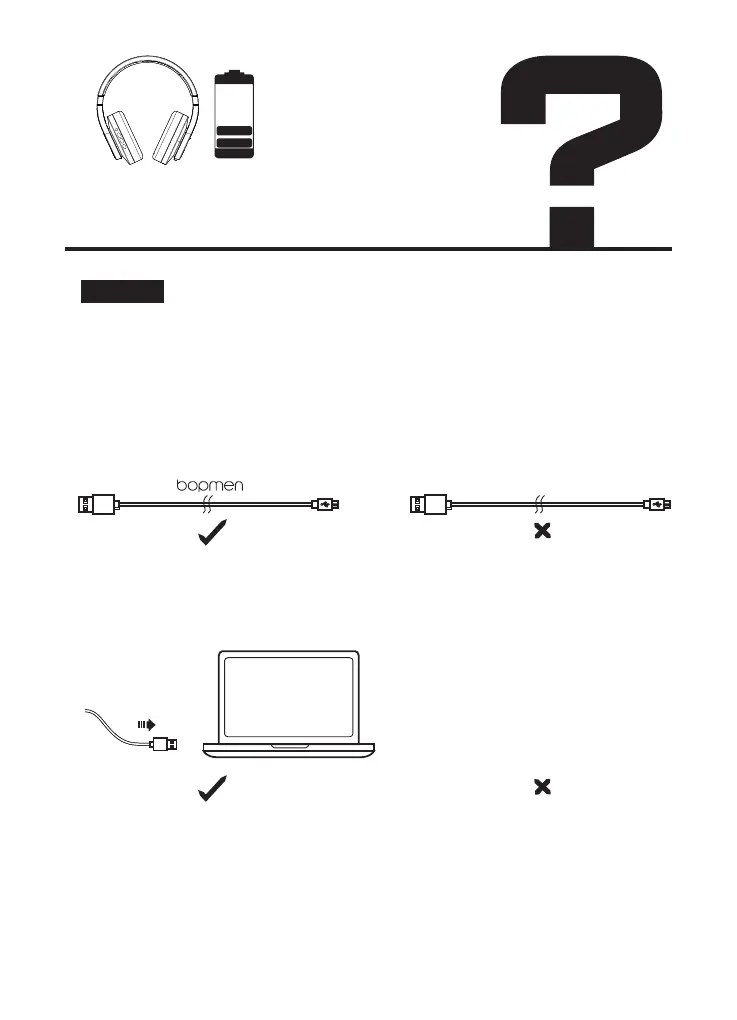
Please check the following:
1. Please be sure to use the original data cable that comes with the
headphone for charging. Please try to use our data cable to charge another
device to check if it is the problem with our Micro USB charging cable or
headphones.
2. Check whether the headphone are directly connected to computers or
other devices, without through a USB hub.
3. There may be a problem with the USB port of the connected devices. If it
is available, connect to another USB port.
Solution:
Why the unit cannot be
charged?
USB HUB


 To Next Page