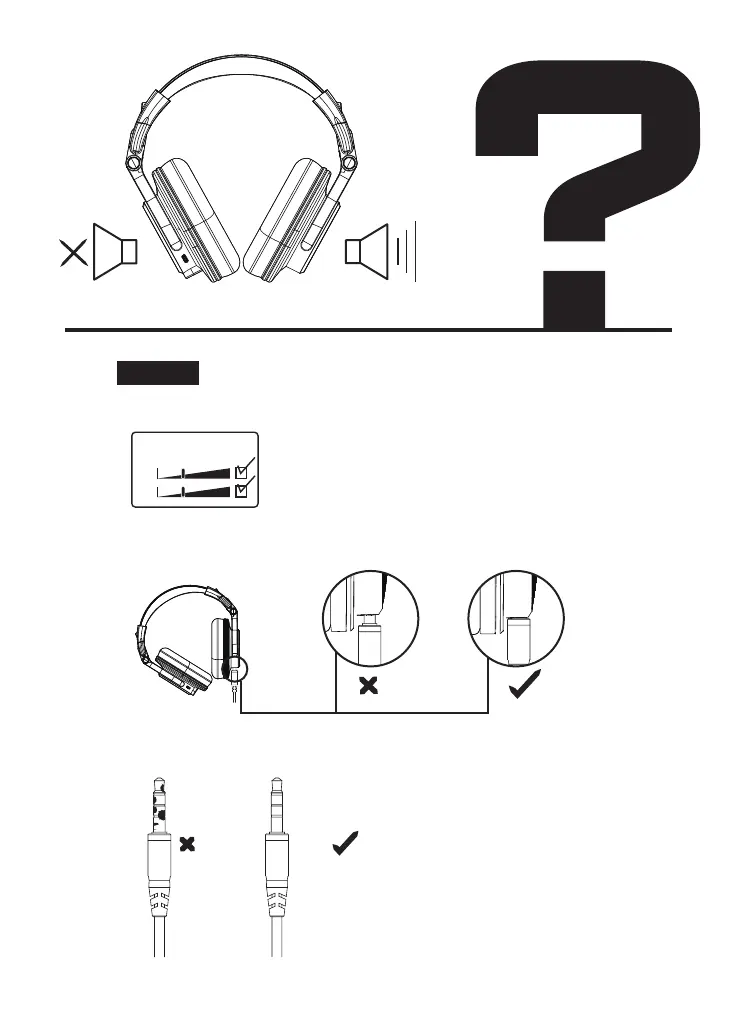
1. Please confirm whether your music is unilateral.
2. Please make sure that the audio cable is plugged in properly.
Confirmation method:
1. If connected to a computer, find the sound settings and
see if it is mono out.
2. Try to play different songs with ordinary music
application.
3. Try to play the same music with another headphone.
3. Clean the dust or impurity of the plug.
Solution:
balance
left
right
No sound from one side



 To Next Page