EasyManua.ls Logo

Born Free Bottle Genius - User Manual

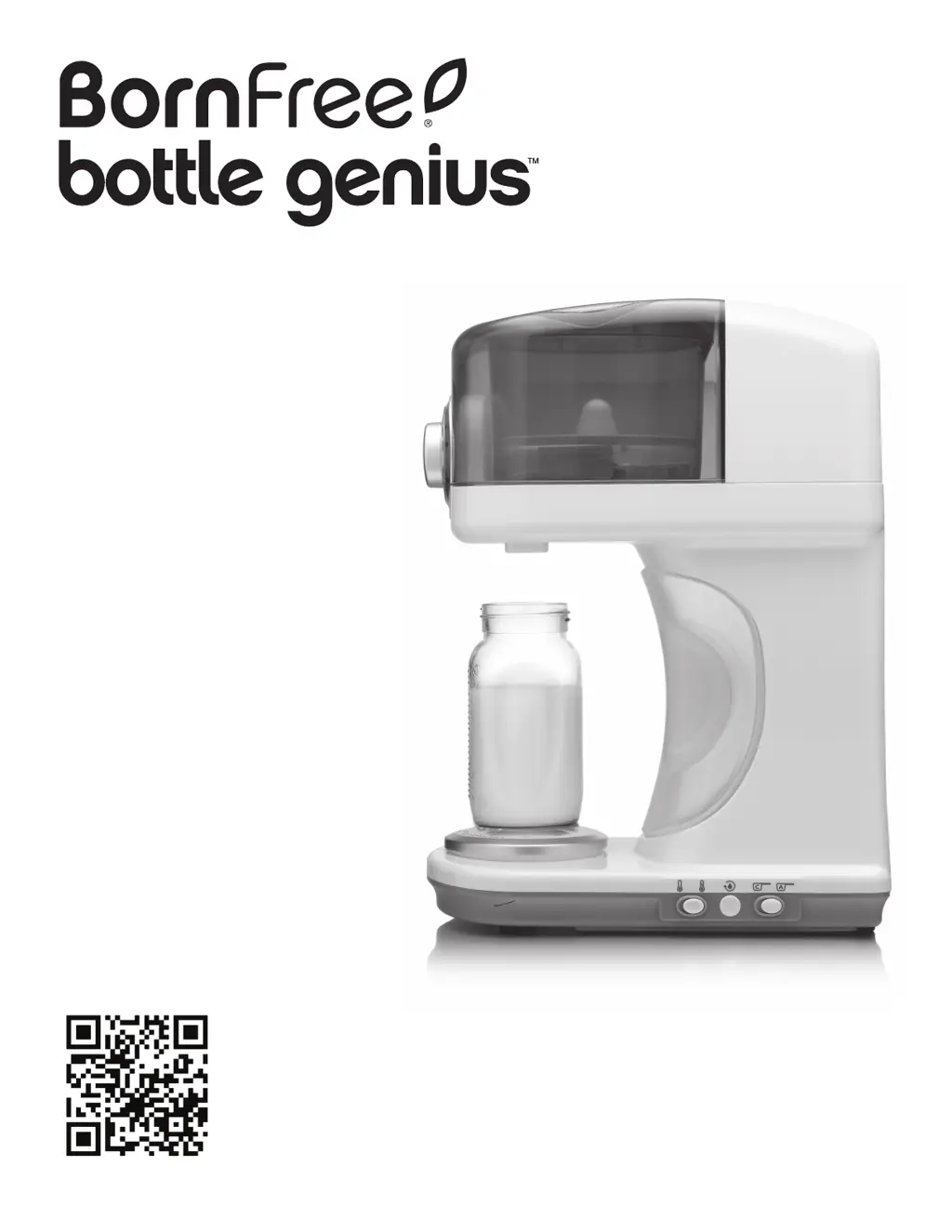
Born Free Bottle Genius
16 pages
Print Icon
To Next Page IconTo Next Page
Loading...
Thank you for purchasing the Bottle
Genius
by Born Free. This product was
proudly designed in the USA.
If you have any trouble using this product,
please do not return it to the store. Check
the troubleshooting section in this booklet
or give us a call. We’re happy to help.
47713
Please read the following instructions carefully.
Keep this instruction manual for future reference.
No tools required.
For technical support,
contact us at 1-800-268-6237 or
www.newbornfree.com/contact
Keep small parts away from children.
Adult assembly required.
For a video showing how to set up and use the Bottle Genius, scan
the QR code with your smart phone, or find the video online at:
http://www.newbornfree.com/bottlegenius
a perfect bottle, in seconds

Questions and Answers

  • R
    robertgarciaAug 17, 2025
    What to do if my Born Free Bottle Warmer turns on, but the blue water tank light is blinking?
    • C
      Corey RiosAug 17, 2025
      If your Born Free Bottle Warmer turns on but the blue water tank light is blinking and it won't dispense, it could be due to two reasons: * The water tank is empty: Refill the water tank. * The water tank is not firmly in place: Check the fit of the water tank and secure it firmly.
  • T
    Tina ParksAug 19, 2025
    Why does my Born Free Bottle Warmer stop dispensing and the red status light is blinking?
    • C
      Charles RussellAug 20, 2025
      If the Born Free Bottle Warmer stops dispensing during bottle preparation and the red status light is blinking, it means the formula powder needs to be refilled. Refill the formula powder. If this is done within 5 minutes, you can press the dispensing button and the machine will finish dispensing for the bottle. If the formula housing is full, the formula powder may have clumped together or the formula nozzle may be clogged. Refer to remedies for these issues if a refill is not needed.
  • K
    Kelsey BushAug 26, 2025
    Why does my Born Free Bottle Warmer stop dispensing and the blue water tank light is blinking?
    • A
      anthony53Aug 26, 2025
      If the Born Free Bottle Warmer stops dispensing during bottle preparation and the blue water tank light is blinking, the water tank needs to be refilled. Remove the bottle from the SmartScale, then remove and refill the water tank. Install the water tank back into the machine and replace the bottle on the SmartScale. If this is done within 5 minutes, press the dispense button, and the machine will finish making the bottle.
  • B
    Brianna GoodmanAug 28, 2025
    What to do if my Born Free Bottle Warmer won't dispense formula or water?
    • L
      Laurie RobertsonAug 28, 2025
      If your Born Free Bottle Warmer turns on, but you cannot adjust the formula mixture amount, it won't dispense formula powder or water, and the sanitize feature won't work, it could be due to: * An open lid for the formula container. Ensure the lid is closed. * The formula container not being completely pushed down. Check the fit of the formula housing and push down until it is seated in the product.
  • J
    Juan GregoryAug 30, 2025
    Why won't my Born Free Bottle Warmer dispense formula powder and the red status light is blinking?
    • K
      kimberly08Aug 30, 2025
      If your Born Free Bottle Warmer turns on but will not dispense formula powder and the red status light is blinking, the formula container is likely empty. Refill the formula container.
  • D
    David EvansSep 2, 2025
    Why does my Born Free Bottle Warmer keep shutting off?
    • D
      Dustin TravisSep 2, 2025
      Your Born Free Bottle Warmer may shut off due to the following reasons: * The machine will shut off automatically after 15 minutes of non-use after making a bottle. Press the power button to turn the machine back on. * The water tank is empty, and the dispense button is pressed without refilling the water tank. Refill the water tank and press the power button. Discard contents of any partially made bottles. Bottle preparation must be started with a clean, empty bottle.
  • J
    Joseph GrahamSep 5, 2025
    Why is the formula mix not warm on my Born Free Bottle Warmer?
    • M
      michael42Sep 5, 2025
      If the temperature of the formula mix from your Born Free Bottle Warmer is not warm, the water temperature switch may be set to the water tank temperature setting, indicated by a blue light on the right. To fix this, turn the product off by pressing and holding the power button for 3 seconds, slide the water temperature switch to the warm setting, and then turn the unit back on.
  • J
    Julie KelleySep 7, 2025
    What does it mean if all the lights are blinking on my Born Free Bottle Warmer?
    • K
      Kara VasquezSep 8, 2025
      If your Born Free Bottle Warmer turns on, but the Cleaning Cycle, Status, and Water temp lights are blinking, and it will not start the dispense cycle, it means that the custom programming of formula powder was not completed. Redo the custom programming with formula powder as described on page 11, or shut off the unit and slide the formula programming switch to the AUTO position.
  • J
    Jennifer WhiteSep 12, 2025
    Why is my Born Free Bottle Warmer dispensing too much formula?
    • T
      Tony PeckSep 12, 2025
      If your Born Free Bottle Warmer is dispensing an excessive amount of formula, it is likely due to a custom formula calibration error. Redo the custom programming with formula powder as described on page 11. Be careful not to hold onto the bottle while it is on the SmartScale during programming steps.
  • K
    Kathryn MaldonadoSep 13, 2025
    Why is my Born Free Bottle Warmer not dispensing water immediately?
    • A
      Angela CabreraSep 13, 2025
      If water does not dispense right away after the dispense button is pressed on your Born Free Bottle Warmer, the water heater may need to warm up before dispensing warm water, especially after the water tank is filled with cold water. This time can be shortened by using room temperature water in the water tank.

Summary

Important Safeguards

Components & Features

Instructional Video

Access setup and usage video via QR code or online link.

Initial Set-Up: Wash & Assemble Formula Dispensing Unit

Initial Cleaning of Water System

Bottle Preparation

Automatic or Custom Formula Setting

Guidance on selecting automatic or custom formula dispensing settings.

Low Formula Indicator

Low Water Indicator

Custom Formula Powder Setting

To Change to Auto Mode

Instructions for switching back to the default auto formula setting.

To Reset Custom Setting

Steps to revert custom formula settings to default.

Sanitizing Procedure

Cleaning External Parts

Troubleshooting

Born Free Warranty Policy

Born Free Bottle Genius Specifications

General IconGeneral
BrandBorn Free
ModelBottle Genius
CategoryBottle Warmer
LanguageEnglish