track or press it again to skip to the previous track. Press and hold the Skip/Search Backward Button to
rewind within the current track,
PROGRAM PLAY MODE
This function allows music tracks to be played in a programmed sequence.
1. Press the Program Button. “00” (track number) and “PROG” will start to flash on the left side of the LCD
Display.
2. Press the Skip/Search Backward / Forward Button to select the track to be programmed.
3. Press the Program Button again to store the selection. The LCD Display will advance to “02” and flash to
prompt for the next track to program.
4. You may repeat steps 2 to 3
to program up to 20 tracks.
5. Press the Play/Pause Button to start the programmed playback.
6. Programmed tracks will be played through the sequence once and then stop however, you may use the
various Playback Modes to repeatedly play a certain track or repeat all tracks in the program.
7. Press the Stop Button to stop the program play mode.
BLUETOOTH OPERATION
Pairing a Bluetooth Enabled Device for the First Time
NOTE: Refer to the user manual for your Bluetooth enabled Headphones/Earphones or Speaker for
instructions on pairing and connecting Bluetooth devices.
1. Keep your unit and your Bluetooth enabled device within 1 metre at all times during the pairing
process.
2. Slide the Bluetooth ON/OFF Switch to the ON position located on the side of the unit. A small blue
LED light will start to flash beside the DC Power Input Jack indicating the unit is ready to pair.
3. Turn on your Bluetooth enabled Headphones/Earphones or Speaker to pair with the unit and ensure it
is in pairing mode.
4. When the unit is successfully paired and connected to your Bluetooth enabled
Headphones/Earphones or Speaker, the blue Bluetooth LED indicator light will stay solid.
NOTE:
• Because this unit cannot choose which Bluetooth enabled Headphones/Earphones or Speaker
it can connect to, make sure there are no other Bluetooth enabled devices turned on in the
area during the pairing process. This unit will automatically pair with the closest Bluetooth
enabled Headphones/Earphones or Speaker that is in pairing mode.
• After successful pairing with your Bluetooth enabled Headphones/Earphones or Speaker, the
paired devices will remember each other and re-pairing will not be required after the first time.
• If you want to pair the unit with other Bluetooth enabled devices, please disconnect the
existing device and pair with the new device according to the steps above.
CARE AND MAINTENANCE
1. Children should be supervised when using this product.
2. Never wrap the provided USB to Barrel Power Cable around any animal or person. Special care should be
taken with long wires.
3. Clean your unit with a damp (never wet) or dry cloth. Solvent or detergent should never be used.
4. Avoid leaving your unit in direct sunlight or in hot, humid or dusty places.
5. Keep your unit away from heating appliances and sources of electrical noise such as fluorescent lamps or
motors.
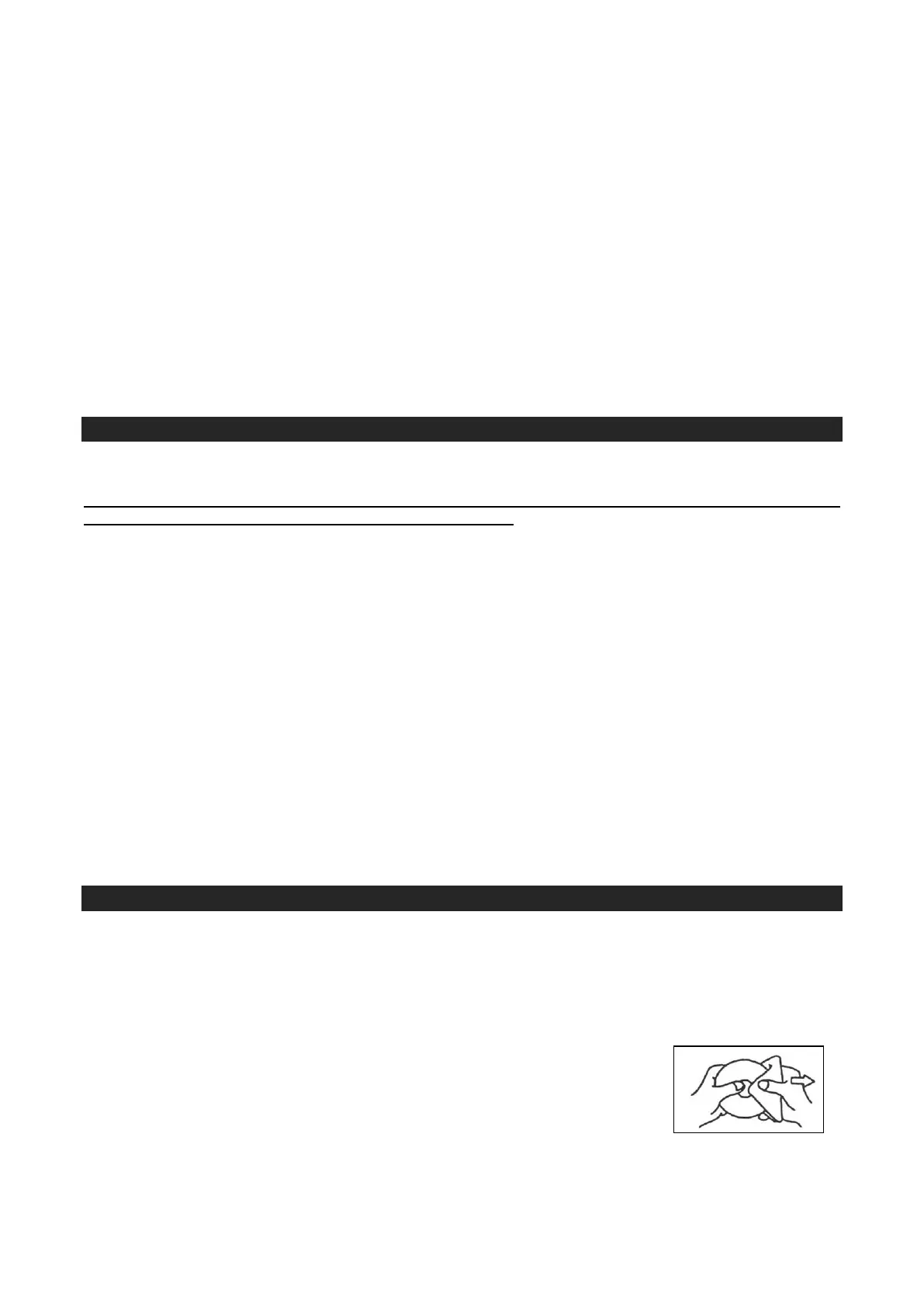
6. If drop-outs or interruptions occur in the music during CD playback, or if the CD
fails to play at all, its bottom surface may require cleaning. Before playing, wipe
the disc from the center outwards with a good soft cleaning cloth.


 To Next Page
 Loading...