
EasyManua.ls Logo

Bosch CCS 800 Ultro User Manual

Bosch CCS 800 Ultro
36 pages
To Next Page IconTo Next Page
Page #1 background imageLoading...
Page #1 background image
CCS 800 Ultro
Installation and Operating Manual
Discussion System
en

Questions and Answers:

Bosch CCS 800 Ultro Specifications

General IconGeneral
BrandBosch
ModelCCS 800 Ultro
CategoryMicrophone system
LanguageEnglish

Summary

1 About this manual

Manual Purpose and Conventions

Outlines the manual's scope and explains warning and note symbols.

2 Introduction to the CCS 800 Ultro System

System Overview and Components

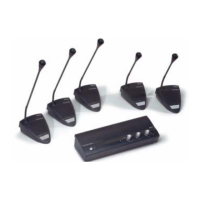
Introduces the discussion system, detailing its Central Unit, delegate/chairman units, and MP3 recorder.

3 Central Unit (CU) Description

Central Unit Ports and Controls Explained

Details the function of each numbered port and control on the Central Unit.

4 Delegate and Chairman Units

Unit Features and Functional Differences

Details the microphone, sockets, loudspeaker, and buttons of delegate and chairman units.

5 Installation Guide

Connecting Delegate and Chairman Units to CU

Describes how to connect delegate and chairman units to the Central Unit using extension cables.

System Expansion and External Connections

Covers connecting up to 150 units, securing cables, and connecting external microphones.

Connecting Audio and Telephone Interfaces

Details connecting wireless mics, PA systems, telephone couplers, and tape recorders.

Connecting Additional Peripherals

Covers connecting equalizers, mains power, and USB devices.

6 System Operation

Testing Unit Connections

Describes testing connections using the test position on the CU.

Using Delegate and Chairman Microphones

Explains how to use the microphone buttons on delegate and chairman units.

Priority Button and Mode Settings

Explains the chairman's priority button function and priority mode settings.

Microphone Modes: Open and Auto Switch-off

Describes 'Open mode' and 'Open mode with auto switch-off' features.

Advanced Microphone Modes: Override and Chairman Only

Details 'Override mode' and 'Chairman only mode' operations.

Volume Control and Feedback Suppression

Describes adjusting unit volume and using Digital Acoustic Feedback Suppression (DAFS).

Monitoring Audio and Using Headphones

Describes monitoring volume control and using headphones for listening.

7 Built-in MP3 Recorder

MP3 Recorder Overview and User Interface

Introduces the recorder and describes its display, buttons, and SD card slot.

MP3 Recorder Setup and Modes

Details recorder modes, start-up screen, and setup options.

MP3 Recorder Setup Icon Guide

Lists and explains icons used for navigating the MP3 recorder's set-up menus.

File Management and Time Settings

Explains how to delete files and set the date and time for the MP3 recorder.

Recording Configuration Options

Details bit rate selection and settings for continuous or microphone-activated recording.

Recording Discussion Sessions

Explains how to use the record mode and describes recording icons.

Making and Managing Recordings

Provides steps for recording and managing SD card exchanges during recording.

Pre-listen and Playback Functions

Explains pre-listen/playback modes and their icons.

Performing Pre-listening and Playback

Provides detailed steps for using pre-listen and playback functions.

8 Troubleshooting

Diagnosing Sound and Feedback Issues

Provides solutions for no microphone reaction, distorted sound, and acoustic feedback.

SD Card and Display Problems Troubleshooting

Addresses issues like full SD cards, write protection, incompatibility, and blank displays.

9 Technical Data

System Electrical and Acoustical Characteristics

Lists electrical and acoustical characteristics for the CU and combined units.

CU Specifications

Details specifications for the Central Unit's power, audio, and microphone inputs/outputs.

CU Mechanical Data and Features

Provides dimensions, weight, and features like auto microphone switch-off for the CU.

System Environmental and Equipment Range

Covers environmental conditions and compatible equipment and accessories.

10 Appendix

Pin Configuration Details

Provides detailed pinout information for various connectors on the CU.

Headphone Jack and Connector Mounting

Details headphone jack pinout and mounting of specific connectors.

General Mounting Instructions

Provides instructions on how to mount the CU and delegate/chairman units.

Bracket for Flush Mounting

Provides detailed diagrams for making a bracket for flush mounting the CU.