Need help?
Do you have a question about the Bosch Center CM-C 19 and is the answer not in the manual?
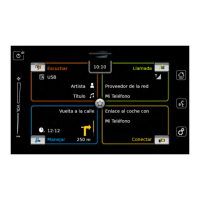
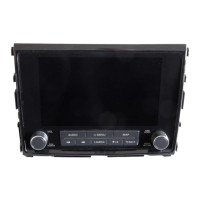
Explains the functions of the display and the on/off button for operating the device.
Details on FCC, IC, and other regulatory compliance for the device.
Explains the meaning of symbols and icons used in the manual.
Key information on intended use, road safety, and general precautions.
Instructions for cleaning the device safely and properly.
Covers touchscreen interaction, power management, and volume control.
Navigating home menus, switching between views, and accessing tiles.
Operating media playback, radio modes, and sound settings.
Using the navigation system for route planning, map views, and destination management.
Managing phone, intercom, Bluetooth, and camera functions.
Configuring system options, display settings, and software updates.
Tuning stations, using RDS, storing favorites, and managing radio text.
Using traffic announcements, radio text, and HD Radio troubleshooting.
Listening to WX radio, viewing display info, and enabling weather alerts.
Tuning DAB+, managing service lists, and using DAB features.
Filtering services by programme type and linking DAB to FM.
Activating subscription, listening to channels, and managing favorites.
Channel selection, customization, sports alerts, and traffic/weather messages.
Selecting media sources and controlling audio/video playback.
Browsing media files and controlling video playback features.
Entering destinations, points of interest, coordinates, and managing routes.
Customizing map display, scale, orientation, and guidance preferences.
Managing traffic information, vehicle parameters, and route preferences.
Connecting phone, managing calls, contacts, and SMS messages.
Using intercom, switching modes, and managing Bluetooth connections.
Viewing camera feeds, selecting cameras, and adjusting rear-view camera settings.
Starting, stopping, and using voice commands for device functions.
Navigating voice command menus and accessing help.
A guide to understanding the symbols used for points of interest on the map.
Technical details including power, dimensions, operating conditions, and certifications.
 General
| Brand | Bosch |
|---|---|
| Model | Center CM-C 19 |
| Category | Car Video System |
| Language | English |

 To Next Page