
 Need help?
Do you have a question about the Bosch EL600B and is the answer not in the manual?
Important notices regarding product use, maintenance, and safety warnings.
Steps to initialize or change the master PIN code for the smart lock.
Procedure to reset the smart lock to its factory default settings.
Instructions for adding master, normal, and one-time PIN codes for users.
Procedures for deleting single or all user PIN codes.
Steps for adding normal and one-time key cards for user access.
Procedures for deleting single or all user key cards.
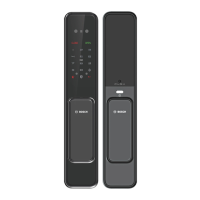
Identification and description of external components of the smart lock.
Using the S switch for system menu or normal mode.
Using the I switch for locking or default settings.
Adjusting the volume level for voice prompts and alerts.
Instructions for adding and deleting face recognition profiles.
Steps to activate and deactivate the network function.
Configuration options for unlock mode, language, and infrared sensor.
Quick settings for doorbell, security, force lock, and child lock.
How to unlock the door using facial recognition.
Unlocking the door using a registered PIN code.
Procedure to unlock the door using a registered fingerprint.
Unlocking the door using a registered key card.
Using the mechanical key for emergency door unlocking.
How to power the lock with an external source during battery failure.
Instructions for replacing the AA alkaline batteries in the lock.
Description of various alarms like break-in, damage, and system lock.
Advice on contacting customer service for product issues.
Details on what is covered and excluded under the product warranty.

 To Next Page
 General