EasyManua.ls Logo

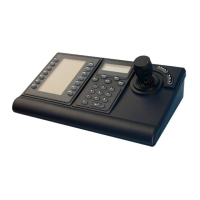
Bosch LTC 8555/00 - User Manual

Bosch LTC 8555/00
40 pages
Print Icon
To Next Page IconTo Next Page
Loading...
Allegiant Keyboards
LTC 8555 Series
en Instruction Manual

Table of Contents

Questions and Answers

  • F
    Felicia CollinsJul 31, 2025
    What to do if my Bosch Keyboard has no power indication?
    • M
      Michael NguyenJul 31, 2025
      If your Bosch Keyboard shows no power, and it's powered from a non-modular Allegiant, try another keyboard port on the Allegiant, as the current port may have failed. If it's powered from a modular Allegiant, check the fuse on the main Allegiant power supply and try another keyboard port. If powered by a separate source, check the power source and the main AC supply. If the power source is okay, the keyboard might have an internal failure; try swapping it with a known working keyboard.
  • K
    kimberly96Aug 6, 2025
    Why is my Bosch Keyboard LED displaying flashing dashes?
    • D
      Dr. Heather LeeAug 6, 2025
      If your Bosch Keyboard LED is displaying flashing dashes, and the login feature is enabled, the keyboard may be logged off (User LED lit and OFF LED lit). If the login feature isn't enabled, or the keyboard port is logged in, there's likely a data communication error. Try testing the keyboard cable in another port, swapping the keyboard with a known good one, trying another data cable, and checking the cable connections. If using RS-232 protocol models with a dial-up modem link, the keyboard may be waiting for you to dial a phone number and establish communication with the Allegiant.
  • T
    tonya07Aug 12, 2025
    What to do if Bosch Keyboard displays camera and monitor numbers but Allegiant systems won't respond?
    • C
      cloveAug 12, 2025
      If your Bosch Keyboard displays camera and monitor numbers but the Allegiant systems do not respond, first verify that the function you're attempting is applicable to the device being controlled or the switcher's current situation. If using a directly connected cable, the keyboard port or the keyboard itself might be defective; try swapping it with a known good keyboard. If you're using a communication link other than a direct cable, there could be a problem with the link. Try testing with a directly connected Allegiant keyboard cable to verify that the communication link is compatible with Allegiant keyboard data communications.
  • W
    Wendy JimenezAug 17, 2025
    How to fix intermittent beeping or error messages 90, 92, 94, or 95 on a Bosch LTC 8555/00 Keyboard?
    • J
      Jesse SchroederAug 17, 2025
      If your Bosch Keyboard is intermittently beeping or displaying error messages 90, 92, 94, or 95, it may be due to excessive EMI interference on the keyboard data cable, within the keyboard, or possibly in the Allegiant system. If the keyboard is remoted a long distance, try using the 3 m (10 ft) data cable supplied with the keyboard. Error 95 indicates intermittent keyboard communication, so verify the physical data cable connections and the integrity of the cable connectors.
  • W
    waveryAug 25, 2025
    Why is a key or LED digit not operating on my Bosch LTC 8555/00 Keyboard?
    • M
      Mr. Ricardo Harrington Jr.Aug 25, 2025
      If a key does not seem to be working on your Bosch Keyboard, verify that the attempted function is applicable to the device being controlled, or the switcher’s current situation. The key or LED may be defective. Run the User Function 1 test.

Summary

Safety Information

Important Safety Instructions

Critical safety guidelines for operating the Allegiant Keyboards.

Safety Precautions

Warnings and precautions to avoid hazards during use.

Installation

Standard Keyboard Installation

Details connection options for RS-485 type keyboards.

RS-232 Model Installation

Covers connecting RS-232 keyboards and their general setup.

Keyboard Controls

Joystick Operation

Using the joystick for camera positioning and zoom control.

Lens Controls

Controlling focus and iris functions for motorized zoom lenses.

Numeric Keypad Input

Inputting data using the numeric keypad.

User Information

Keyboard Login and Logout Procedures

Steps for logging into and out of the keyboard for system access.

Keyboard Operating Instructions

Details camera selection, monitor control, pre-positions, auxiliary functions, alarms, and sequences.

Troubleshooting

Bosch LTC 8555/00 Specifications

General IconGeneral
BrandBosch
ModelLTC 8555/00
CategoryKeyboard
LanguageEnglish

Related product manuals