7
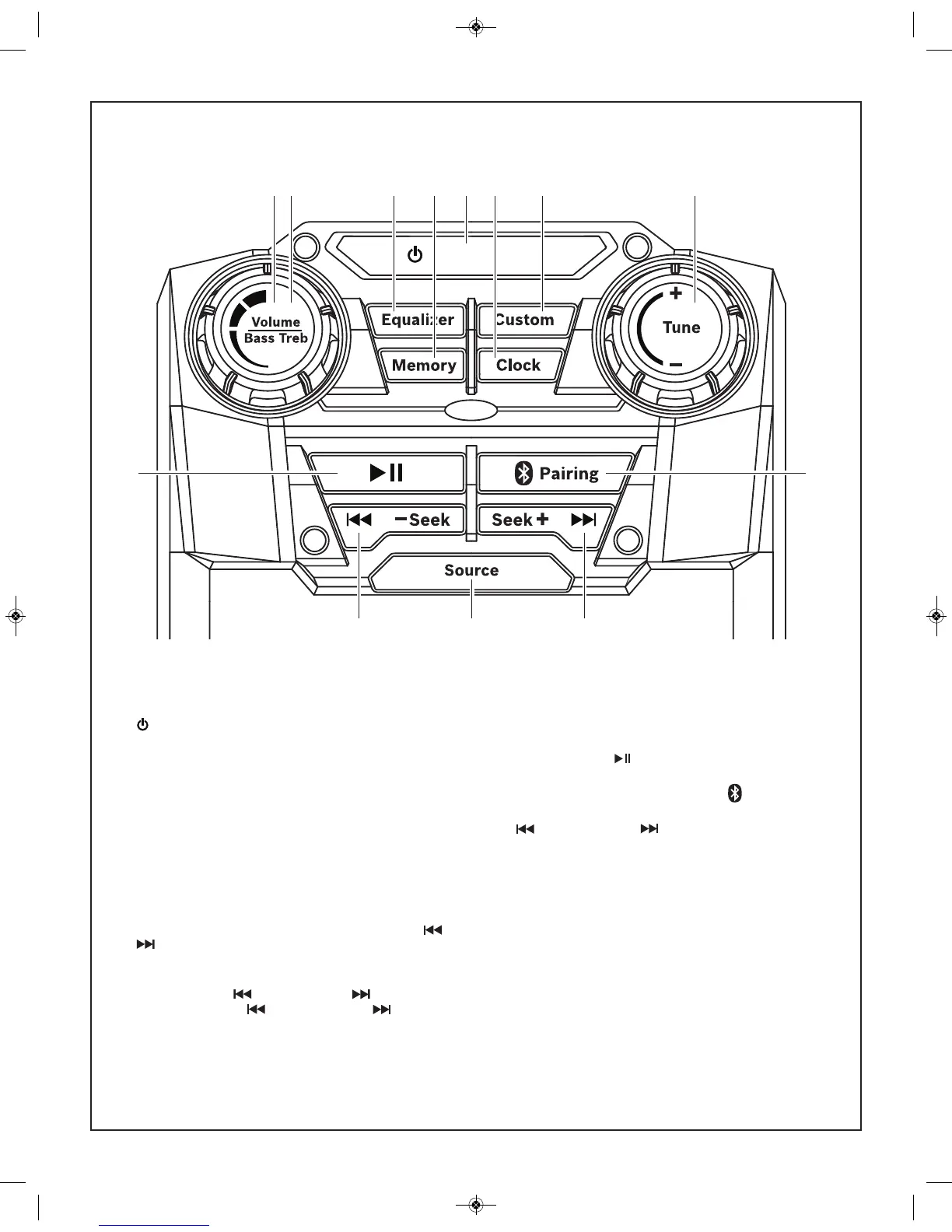
1. – To switch between power-on and standby modes.
2. Volume/Bass Treb – To increase/decrease the audio
volume at all modes Volume adjusts from 0-20 (min-max)
in one full revolution. Dial spins 360-degrees.
3. Volume/Bass Treb – Adjusts custom Bass and Treble
when unit is in “Custom” equalizer setting. And when
custom button is pressed and icon is flashing
4. Equalizer – To toggle between preset Jazz, Rock, Pop,
Classical and Custom equalizer settings.
5. Custom – Press once to engage custom Bass and Treble
settings. (controlled by Volume/Bass/Treb dial)
6. Memory – Pressing Sets Radio Tuner Presets. To Set:
Tune in to desired radio station, Press Memory, use or
buttons to move to desired preset, press Memory to
save station to preset.
7. Clock – Pressing sets and Saves clock setting. To Set:
Press once, use /-Seek or Seek+/ to adjust hour;
Press again, use /-Seek or Seek+/ to adjust
minute; Press again to set.
8. Tune +/- – When playing Radio source, turn dial to adjust
radio station channel.
9. PLAY / PAUSE – To play or pause a track when
listening to Bluetooth source.
10. BLUETOOTH PAIRING BUTTON – To pair to a
Bluetooth enabled device.
11. /-Seek or Seek+/ – When playing Radio source:
Press once to toggle between radio station presets. Press
and hold to quickly Seek radio stations up or down. When
listening to Bluetooth device source: Press once to skip to
previous track
12. Source – Press to toggle between Radio FM, AM, AUX1,
or bt (Bluetooth).
PB360C & PB360C-C Controls



 To Next Page