Bosch eBike System
The Bosch eBike System is an integrated electric bicycle drive system consisting of a drive unit, an on-board computer (Purion), a battery pack (PowerPack 300/400/500), and a charger. This system is designed to provide assistance while cycling, enhancing the riding experience.
Drive Unit (Active Line)
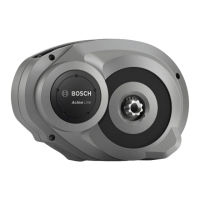
The drive unit is the core of the eBike system, providing motor assistance. It is designed to be integrated into the bicycle frame.
Function Description
The drive unit provides motor assistance when the rider pedals. The level of assistance is adjustable via the on-board computer. The motor assistance automatically switches off when the rider stops pedaling or reaches a speed of 25 km/h. It reactivates when pedaling resumes and the speed is below 25 km/h. The system also includes a push-assistance function for easier maneuvering when pushing the eBike.
Usage Features
- Assistance Levels: The system offers several assistance levels:
- OFF: Motor assistance is switched off, and the eBike functions as a normal bicycle. Push assistance is not available in this mode.
- ECO: Provides efficient assistance for maximum cruising range.
- TOUR: Offers uniform assistance for touring with a long cruising range.
- SPORT: Delivers powerful assistance for sportive off-road riding and urban traffic.
- TURBO: Provides maximum assistance, supporting the highest cadence for sportive riding.
- Push-Assistance Function: This feature helps when pushing the eBike, with a maximum speed of 6 km/h. To activate, briefly press the "WALK" button on the on-board computer, then press and hold the "+" button within 3 seconds. The push assistance deactivates if the "+" button is released, the wheels are blocked, or the speed exceeds 6 km/h.
- Gear Interaction: The eBike system works with standard bicycle gears. It is recommended to briefly interrupt pedaling when changing gears to reduce wear on the drive train. Selecting the correct gear can optimize speed and range with the same pedaling effort.
- eShift (Optional): This feature integrates automatic gear shifting systems with the eBike system, electrically connected to the drive unit.
- Bike Lights: If the eBike has lights powered by the system, they can be switched on and off simultaneously via the on-board computer.
- Automatic Shutdown: To save energy, the eBike system automatically shuts down if the eBike is not moved and no button is pressed on the on-board computer for 10 minutes.
Maintenance Features
- Repair: The drive unit must only be repaired by qualified experts using original spare parts to ensure safety and maintain warranty claims.
- Component Replacement: All components mounted to the drive unit (e.g., chainwheel, pedals) and other eBike drive components should only be replaced with identical or approved parts from the bicycle manufacturer to prevent overload and damage.
- Battery Removal: Always remove the battery pack before any work (inspection, repair, assembly, maintenance, transport, or storage) on the eBike to prevent unintentional activation and injury.
- Speed Sensor Check: Ensure the speed sensor and spoke magnet are mounted correctly, with a clearance of 5–17 mm. Incorrect clearance can lead to speed indication failure and emergency mode operation. If issues persist, contact an authorized bicycle dealer.
- System Checks: The eBike system should be checked by an expert at least once a year, including mechanical parts and software updates.
On-board Computer (Purion)
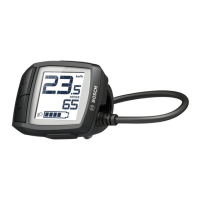
The Purion on-board computer serves as the control and display unit for the Bosch eBike system.
Function Description
The Purion displays essential riding data such as current speed, trip distance, total distance, range, battery charge level, and assistance level. It also allows the rider to switch the eBike system on/off, change assistance levels, and activate the push-assistance function.
Usage Features
- System Activation/Deactivation: The eBike system can be switched on by pressing the On/Off button on the Purion (with the battery pack inserted) or by pressing the On/Off button on the battery pack itself. To switch off, press the On/Off button on the Purion, switch off the battery pack, or remove the Purion from its holder.
- Assistance Level Adjustment: Use the "+" and "–" buttons to increase or decrease the assistance level.
- Display Information: The display shows current speed, and by repeatedly pressing the "–" button, riders can cycle through trip distance ("TRIP"), total distance ("TOTAL"), and battery pack range ("RANGE").
- Units: The displayed values can be switched between kilometers and miles by holding down the "–" button and briefly pressing the On/Off button.
- Battery Charge Indicator: The display shows the battery pack's charge level. Each bar represents approximately 20% capacity. A flashing indicator signifies low battery, with remaining capacity reserved for lighting.
- USB Port: The USB socket is for diagnostic systems only and must always be sealed with its protective cap.
- Error Code Indication: The display shows error codes if a system malfunction is detected. Depending on the error, the drive unit may shut off, but continued travel without assistance is possible. All repairs related to error codes should be performed by an authorized bike dealer.
Maintenance Features
- Battery Replacement: The Purion uses two CR2016 button cells. If "LOW BAT" is displayed, unscrew the fastening screw, open the battery lid with a coin, replace the batteries, and reattach the computer.
- Cleaning: Clean the on-board computer with a soft, damp cloth. Do not use detergents or immerse it in water.
- Service Indicator: The display may show a service indicator (wrench symbol) when a service date is due, based on distance traveled.
- Authorized Service: For any service or repair, contact an authorized bicycle dealer.
Battery Pack (PowerPack 300/400/500)
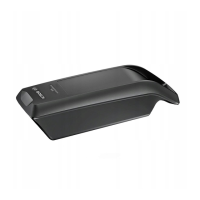
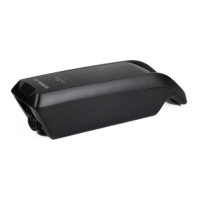
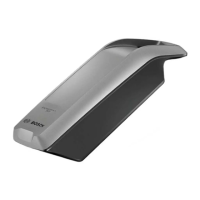
The PowerPack is a lithium-ion battery designed to power the Bosch eBike system.
Function Description
The battery pack stores energy to power the drive unit and other eBike components like lights. It features an "Electronic Cell Protection (ECP)" system to protect against deep discharging, overcharging, overheating, and short-circuiting.
Usage Features
- On/Off Button: The battery pack has an On/Off button (4) to switch it on and off. When switched on, the charge-control indicator (3) LEDs light up, indicating the charge condition.
- Charge-Control Indicator: Five green LEDs on the battery pack indicate the charge level, with each LED representing approximately 20% capacity. All five LEDs light up when fully charged. If two LEDs flash, it indicates a defect. If three LEDs flash, the battery is outside the allowable charging temperature range.
- Charging: The battery can be charged either on or off the bike using the Bosch charger. Charging occurs within a temperature range of 0 °C to 40 °C. The charging process automatically stops when the battery is full.
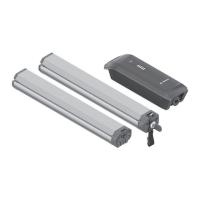
- Dual Battery System (Optional): Some eBikes can be equipped with two battery packs. In such cases, both batteries are charged and discharged alternately.
- Insertion/Removal: To insert, unlock the battery lock with the key (5), place the battery into its holder, and secure it by tilting it into place (for standard battery) or sliding it forward (for rack-type battery). Always lock the battery with the key and remove the key to prevent theft. To remove, switch off the battery, unlock it with the key, and pull it out of its holder.
Maintenance Features
- Charging: Only use original Bosch chargers. Charge the battery pack in a dry, fireproof area, and do not leave it unattended.
- Storage: Store the battery pack in a dry, well-ventilated location, protected from moisture, water, and direct sunlight. For long-term storage, charge it to approximately 60% (3–4 LEDs lit) and check the charge every 6 months. Optimal storage temperature is around 20 °C.
- Cleaning: Keep the battery clean and dry. Do not submerge it in water or clean with pressurized water.
- Handling: Protect the battery pack from heat, fire, and mechanical impacts. Avoid contact with any liquid ejected from the battery. Keep it away from metal objects to prevent short-circuiting.
- Transport: When transporting the eBike on a luggage rack, remove the battery pack to prevent damage. For commercial transport, observe dangerous goods regulations.
- Disposal: Battery packs, accessories, and packaging should be disposed of in an environmentally friendly manner. Do not dispose of them with household waste. Tape or mask off the contact surfaces of used battery packs before disposal. Return used battery packs to an authorized bicycle dealer.
- Key Management: Note down the manufacturer and key number for replacement in case of loss.
Charger
The Bosch eBike charger is designed to charge Bosch lithium-ion battery packs.
Function Description
The charger converts AC mains voltage to DC voltage suitable for charging the eBike battery pack. It features an indicator light (2) to show the charging status.
Usage Features
- Connection: Plug the charger's power cord into the mains supply and then connect the charger plug (5) to the charge socket (6) on the battery pack (either on or off the bike).
- Charging Indicator: The charger's indicator light (2) will illuminate during charging.
- Temperature Control: The charger will only charge the battery if its temperature is within the allowable range (0 °C to 40 °C). If the battery is too hot or cold, three LEDs on the battery pack will flash, and charging will not start until the temperature adjusts.
Maintenance Features
- Safety: Keep the charger away from rain and moisture. Do not operate it on easily flammable surfaces. Use caution when touching the charger during charging, as it can heat up.
- Inspection: Before each use, check the charger, cable, and plug for damage. Do not use a damaged charger. Repairs must only be performed by qualified technicians using original spare parts.
- Cleaning: Keep the charger clean to prevent electric shock.
- Disposal: Chargers, accessories, and packaging should be sorted for environmental-friendly recycling. Do not dispose of them with household waste. For EC countries, return unusable chargers to an authorized bicycle dealer.


 To Next Page


 General