EasyManua.ls Logo

Bosch PS82 - User Manual

Bosch PS82
40 pages
Print Icon
To Next Page IconTo Next Page
Loading...
IMPORTANT:
Read Before Using
IMPORTANT :
Lire avant usage
IMPORTANTE:
Leer antes de usar
For English Version
See page 2
Version française
Voir page 14
Versión en español
Ver la página 26
Operating/Safety Instructions
Consignes de sécurité/d’utilisation
Instrucciones de funcionamiento y seguridad
1-877-BOSCH99 (1-877-267-2499) www.boschtools.com
Call Toll Free for Consumer Information and Service Locations
Pour obtenir des informations et les adresses de nos centres de service après-vente, appelez ce numéro gratuit
Llame gratis para obtener información para el consumidor y ubicaciones de servicio
PS42
PS82
2610051965.indd 1 1/16/19 9:53 AM
Question and Answer IconNeed help?

Do you have a question about the Bosch PS82 and is the answer not in the manual?

Summary

Operating and Safety Instructions

Safety Symbols

General Power Tool Safety Warnings

Work Area and Electrical Safety

Keep area clean/lit, use proper electrical connections, avoid moisture.

Personal Safety Precautions

Stay alert, use common sense, and wear appropriate protective gear.

Preventing Unintentional Operation

Ensure switch is off, remove keys, avoid overreaching, dress properly.

Tool and Battery Care

Use correct tool, maintain it, and handle battery packs carefully.

Battery Pack Safety

Avoid fire, explosion, or damage from temperature or improper charging.

Additional Safety Measures

Use GFCI, PPE, correct power supply, and keep handles dry.

Tool Maintenance and Cleaning

Schedule maintenance, clean carefully, and ensure switch is off before battery insertion.

Service

Professional Servicing

Use qualified repair persons and identical replacement parts.

Battery Pack Service

Battery pack service must be done by authorized personnel.

Safety Rules for Cordless Impact Drivers

Safe Tool Handling and Operation

Brace tool, secure workpiece, avoid wall wiring, use PPE, manage vibration.

Preventing Accidental Starts

Ensure switch is off, remove battery before accessory changes.

Accessory and Bit Usage

Use correct, sharp bits; ensure secure locking; avoid dull/damaged accessories.

Specific Operation Precautions

Avoid running while carrying, place tool on fastener when off, do not use as drill, be careful with long screws.

Symbols

Functional Description and Specifications

Cordless Impact Driver PS42

Overview of the PS42 model's features and specifications.

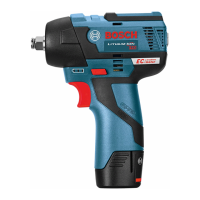
Cordless Impact Wrench PS82

Overview of the PS82 model's features and specifications.

Assembly

Inserting and Removing Accessories (PS42)

How to insert and remove accessories for the PS42 model.

Installing Sockets (PS82)

How to install sockets for the PS82 model.

Operating Instructions

Intended Use

Specifies the intended purpose of the tool.

Variable Speed Trigger Switch

Explains how to control speed using the trigger.

Brake

Describes the chuck braking mechanism.

Variable Speed Selector

Details how to adjust speed settings using the selector.

Forward;Reverse Lever and Trigger Lock

Explains the function of the forward/reverse lever and trigger lock.

Built-in Work Light

Describes the integrated work light feature.

Battery Charge Status Indicator Lights

Inserting and Releasing Battery Pack

Operating Tips

Driving with Variable Speed

Technique for using variable speed for driving screws and bolts.

Tightening Torque

Explains factors affecting tightening torque and application cases.

Fastening with Screws

Procedure for fastening screws, including pre-drilling.

Driving Nuts and Bolts

Maintenance

Service

Information on tool service and repair recommendations.

Motors

Recommendations for motor examination and genuine parts.

Batteries

Guidance on battery pack replacement and potential issues.

Tool Lubrication

States the tool is pre-lubricated.

Cleaning

Precautions for cleaning the tool and avoiding damage.

Limited Warranty

Summary

Operating and Safety Instructions

Safety Symbols

General Power Tool Safety Warnings

Work Area and Electrical Safety

Keep area clean/lit, use proper electrical connections, avoid moisture.

Personal Safety Precautions

Stay alert, use common sense, and wear appropriate protective gear.

Preventing Unintentional Operation

Ensure switch is off, remove keys, avoid overreaching, dress properly.

Tool and Battery Care

Use correct tool, maintain it, and handle battery packs carefully.

Battery Pack Safety

Avoid fire, explosion, or damage from temperature or improper charging.

Additional Safety Measures

Use GFCI, PPE, correct power supply, and keep handles dry.

Tool Maintenance and Cleaning

Schedule maintenance, clean carefully, and ensure switch is off before battery insertion.

Service

Professional Servicing

Use qualified repair persons and identical replacement parts.

Battery Pack Service

Battery pack service must be done by authorized personnel.

Safety Rules for Cordless Impact Drivers

Safe Tool Handling and Operation

Brace tool, secure workpiece, avoid wall wiring, use PPE, manage vibration.

Preventing Accidental Starts

Ensure switch is off, remove battery before accessory changes.

Accessory and Bit Usage

Use correct, sharp bits; ensure secure locking; avoid dull/damaged accessories.

Specific Operation Precautions

Avoid running while carrying, place tool on fastener when off, do not use as drill, be careful with long screws.

Symbols

Functional Description and Specifications

Cordless Impact Driver PS42

Overview of the PS42 model's features and specifications.

Cordless Impact Wrench PS82

Overview of the PS82 model's features and specifications.

Assembly

Inserting and Removing Accessories (PS42)

How to insert and remove accessories for the PS42 model.

Installing Sockets (PS82)

How to install sockets for the PS82 model.

Operating Instructions

Intended Use

Specifies the intended purpose of the tool.

Variable Speed Trigger Switch

Explains how to control speed using the trigger.

Brake

Describes the chuck braking mechanism.

Variable Speed Selector

Details how to adjust speed settings using the selector.

Forward;Reverse Lever and Trigger Lock

Explains the function of the forward/reverse lever and trigger lock.

Built-in Work Light

Describes the integrated work light feature.

Battery Charge Status Indicator Lights

Inserting and Releasing Battery Pack

Operating Tips

Driving with Variable Speed

Technique for using variable speed for driving screws and bolts.

Tightening Torque

Explains factors affecting tightening torque and application cases.

Fastening with Screws

Procedure for fastening screws, including pre-drilling.

Driving Nuts and Bolts

Maintenance

Service

Information on tool service and repair recommendations.

Motors

Recommendations for motor examination and genuine parts.

Batteries

Guidance on battery pack replacement and potential issues.

Tool Lubrication

States the tool is pre-lubricated.

Cleaning

Precautions for cleaning the tool and avoiding damage.

Limited Warranty

Bosch PS82 Specifications

General IconGeneral
BrandBosch
ModelPS82
TypeImpact Driver
Voltage12V
No Load Speed0-2, 600 RPM
Impact Rate0-3, 100 IPM
Battery TypeLithium-Ion
Chuck Type1/4" Hex

Related product manuals