Basic settings NL
B Basic settingsasis settings
B You can set up your device according to your needs.asis settings
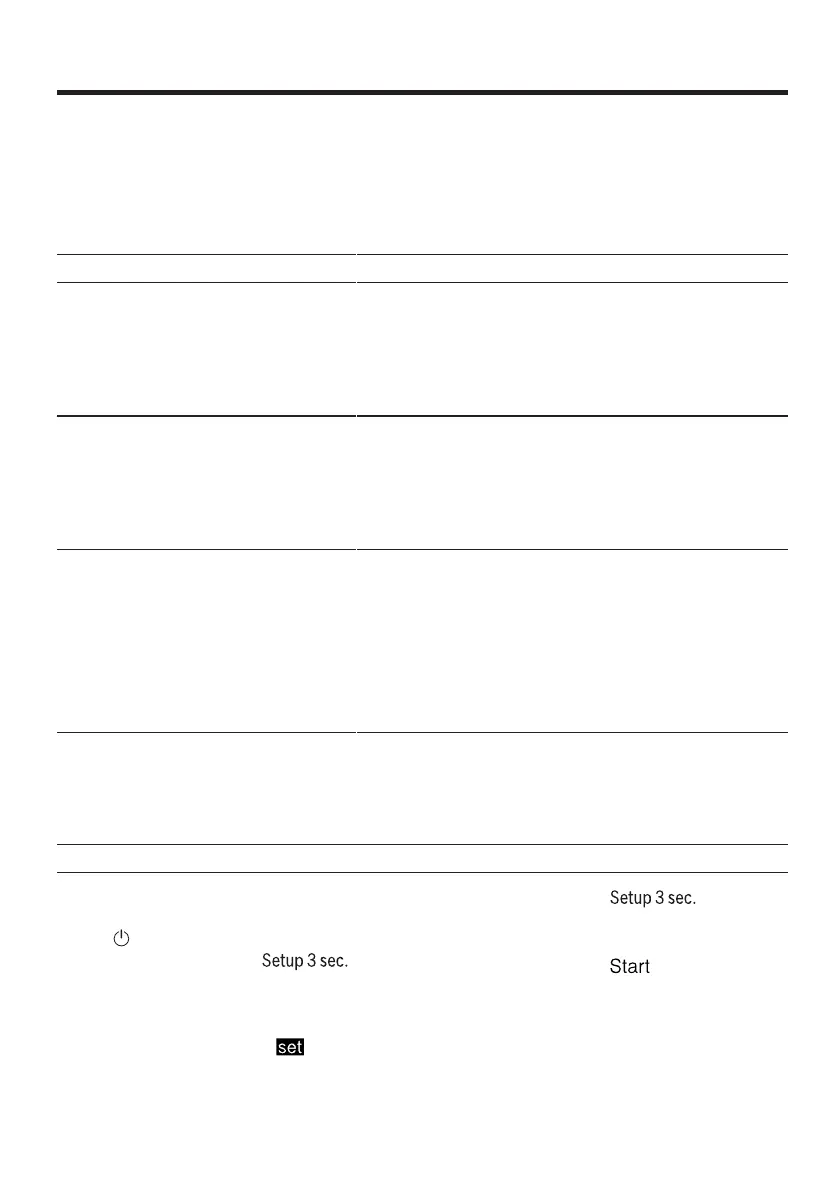
Overview of the basic settings
The basic settings depend on the equipment of your appliance.
Basic setting Display text Choise Description
Water hardness H04 1 H00 - H07 Set the water softener to the water
hardness.
→"Setting water softening",
Page 22
At position H00, the water
softening is switched off.
rinse aid
lilac
r05 1 r00 - r06 Set the amount of rinse aid.
→"Amount of rinse aid
set", page 24
Switch off the rinse aid
with position r00.
Intensive drying d00 1 d00 - d01 When rinsing, the temperature is
increased, which results in better
drying results. As a result, the run
time may increase slightly.
Remark: Not suitable for
delicate items of crockery.
Switch on intensive drying "d01"
or switch off "d00".
Factory setting re YES Reset changed settings
to the factory state.
The settings for the first
start-up must be saved
ven.
1 Factory setting (may differ depending on the device type)
Change basic settings
3. Just as often on to press
until the display shows the desired
setting.
1. on to press.
2. Approx. 3 seconds on Busy-
to access the basic settings.
4. Press as many times until
the display shows the desired
value.
a The display shows Hxx.
a The display shows
You can change several settings.
to give.
33


 To Next Page