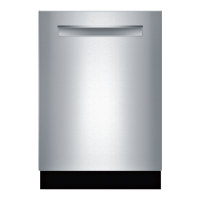
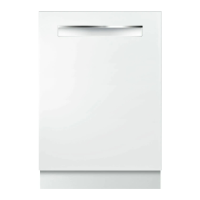
This document serves as a Quick Start & Safety Guide for the Bosch 800 series dishwasher, an appliance designed for washing household dishware and kitchenware. It provides essential information for safe operation, initial setup, cycle selection, and basic maintenance, while also highlighting its "A Connected Appliance" feature through the Home Connect™ app.
Function Description:
The Bosch 800 series dishwasher is primarily designed to clean and sanitize various types of dishware and kitchenware that are rated as dishwasher safe. It offers multiple wash cycles and options to cater to different levels of soil and specific cleaning needs. The appliance is equipped with sensors that automatically adjust cycle intensity and time based on soil detection, ensuring efficient cleaning. For enhanced drying results and shine, the dishwasher is designed to be used with rinse aid. Its "A Connected Appliance" feature allows for remote control, monitoring, and access to additional cycles and options via the Home Connect™ app, providing a modern and convenient user experience.
Usage Features:
- Connectivity: The dishwasher can be connected to the Home Connect™ app (available on App Store and Google Play) by downloading the app and scanning a QR code. This enables users to adjust settings, download additional cycles and options, and remotely start the dishwasher.
- Detergent Dispensing: Users can use detergent tabs, fresh powdered detergent, or liquid detergent. For quick cycles, powdered or liquid detergent is recommended. The dispenser lid is designed to slide closed easily. The guide provides visual instructions for laying tabs flat, recommended detergent amounts (e.g., 3 Tbsp. max, 1.75 Tbsp. (25 ml), 1 Tbsp. (15 ml)), and how to close the dispenser cover.
- Rinse Aid System: The dishwasher utilizes rinse aid to improve drying and shine. The guide advises removing the bottle lid for easier pouring and avoiding the air vent when refilling. The amount of rinse aid dispensed can be adjusted in the settings to prevent streaks or ensure adequate drying.
- Starting the Dishwasher: Operation begins by pressing the On/Off button, selecting a desired cycle and option, and then pressing Start. The door must be shut within 4 seconds of pressing Start, or the operation will pause. If there's any interruption, the Start button needs to be pressed again. This mechanism is a safety feature to prevent unintentional operation.
- Loading Guidance: The guide provides tips for optimal loading, including a QR code to access a video on best practices for loading dishes and avoiding common mistakes. It emphasizes loading sharp items (knives, skewers) pointing down to prevent injury. Caution is advised when opening the door during or after a wash cycle due to hot water or steam.
- Cycles and Options:
- Cycles:
- Heavy: For baked-on/greasy dishes, offering a longer cycle and higher temperature (e.g., baked-on lasagna casserole).
- Auto: For not baked-on dishes, adjusts intensity and time automatically by soil sensing (e.g., everyday load).
- Normal: For not baked-on dishes, a cycle to save energy and water (e.g., everyday load).
- Speed60®: A 1-hour cycle including drying for fresh, not dried-on dishes (e.g., everyday load).
- Favorite: Allows access to a saved cycle and option combination, configurable via the Home Connect™ app or by pressing the button for 3 seconds.
- Remote Start: Enables users to start the dishwasher remotely via the Home Connect™ app.
- Options:
- Sanitize: Increases cycle length and temperature for disinfection (e.g., cutting boards, bottles).
- CrystalDry™: Provides outstanding drying results using innovative zeolite technology (e.g., everyday load).
- PowerControl: front/back: Intensive cleaning for the lower rack, either front or back (e.g., casserole dishes, pots, pans).
- PowerControl: custom: Customizable cleaning intensity level for 4 zones via Home Connect™ app (e.g., everyday load).
- Delay*: Delays the start of the cycle up to 24 hours (available through Home Connect™ app only).
- Adjusting Settings: The simplest way to change settings is through the Home Connect™ app. Manual adjustment involves pressing the On/Off button, holding down button A to access the settings menu, pressing A repeatedly to select the desired setting, pressing Start to change the value, and pressing A to save. Common adjustable settings include water hardness, rinse aid amount, intensive drying, buzzer signal volume, and factory reset.
- Rack Adjustment: The upper rack can be adjusted as needed to accommodate large items.
Maintenance Features:
- Exterior Cleaning: Surfaces should be cleaned with a damp cloth and mild soap. Users are cautioned against using abrasives, bleach-based cleaners, stainless steel cleaner on black stainless or anti-fingerprint surfaces, harsh chemicals, bleach-based wipes, or abrasive cloths/paper towels on the exterior door panel, as these can cause damage.
- Filter Cleaning: The filter should be cleaned 3-12 times a year, depending on usage, to prevent blockages and ensure effective cleaning.
- Machine Care Program: It is recommended to run the Machine Care program, accessible through the Home Connect™ app, to keep the tub clean.
- General Precautions:
- Avoid allowing wet areas to remain around or under the dishwasher to prevent floor damage and mold growth.
- Do not overfill the rinse aid dispenser to avoid over-sudsing or clogging.
- Wipe up any spills with a damp cloth.
- Prevent water from remaining in the dishwasher systems during extended periods of freezing temperatures, as this can damage components.
- Never use steam cleaning products to clean the dishwasher.
- Remove all cookware, utensils, or foreign material from inside when cleaning with cleaning agents, especially highly acidic and/or caustic alkaline ones, to prevent the formation of explosive hydrogen gas if aluminum material is present.
- Do not load the dishwasher with paper products, plastic bags, packing materials, or anything other than normal, dishwasher-safe dishware and kitchenware.

 Need help?
 General

 To Next Page