Water softening system en
23
Water
hardness
value °E
Hardness
range
mmol/l Level LED A
→Page16
LED B
→Page16
LED C
→Page16
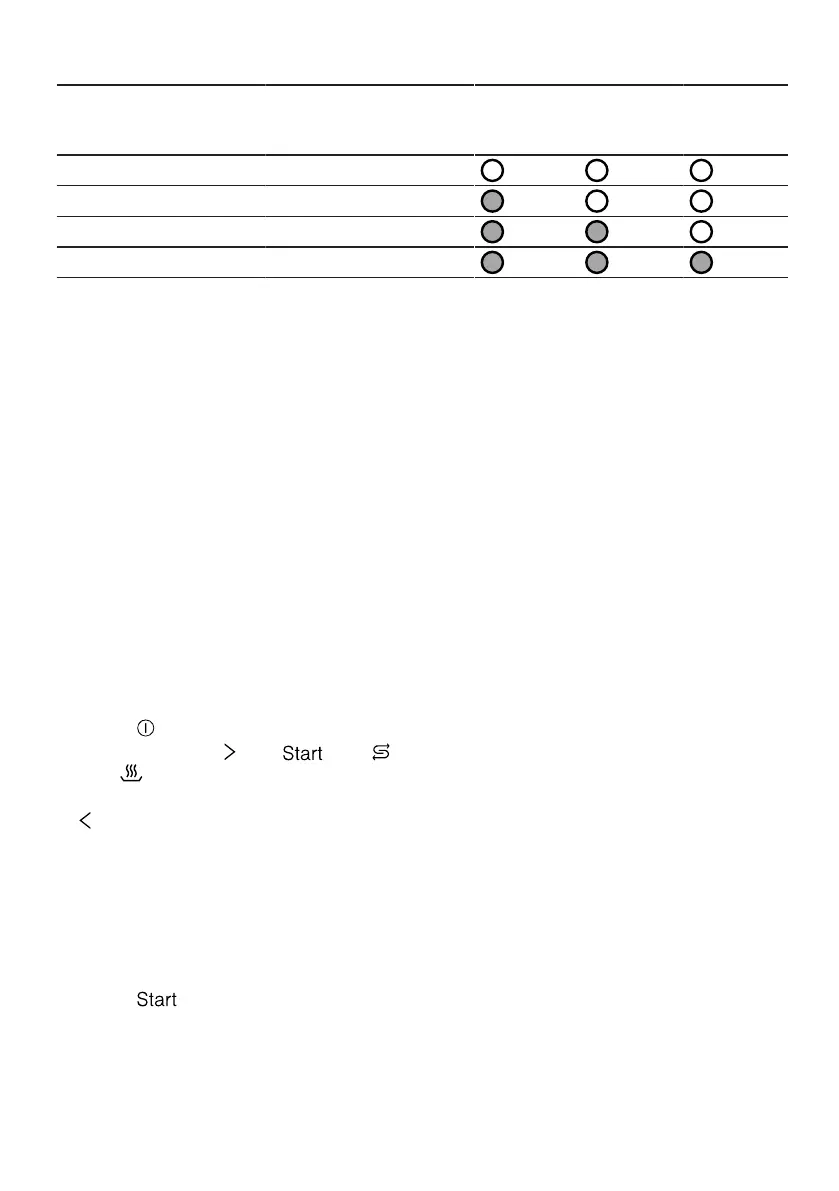
0 - 8 Soft 0 - 1.1 0
9 - 20 Medium 1.2 - 2.9 1
21 - 26 Hard 3.0 - 3.7 2
27 - 62 Hard 3.8 - 6.2 3
Note:Set the water hardness determ-
ined on your appliance.
→"Setting water softening system",
Page23
With a water hardness of 0 - 8°E
you can dispense with special salt
and switch off the water softening
system.
→"Switching off water softening sys-
tem", Page24
10.2 Setting water softening
system
Set the water hardness on your appli-
ance.
1. Determine the water hardness and
the appropriate setting value.
→"Overview of water hardness set-
tings", Page22
2. Press .
3. Press and hold and until
and flash.
4. Release buttons.
5. repeatedly until the required level
has been selected.
0, 1, 2 or 3 LEDs will light up ac-
cordingly.
→"Overview of water hardness set-
tings", Page22
The factory setting is level 1 (LED
A →Page16).
6. Press to save the setting.
a The LEDs go out.
10.3 Special salt
You can use special salt to soften
water.
Adding special salt
If the special salt refill indicator lights
up, add special salt to the dispenser
for special salt just before the pro-
gramme starts. The consumption of
special salt depends on the water
hardness. The higher the water hard-
ness, the greater the consumption of
special salt.
ATTENTION!
Detergent may damage the water
softening system.
▶ Only fill the dispenser of the water
softening system with special dish-
washer salt.
Special salt for dishwashers can
damage the tub due to corrosion.
▶ To make sure that any special salt
that escapes is washed out of the
tub, add the special salt to the dis-
penser for special salt immediately
before the programme starts.
1. Unscrew the lid of the dispenser
for special salt and remove.
2. On initial start-up: Fill the dispenser
right up with water.


 To Next Page