Need help?
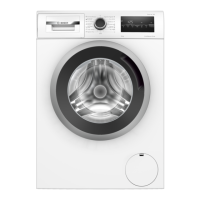
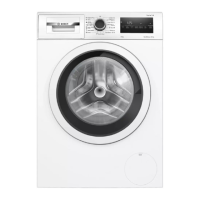
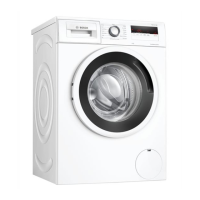
Do you have a question about the Bosch WAN24064BY and is the answer not in the manual?
Read manual, keep for reference, do not connect if damaged.
Use for machine-washable fabrics, tap water, detergents, in private households.
For children aged 8+ or reduced abilities; requires supervision. Keep children away.
Connect to earthed socket. Ensure power cable is not trapped or damaged.
Never operate damaged appliance. Unplug from mains. Avoid moisture and heat.
Repairs by trained staff only. Use genuine spare parts. Avoid solvents.
Sort packaging materials by type for environmentally compatible disposal and recycling.
Choose low temperatures, longer wash times, and full loads for efficiency.
Appliance automatically switches to energy-saving mode after periods of inactivity.
Remove packaging, check for damage, and remove drum accessories.
Check parts for transit damage and completeness. Do not operate with defective accessories.
Appliance on stable surface, not exposed to frost. Ensure proper electrical connection.
Remove transit bolts from appliance rear before use. Store them safely.
Connect water inlet hose to tap and secure water outlet hose.
Adjust appliance feet using a spirit level to ensure it is level and stable.
Insert mains plug into socket. Comply with local electrical regulations.
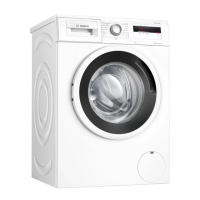
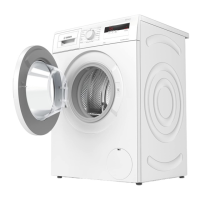
Overview of main parts: door, control panel, detergent drawer, etc.
Compartments for prewash, main wash, and fabric softener.
Explanation of control panel functions: programmes selector, display, buttons.
Run a cycle without laundry to remove residual water and factory residues.
Prepare laundry: remove pocket items, sort, close fastenings, wash delicate items in bag.
Ensure appliance is correctly installed and connected before switching on.
Turn programme selector to choose wash programme and adjust settings.
Modify programme settings like temperature or spin speed as required.
Open door, place laundry in drum, and close door securely.
Instructions for inserting measuring aid into detergent drawer for liquid detergents.
Pour detergent and care products into appropriate compartments of the drawer.
Press Start/Reload button to begin the selected wash programme.
Modify programme end time before starting by pressing Finished in button.
Start programme, pause after 10 mins, resume after desired soaking time.
Pause programme to add or remove laundry if status allows.
Press Start/Reload to pause, then open door to cancel programme.
Continue programme by selecting Spin/Drain and pressing Start/Reload.
Open door after programme ends and remove laundry from drum.
Turn selector to Off, turn off tap, wipe gasket dry.
Press and hold two buttons for 3 secs to lock controls. Display shows lock symbol.
Press and hold two buttons for 3 secs while appliance is on to deactivate lock.
Configure basic settings like end signal volume and button signal volume.
Instructions to change basic settings using programme selector and Start/Reload buttons.
Run 60°C programme regularly or Cotton 90° without laundry to prevent damage.
Remove and clean detergent drawer and insert with water and brush.
Empty and clean drain pump and filter to resolve blockages or noises.
Turn off tap, drain water, unplug, detach hoses before moving or disposing.
Secure appliance for transport by inserting transit bolts and cover caps.
Refer to installation and starting sections for information on reusing the appliance.
Dispose of appliance in an environmentally friendly manner, following local guidelines.
Locate and note appliance's E-Nr. and FD numbers for customer service contact.

 To Next Page
 General