30
Appliance settings
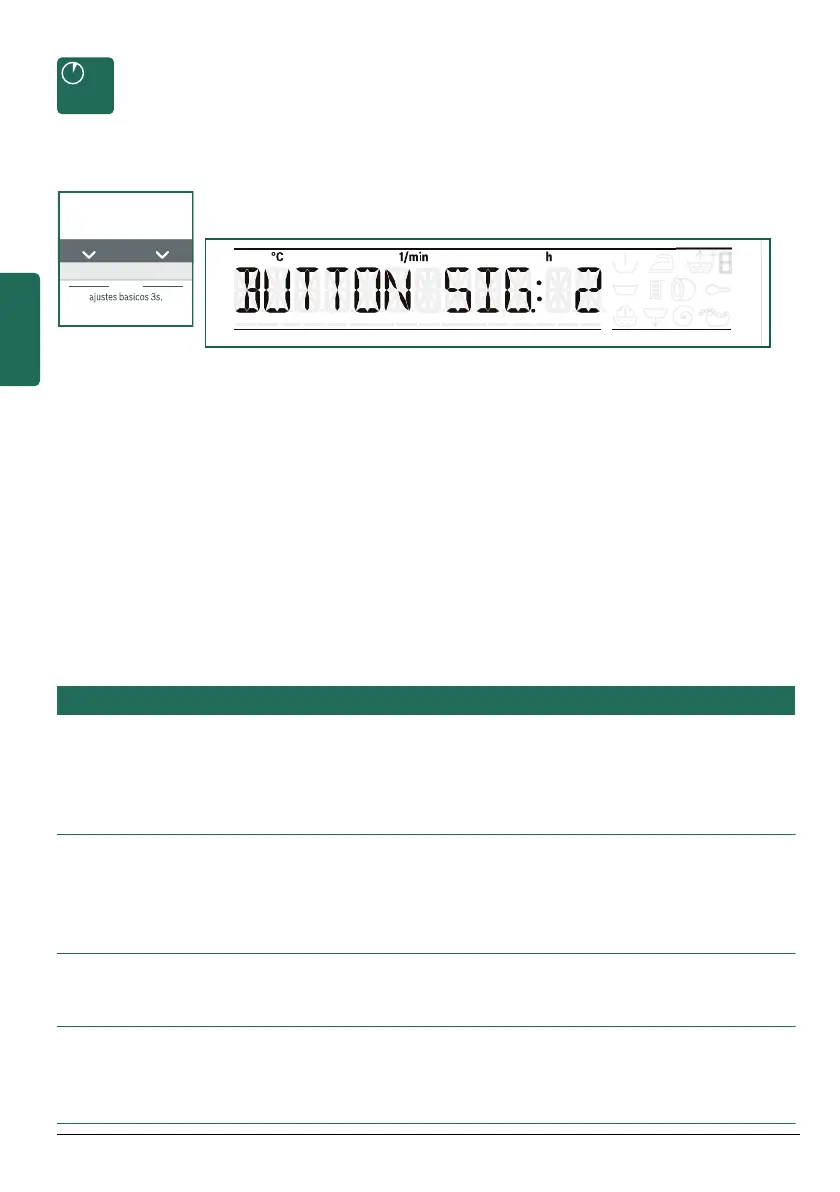
The ajustes basicos 3s. (basic settings 3 sec.) buttons
(Temperature Ö and Spin Ö), can be used to change the set
values, e.g. the volume of the button signals.
Simultaneously hold down ajustes basicos 3s. (basic settings
3sec.) buttons for approx. 3 seconds:
Ø The access menu for changing the appliance settings
appears on the display panel.
Ø The Terminado en (Finished in) ×, Ö buttons can be used
to change the set values.
If the buttons are held down, the set values automatically run
through.
Ø The temperatura (Temperature) ×, Ö and Centrif. interm.
(Spin) ×, Ö buttons can be used to select other settings.
If the buttons are held down, the set values automatically run
through.
Ø To end the settings, wait or hold down the
ajustes basicos 3s. (basic settings 3 sec.) buttons again.
²
Settings are retained after appliance is switched off.
Settings Set values Notes
´½³ ¸¶½°» Ê = off
Ë = quiet
Ì = medium
Í = loud
Î = very loud
Adjust volume of the end signal.
±ÄÃþ½ ¸¶. Ê = off
Ë = quiet
Ì = medium
Í = loud
Î = very loud
Adjust volume of the button signals.
»°½¶Ä°¶´ ³´ = German
¶± = English
...
Change displayed language.
°Äþ ¾μμ ËÏ (min.)
ÍÊ (min.)
Ë:ÊÊ (h=hour)
¾μμ
The appliance automatically switches off after
the selected time (=0 kWh energy consump-
tion). to switch on, press main switch button
#
.


 To Next Page