en Home Connect
40
Activating/deactivating Wi-Fi
If your appliance is already connected
to your home network, you can activate
or deactivate Wi-Fi on your appliance.
Ensure that you are in the Home
Connect menu. ~ Page 37
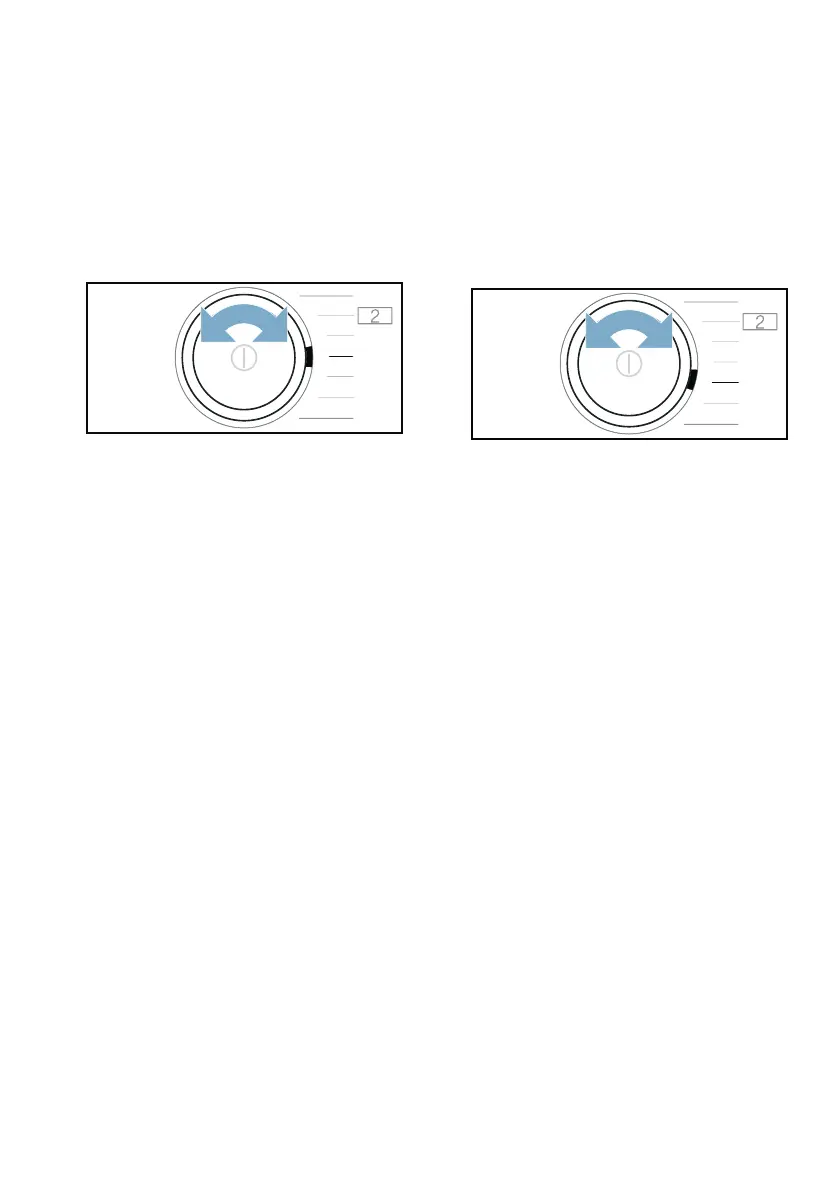
1. Set the programme to position 4.
’©Ÿ(Wi-Fi) appears in the display.
2. Press Wi-Fi.
If ©Ÿ appears in the display, Wi-Fi is
activated on the appliance. If ©””
appears in the display, Wi-Fi is
deactivated on the appliance.
Notes
■ If you connect to your home network,
Wi-Fi is activated automatically.
■ If Wi-Fi is activated, the appliance will
not switch itself off automatically.
■ If Wi-Fi is switched off on the
appliance, it is not possible to use
the Home Connect app to start or
control the appliance remotely.
■ If Wi-Fi is switched off and your
appliance was previously connected
to your home network, this
connection will be re-established
automatically when Wi-Fi is switched
back on.
■ If you activate this function, the
energy consumption increases in
comparison to the values specified
in the consumption value table.
~ Page 62
Resetting your network
settings
You can reset all of the network
settings.
Ensure that you are in the Home
Connect menu. ~ Page 37
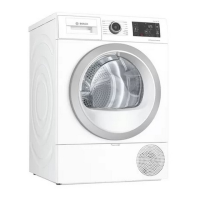
1. Set the programme to position 5.
§“† (reset network settings)
appears in the display.
2. Press A.
¢“à appears in the display.
3. Press A.
Note: If you want to operate your
appliance via the Home Connect app
again, you will need to reconnect it to
your home network and to the
Home Connect app.
#
+


 To Next Page