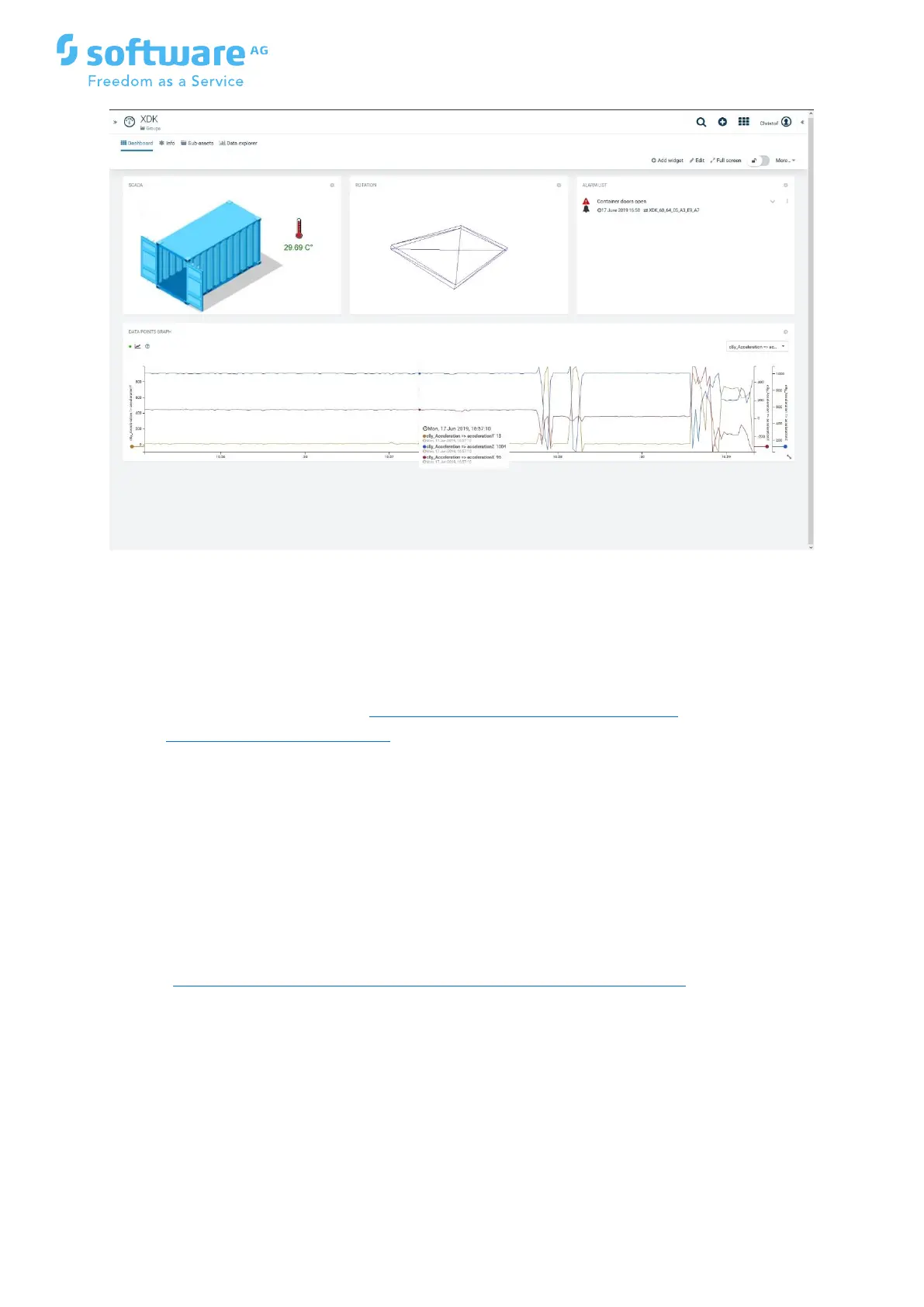
Dashboard from above is build using the following standard Cumulocity widgets:
1. SCADA widget on the basis of SVG Container_V01.svg
2. Rotation widget to show the position of he XDK
3. Alarm widget to show recent alarms. This requires to define a smart rule
"Container doors open": https://cumulocity.com/guides/users-
guide/cockpit/#smart-rules
The rule "On measurement explicit threshold create alarm" is using the
measurement c8y_Light with min 50000 and max 100000
4. Data point widget with data
points c8y_acceleration=>accelerationX, c8y_acceleration=>accelerationY and c8y_a
cceleration=>accelerationZ
26 Rotation widget
Using the Cumulocity custom widget published on the
github: https://github.com/SoftwareAG/cumulocity-collada-3d-widget you can view the
rotation of the



 To Next Page