EasyManua.ls Logo

Bose Lifestyle PS48 - User Manual

Bose Lifestyle PS48
5 pages
Print Icon
To Next Page IconTo Next Page
Loading...
1
PS28/48 General Test Procedures
1. Initial Product Test
Note: Before taking the unit apart or performing any repair process, an attempt to verify the cus-
tomer complaint must be made.
1.1 Read any customer note included with the unit.
2. Attempt to verify the complaint before opening the unit or performing any repairs.
2.1 Customer complaint not verified, discuss with customer.
2.2 Customer complaint verified, troubleshoot and repair the unit. Refer to the PS28/28 Trouble-
shooting Tips/Preventative Repair Measures document.
3. Check the software revision of the unit, using the procedures on page 5, procedure 2.3.
Refer to the Bose
®
service extranet site, http://serviceops.bose.com for information regard-
ing the latest software revision. Update is needed.
4. Verify Performance and all functions.
Note: If a media center is available, use the procedures “With AV28 media center”. if a media
center is not available, use the procedures “Without AV28 media center”.
Required Test Equipment and Cables
1. Audio Signal Generator.
2. Digital Converter (A-D) with S/PDIF output, if AV28 Media Center is not availble.
3. PC (IBM compatible), if AV28 Media Center is not availble.
4. DC power supply for cube phase test.
5. Audio amplifier for cube sweep test.
6. PS28/48 test cable part number 264564.
7. RCA to bare wire cables (to connect cube speakers to bass module).
Black rear cable part number 180644
Black Left/Center/Right part number 180643-4
Note: AC2 connector part number 195505-001 is needed to connect bare wire to Jewel
®
Cube
speaker.
6
8
7
8 PIN
RJ45
2
3
RCA PLUG
9 PIN D-SUB FEMALE
8 PIN RJ45
Test cable part number 264564
Connect to computer
RS232 port
Connect to D-A
converter
Connect to
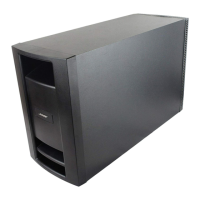
PS28/48 bass module
Question and Answer IconNeed help?

Do you have a question about the Bose Lifestyle PS48 and is the answer not in the manual?

Summary

PS28;48 General Test Procedures

Initial Product Test

Steps for initial product testing before repair.

Attempt to Verify Complaint

Verify customer complaint before proceeding with repairs.

Check Software Revision

Verify and update the unit's software revision.

Verify Performance and Functions

Test all functions and performance criteria.

Required Test Equipment and Cables

PS28;48 Performance Verification Procedures (Without AV28 Media Center Console)

Test Setup Procedures

Steps for setting up the test environment and connecting components.

Bass Module Air Leak Test

Procedure to check for air leaks in the bass module cabinet.

Cube Speaker Phase Test

Test to verify correct phase of the cube speakers.

Cube Speaker Sweep Test

Test cube speakers with audio sweeps for extraneous noises.

Listening Test

Evaluate audio output quality from bass module and cube speakers.

PS28;48 Performance Verification Procedures (With AV28 Media Center Console)

Test Setup

Steps for setting up the test with AV28 media center.

Bass Module Air Leak Test

Procedure to check for air leaks in the bass module cabinet.

Cube Speaker Phase Test

Test to verify correct phase of the cube speakers.

Cube Speaker Sweep Test

Test cube speakers with audio sweeps for extraneous noises.

Listening Test

Evaluate audio output quality from bass module and cube speakers.

Setting up a computer to issue TAP commands

Placing the Bass Module into TAP Mode

Place the Bass Module into TAP Mode

Steps to put the bass module into TAP mode via DIP switches.

Verify Bass Module Communication

Confirm the bass module is communicating in TAP mode.

Equalizer Programming Method

Summary

PS28;48 General Test Procedures

Initial Product Test

Steps for initial product testing before repair.

Attempt to Verify Complaint

Verify customer complaint before proceeding with repairs.

Check Software Revision

Verify and update the unit's software revision.

Verify Performance and Functions

Test all functions and performance criteria.

Required Test Equipment and Cables

PS28;48 Performance Verification Procedures (Without AV28 Media Center Console)

Test Setup Procedures

Steps for setting up the test environment and connecting components.

Bass Module Air Leak Test

Procedure to check for air leaks in the bass module cabinet.

Cube Speaker Phase Test

Test to verify correct phase of the cube speakers.

Cube Speaker Sweep Test

Test cube speakers with audio sweeps for extraneous noises.

Listening Test

Evaluate audio output quality from bass module and cube speakers.

PS28;48 Performance Verification Procedures (With AV28 Media Center Console)

Test Setup

Steps for setting up the test with AV28 media center.

Bass Module Air Leak Test

Procedure to check for air leaks in the bass module cabinet.

Cube Speaker Phase Test

Test to verify correct phase of the cube speakers.

Cube Speaker Sweep Test

Test cube speakers with audio sweeps for extraneous noises.

Listening Test

Evaluate audio output quality from bass module and cube speakers.

Setting up a computer to issue TAP commands

Placing the Bass Module into TAP Mode

Place the Bass Module into TAP Mode

Steps to put the bass module into TAP mode via DIP switches.

Verify Bass Module Communication

Confirm the bass module is communicating in TAP mode.

Equalizer Programming Method

Overview

This document outlines the general test procedures and performance verification for the PS28/48 bass module, a component of the Bose Lifestyle® 28/48 system. It covers initial product testing, required test equipment, and detailed steps for verifying performance both with and without the AV28 Media Center Console. The manual also includes instructions for setting up a computer to issue TAP commands and for programming the equalizer.

Function Description

The PS28/48 bass module is a key component of a home audio system, designed to reproduce low-frequency sounds. It integrates with cube speakers and can be controlled via a media center or directly through a computer using TAP (Test and Programming) commands. The module's functionality includes digital audio processing, speaker output, and various diagnostic modes for testing and calibration.

Important Technical Specifications

The document provides insights into the operational parameters and connectivity of the PS28/48.

  • Connectivity:
    • RS-232 COM Port: Used for connecting to a computer for diagnostic and programming purposes. This requires a 9-pin D-sub female connector on the test cable (part number 264564).
    • RJ-45 Port: Connects the test cable to the bass module for communication.
    • RCA Connector: On the test cable, connects to the S/PDIF output of an Analog-to-Digital (A-D) converter for digital audio input.
    • Audio Input (Analog): Requires an Analog-to-Digital (A-D) converter to convert analog audio signals from an oscillator or CD player into a digital S/PDIF output for the bass module.
    • Speaker Outputs: Connects to cube speakers for full audio reproduction. The document mentions the use of RCA to bare wire cables for connecting cube speakers to the bass module, and AC2 connectors (part number 195505-001) for connecting bare wire to Jewel® Cube speakers.
    • Power: The bass module operates with AC line power.
  • Digital Audio Processing: The bass module requires a digital audio input. When no S/PDIF signal is applied, the sample rate is reported as 29 kHz. A typical reported sample rate with an S/PDIF signal is 44101.30.
  • Software Revision: The unit's software revision can be checked using the "TN 4" TAP command. A typical response includes a checksum (e.g., 03DE6455) and the software version (e.g., 010808).
  • Speaker Type Decoding: The bass module supports various speaker types, which are decoded from a two-digit numerical value:
    • 00: Falcon (Early version dual cube)
    • 01: Doubleshots (Later version dual cube)
    • 02: Cricket (Jewel® Cube)
    • 03: Dublin (Single Cube)
    • 04: Mariner (151 environmental speakers)
    • 05: User EQ (Installer)
  • DIP Switches: Four DIP switches are used to place the bass module into TAP mode and for other diagnostic functions. Their positions (up/down) are critical for specific test procedures.
  • LED Indicators: Amber and green LEDs on the bass module provide status indications, particularly during TAP mode activation and when an S/PDIF signal is applied.

Usage Features

The PS28/48 bass module offers several features for both end-users and service technicians:

  • TAP Mode: This diagnostic mode allows technicians to communicate with the bass module via a computer terminal for testing, troubleshooting, and programming. It is activated by a specific sequence of DIP switch manipulations and power cycling. In TAP mode, the DSP echoes characters sent by the terminal.
  • Equalizer Programming: The "SE" TAP command allows for setting the equalization based on speaker type (e.g., Falcon, Cricket, Jewel® Cube), European bass, and European treble settings (ON/OFF). This enables customization of the audio output to match different speaker configurations and preferences.
  • Software Update Capability: The document refers to the Bose® service extranet site for information regarding the latest software revisions, indicating that the unit's software can be updated.
  • Volume Control: The "VO CB 0" TAP command sets the volume to full output (0dB) during testing.
  • Mute Function: The "MU AMP OFF" TAP command unmutes the amplifier.
  • Speaker Mode Selection: The "SP 5" TAP command selects the 5-speaker mode.
  • Digital Source Input Selection: The "SO ALL D" TAP command selects all digital source inputs.

Maintenance Features

The document emphasizes several maintenance and diagnostic features crucial for servicing the PS28/48 bass module:

  • Initial Product Test: Before any repair, verifying the customer complaint and reading any included notes is paramount. This includes checking the software revision.
  • Performance Verification Procedures: Detailed steps are provided for verifying the unit's performance, including:
    • Sweep Test (Bass Module): Involves applying 200 mVrms, 25 Hz to 300 Hz signals and listening for extraneous noises like rubbing, scraping, ticking, buzzes, or rattles. This helps identify issues with the woofer cone or internal components.
    • Bass Module Air Leak Test: Applying a 200 mVrms, 40 Hz signal and listening for air leaks near plastic seals to the wood cabinet.
    • Cube Speaker Phase Test: Momentarily applying 8 Vdc to the cube speaker input to check if the speakers move outward, ensuring correct wiring polarity.
    • Cube Speaker Sweep Test: Applying 11 Vrms, 20 Hz, then 8 Vrms, 150 Hz, and sweeping to 2 kHz to listen for rubs, ticks, air leaks, buzzes, or other extraneous noises in the satellite speakers.
    • Listening Test: Connecting cube speakers and an audio source to listen for clean, undistorted audio output at a comfortable level.
  • Troubleshooting Guidance: The document advises referring to the "PS28/28 Troubleshooting Tips/Preventative Repair Measures" document for verified complaints. It also provides specific notes on distinguishing normal suspension noise from rubs/ticks and addressing buzzing wires or components.
  • Repairability Notes: It explicitly states that satellite cubes are generally not repairable, while Jewel® Cube speakers are repairable.
  • TAP Command Interface: A computer terminal setup using Hyperterminal is detailed, allowing technicians to issue commands for diagnostics, software checks, and equalizer programming. This includes specific settings for bits per second, data bits, parity, stop bits, flow control, emulation, and ASCII settings for sending and receiving data.
  • DIP Switch Configuration: Instructions for setting DIP switches to enter TAP mode and for returning them to the "down" position before returning the unit to the customer are provided, ensuring proper operation and preventing unintended diagnostic modes.

Bose Lifestyle PS48 Specifications

General IconGeneral
BrandBose
ModelLifestyle PS48
CategorySubwoofer
LanguageEnglish

Related product manuals