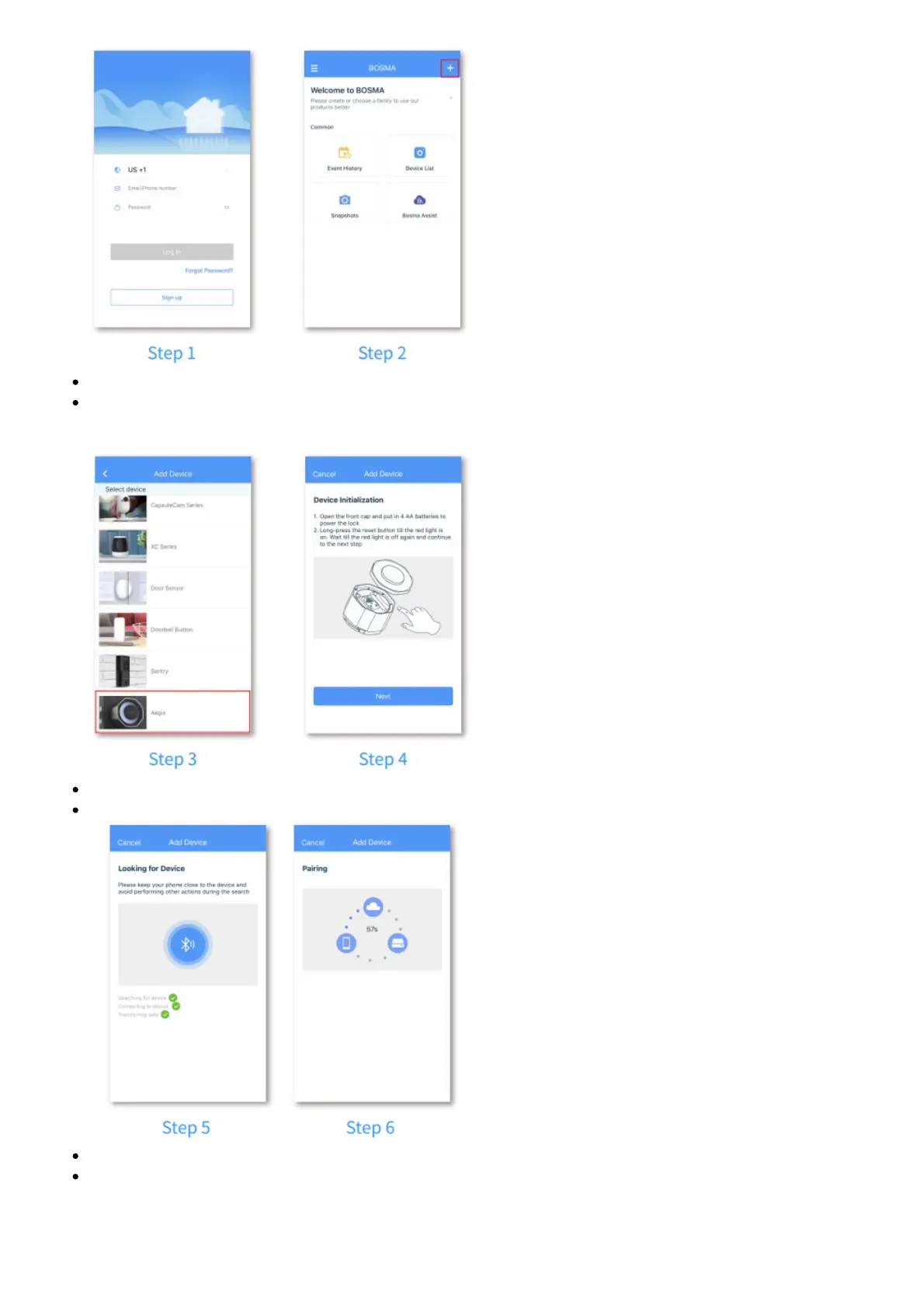
Step 3: Tap “Aegis” in the list.
Step 4: Insert 4 AA batteries to power up Aegis. After the LED light flashes once, tap “Next” in the
app. If you did not see the LED light flash, long-press the reset button until the RED light is on to
reset the lock.
Step 5: The app will search for Aegis and proceed to the next step automatically.
Step 6: Wait for Aegis to connect.
Step 7: Once the device has been added successfully, you can edit the device name.
Step 8: Follow the instruction to complete lock calibration.



 To Next Page