EasyManua.ls Logo

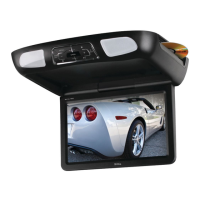
Boss Audio Systems BV11.2 - User Manual

Boss Audio Systems BV11.2
11 pages
Print Icon
To Next Page IconTo Next Page
Loading...
Question and Answer IconNeed help?

Do you have a question about the Boss Audio Systems BV11.2 and is the answer not in the manual?

Summary

Precautions and Troubleshooting

General Safety and Usage Precautions

Safety guidelines for operation, environment, and disc handling to prevent damage or hazards.

Common Issues and Solutions

Lists common playback, sound, and picture problems with their likely causes and solutions.

Product Features and Video Setup

Key Product Functions and Features

Highlights core product capabilities like screen size, media playback support, and connectivity options.

Installation and Basic Playback

Connection and Installation Procedures

Instructions for connecting power and signal cables and physically installing the unit.

Remote Control Panel and Operations

Remote Control Panel Layout

Detailed identification of buttons on the remote control panel and their functions.

Remote Operation and Playback Modes

Basic Power and Playback Controls

Core operations for turning the unit on/off, playing, pausing, and stopping disc playback.

Language Menu Configuration

Detailed Language Settings

Comprehensive guide for setting OSD language, subtitle, DivX subtitle, and audio languages.

Video Menu Configuration

Video Display Adjustments

Setting aspect ratio, view mode, TV system, and smart picture for video output.

Summary

Precautions and Troubleshooting

General Safety and Usage Precautions

Safety guidelines for operation, environment, and disc handling to prevent damage or hazards.

Common Issues and Solutions

Lists common playback, sound, and picture problems with their likely causes and solutions.

Product Features and Video Setup

Key Product Functions and Features

Highlights core product capabilities like screen size, media playback support, and connectivity options.

Installation and Basic Playback

Connection and Installation Procedures

Instructions for connecting power and signal cables and physically installing the unit.

Remote Control Panel and Operations

Remote Control Panel Layout

Detailed identification of buttons on the remote control panel and their functions.

Remote Operation and Playback Modes

Basic Power and Playback Controls

Core operations for turning the unit on/off, playing, pausing, and stopping disc playback.

Language Menu Configuration

Detailed Language Settings

Comprehensive guide for setting OSD language, subtitle, DivX subtitle, and audio languages.

Video Menu Configuration

Video Display Adjustments

Setting aspect ratio, view mode, TV system, and smart picture for video output.

Boss Audio Systems BV11.2 Specifications

General IconGeneral
BrandBoss Audio Systems
ModelBV11.2
CategoryCar Video System
LanguageEnglish

Related product manuals