EasyManua.ls Logo

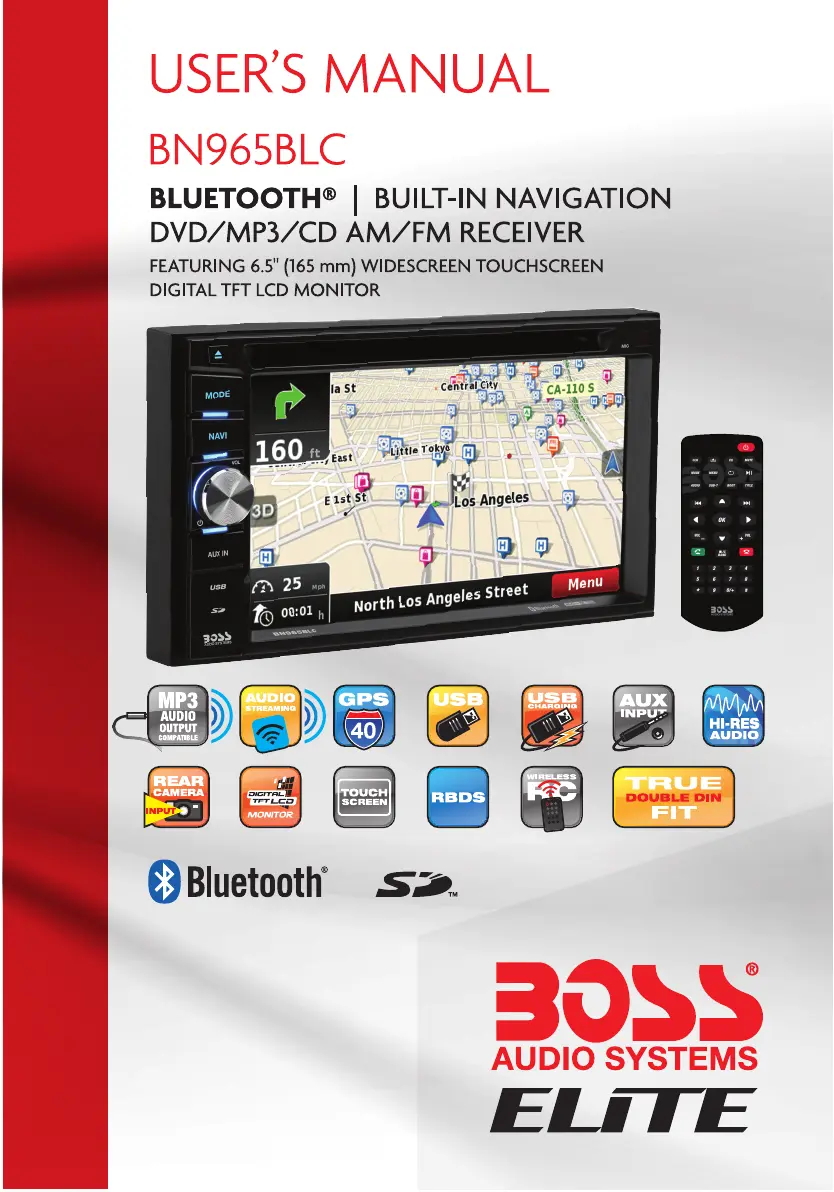
Boss Audio Systems ELITE BN965BLC - User Manual

Boss Audio Systems ELITE BN965BLC
31 pages
Print Icon
To Next Page IconTo Next Page
Loading...

Questions and Answers

  • R
    Russell WaltersAug 19, 2025
    Why is there no audio output from my Boss Audio Systems ELITE BN965BLC?
    • A
      Amanda ChungAug 19, 2025
      If you are experiencing no audio output, there are several potential causes: * Check the audio output connection wiring to ensure it is correct. * Verify that the volume is not set to 0; increase the volume if necessary. * Inspect the MUTE connection wiring and TEL MUTE connection. * A damaged speaker may also cause this issue. Consider changing the speakers.
  • N
    Nathan LynnAug 21, 2025
    What to do if my Boss Audio Systems ELITE BN965BLC Car Navigation system will not power on?
    • S
      Sarah HaynesAug 21, 2025
      If your unit isn't powering on, the issue might be related to the fuse or an illegal operation. Check the following: * A blown radio fuse could be the cause. Install a new fuse with the correct rating. * A blown car battery fuse could be the cause. Install a new fuse with the correct rating. * In case of an illegal operation, press the RESET button.
  • D
    Darlene BurtonAug 23, 2025
    Why is there no image on my Boss Audio Systems Car Navigation system?
    • G
      Gary RodriguezAug 23, 2025
      If there is no image, it might be due to the parking wire or parking brake: * Check the wiring to the parking wire and correct if necessary. * Ensure the parking brake is engaged. Stop the vehicle in a safe place and set the parking brake to ON.
  • S
    Stephanie MooreAug 26, 2025
    How to fix poor sound quality or distortion on Boss Audio Systems Car Navigation system?
    • K
      Keith MartinezAug 26, 2025
      Poor sound quality or distortion can arise from speaker issues. Consider the following: * Ensure the speaker power rating is compatible with the unit. * Check the speaker contrast, as a shorted speaker can cause this issue.
  • K
    Kyle SmithAug 28, 2025
    What to do if flashing image or interference appears on the screen of Boss Audio Systems ELITE BN965BLC Car Navigation system?
    • D
      David LeAug 28, 2025
      A flashing image or interference on the screen can be due to: * Incompatibility between the DVD and current TV system settings. Change the setup to accommodate the disc. * Improper video signal connections. Check the wiring and correct it if necessary.
  • J
    Judy MartinAug 30, 2025
    Why is the station searching weak on my Boss Audio Systems ELITE BN965BLC?
    • R
      Robert AcevedoAug 30, 2025
      A weak station searching can be caused by: * The auto antenna not being fully extended. Connect the auto antenna properly. * The LOCAL function being activated. Turn the LOCAL function OFF.
  • L
    Lisa KellySep 1, 2025
    How to calibrate the touch screen on Boss Audio Systems ELITE BN965BLC Car Navigation system if it's insensitive?
    • J
      Jennifer AdamsSep 1, 2025
      If the screen touch is insensitive, it could be due to the touch screen being offset. Go to the setup menu and set the calibration.
  • H
    Howard BriggsSep 3, 2025
    Why is the audio output low on my Boss Audio Systems ELITE BN965BLC Car Navigation system?
    • O
      ogillSep 3, 2025
      If the audio output is low, the volume might be set too low. Increase the volume.
  • A
    Amber MendezSep 6, 2025
    How to correct an improper image or height/width ratio display on Boss Audio Systems Car Navigation system?
    • A
      april02Sep 6, 2025
      If you're experiencing an improper image or height/width ratio display, the aspect ratio setup might be incorrect. Use the correct aspect ratio setting.
  • X
    xwilliamsonSep 8, 2025
    What to do if my Boss Audio Systems ELITE BN965BLC says 'No Disc' or 'Bad Disc'?
    • K
      Keith CardenasSep 8, 2025
      If you're seeing a 'No Disc' or 'Bad Disc' error, it could be due to: * A dirty disc. Clean the disc. * The disc being inserted upside down. Insert the disc the right way.

Boss Audio Systems ELITE BN965BLC Specifications

General IconGeneral
Screen Size6.75 inches
Resolution800 x 480 pixels
BluetoothYes
GPS NavigationYes
USB PortYes
SD Card SlotYes
Apple CarPlayYes
Android AutoYes
Digital Media SupportYes
Rear Camera InputYes
Steering Wheel Control CompatibleYes
TouchscreenYes
AUX InputYes
AM/FM RadioYes
DVD PlayerNo
Backup Camera InputYes
Wi-FiNo
HDMI InputNo
Subwoofer OutputYes
EqualizerYes
Compatible FormatsMP3, WMA

Related product manuals