EasyManua.ls Logo

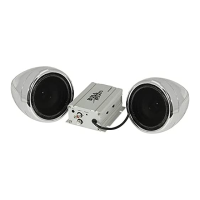
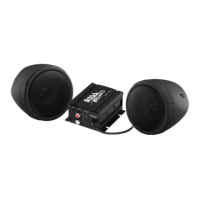
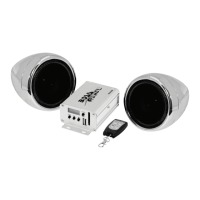
Boss Audio Systems mc520b - User Manual

Boss Audio Systems mc520b
6 pages
Print Icon
To Next Page IconTo Next Page
Loading...
Question and Answer IconNeed help?

Do you have a question about the Boss Audio Systems mc520b and is the answer not in the manual?

Summary

Operation Instruction

First Time to Use the System

Steps for connecting speaker connectors, FM antenna, and power cable to the 12VDC power supply.

Turn on;Turn off the system

Instructions on how to power the system on and off by pressing the POWER button for over 2 seconds.

Volume Control

Volume Adjustment

Pressing the +/- buttons for over 2 seconds allows volume adjustment from 0-30.

FM Radio Operation

Auto-Scan and Storage

Press MODE/AS for 2 seconds to auto-scan and store up to 20 FM radio stations.

Bluetooth

Pairing a Bluetooth Device

Select BT mode, ensure 'bt' flashes, then search for 'Boss Audio MC520B' on your mobile device.

Specifications

Summary

Operation Instruction

First Time to Use the System

Steps for connecting speaker connectors, FM antenna, and power cable to the 12VDC power supply.

Turn on;Turn off the system

Instructions on how to power the system on and off by pressing the POWER button for over 2 seconds.

Volume Control

Volume Adjustment

Pressing the +/- buttons for over 2 seconds allows volume adjustment from 0-30.

FM Radio Operation

Auto-Scan and Storage

Press MODE/AS for 2 seconds to auto-scan and store up to 20 FM radio stations.

Bluetooth

Pairing a Bluetooth Device

Select BT mode, ensure 'bt' flashes, then search for 'Boss Audio MC520B' on your mobile device.

Specifications

Boss Audio Systems mc520b Specifications

General IconGeneral
Impedance4 Ohms
Sensitivity90 dB
Size5.25 inches
Channels2
Mounting Depth2"

Related product manuals