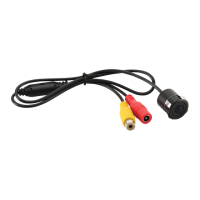
The BOSS Audio Systems POLCAM is a universal off-road camera designed for use as either a front or rear-view camera. It is specifically compatible with Polaris® RZR models equipped with the Ride Command™ unit, offering a plug-and-play solution. The camera can also be connected to any other head unit that has a video input, thanks to the supplied connection cables.
Function Description:
The POLCAM camera provides a live video feed of the area in front of or behind your vehicle, enhancing visibility and aiding in maneuvering, especially in off-road conditions. When connected as a front camera, it automatically powers on and displays a live view upon starting the vehicle engine. When configured as a rear camera, it activates and displays a live view when the vehicle is put into reverse gear. The camera offers image setting adjustments, including the ability to reverse the image (useful for front-view applications) and to display guide lines on the screen. These settings are controlled by cutting or keeping specific wire loops on the camera cable.
Important Technical Specifications:
- Power Supply: 12V DC (allowable 9 – 15 V DC)
- Viewing Angle: 170°
- TV System: PAL/NTSC
- Video Output: 1.0 vp-p, 75 Ω
- Signal-to-Noise Ratio: ≥48 dB
- Operating Conditions: -22 to +158°F (-30 to +70°C), max. 95% RH
- White Balance: Auto
- Illumination: min. 0.5 lux
- Automatic Gain Control (AGC): Auto
- Effective Pixels: 656 x 492
Usage Features:
- Compatibility: Designed for Polaris® RZR Ride Command™ systems, but adaptable to any head unit with a video input.
- Front/Rear View Functionality: Can be configured for either front or rear viewing.
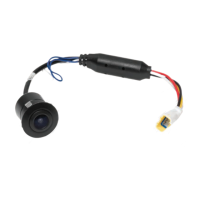
- Image Reversal: A blue wire loop can be cut to avoid reverse image when used as a front camera. Keeping the loop uncut maintains the rear-view image.
- Guide Lines: A white wire loop can be kept uncut to display guide lines in the camera view; cutting it removes them.
- Automatic Activation: Front camera powers on with the vehicle engine; rear camera activates when reverse gear is engaged.
- Mounting Options:
- Flush Mount: The camera can be flush-mounted into a suitable hole (e.g., in the bumper) without screws.
- Hanging Mount: The camera can be attached to a mounting bracket using supplied screws, which is then fixed to the vehicle.
- Plug-and-Play: Supplied connection cables facilitate easy installation, especially with Polaris® RZR Ride Command™ units.
Maintenance Features:
- Cleaning: If the image appears blurry, check for water drops or dust on the camera lens and clean it with a damp, fiber-free cloth.
- Secure Mounting: Ensure the camera is securely mounted to prevent image shaking.
- Horizontal Alignment: Verify the camera is horizontally mounted to avoid a slanted image.
- Troubleshooting Guide: The manual includes a troubleshooting section to address common issues like no image, image blurring, shaking, or slanting, with recommended solutions such as checking connections, cleaning the lens, and verifying mounting.
- Professional Servicing: For persistent problems or complex issues, it is recommended to contact technical support and have servicing carried out by a qualified technician. Users are advised not to attempt to disassemble or modify the product themselves.
- Environmental Care: The product should not be disposed of with normal household waste but handed in at an official collection point for recycling to help preserve the environment.


 To Next Page
 General