Basic Operation
General setup interface2
GENERAL
WALLPAPER ...
ABOUT ...
ADJUSTABLE ITEMS:
ANIMATION
In RADIO mode, you can change the
playing time of animation among of
“OFF, 10S, 30S, 1M,90S, 2M, 3M and 4M ”.
Note:
Please set the playing time of the
animation to “ 10S ” for the first, when
you turn the unit on .
KEY BEEP : ON or OFF.
GENERAL
ANIMATION 2 MINUTE
KEY BEEP ON
DISC ...DISC ...
RADIO ...
General setup interface1
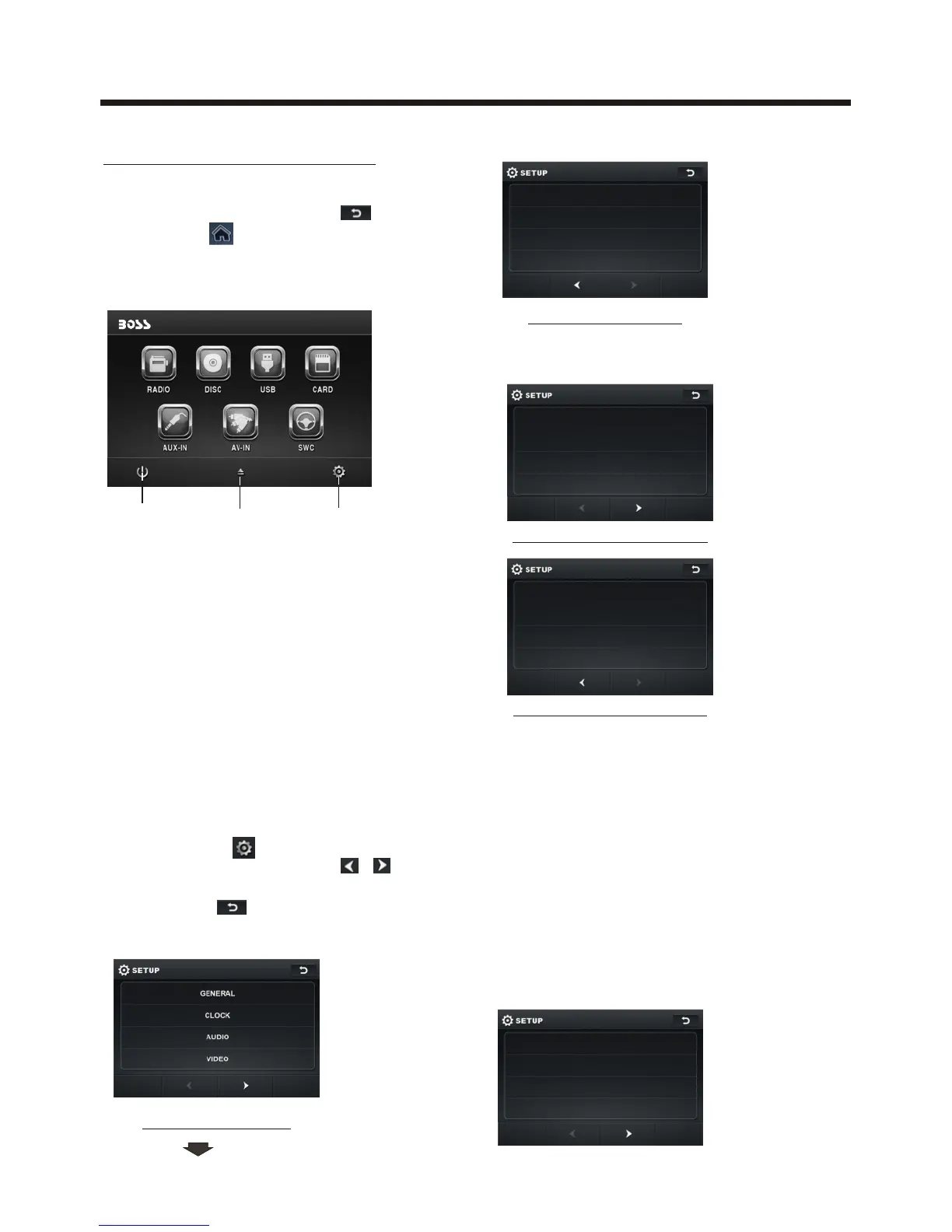
Main Menu Operation
In many modes, touch the icon
or touch the range to enter the
main menu, the message like following
as below.
Touch the “ ” section on the
setting menu, touch the “ / ”
ranges to select the adjustment item,
Touch the “ ” icon to return to the
previous playback .
Setup interface 1
Setup interface 2
ILLUMINATION COLOR
LANGUAGE
CALIBRATION
1. POWER icon
In any modes, touch the POWER icon
to switch the unit off . The monitor will
draw in automatically .
2. EJECT icon
Touch to allow for inserting or ejecting
disc.
3. SETUP icon
Touch to enter the SETTING mode,
the message will display as follow :
DISC
FORMAT NTSC
TV TYPE 4:3PS
RATING ADULT
Disc setup as follow:
10:00 AM10:00 AM
(3)(1) (2)



 To Next Page