TBS 235 ©2006 Roland Corporation U.S.
www.BOSSUS.com
Page 2
Mixing Down Tracks with the MTK
To create an audio CD, you must combine, or
“bounce,” all of your recorded tracks down to two
tracks in a process called “mixing down.”
Mixing Down (Bouncing) to Tracks 7/8
1. Press the REC MODE button once so BOUNCE
is selected as the REC MODE value.
2. With the TIME/VALUE dial, select Tracks 78V1
for mixdown—their boxes should be empty to
show they’re unrecorded tracks.
3. Press the REC button so it flashes red.
4. Press PLAY to begin mixdown.
4. STOP when you’ve reached the end of the song,
or the point at which you want to stop mixing
down.
5. Press ZERO, and then PLAY to play back the
bounced mix on Tracks 7/8.
Mastering with the MTK Effects
After mixing down, “mastering” uses the MTK (for
“Mastering Tool Kit”) effect to help smooth out the
differences in volume that occur over the course of a
song.
1. Press the REC MODE button until the LCD
screen says “Rec Mode>MASTRING.”
2. Turn the TIME/VALUE dial to select
Source:78V1.
3. Press ENTER/YES to select your mixdown
tracks: 78V1( Tracks 7 and 8, Virtual Track 1)—
the Rec Track button flashes green and orange.
4. Press the COSM EFFECTS button to select the
MTK effects—the screen shows “MTK>P01:Mix
Down (MSTR TOOL KIT).”
5. To select an MTK patch, press and turn the
TIME/VALUE dial to select the MTK bank and
desired patch number.
6. Press EXIT/NO to return to the main screen.
7. Press REC to go into Record Standby mode.
8. Press PLAY to start recording—mastering
begins on 78V2.
9. When you reach the end of the song, press
STOP to end the mastering.
10. Play back Tracks 78V2 to listen to the mastered
mix.
Saving Audio in .WAV/AIFF Format
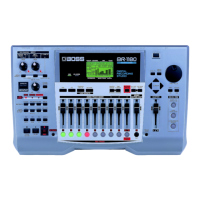
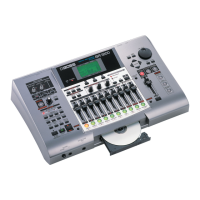
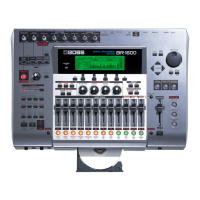
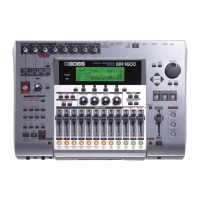
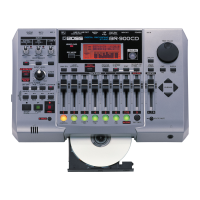
The BR-900CD can export track data as .WAV or
AIFF files, transferring them to a computer. When
you convert mastered tracks to .WAV or AIFF format,
any computer with a CD burner and CD-burning
software can create an audio CDs from them.
1. Connect the computer to the BR-900CD using
the USB cable.
2. Press the USB button.
3. Use the TIME/VALUE dial to select
Type:EXPORT.
4. Press ENTER/YES.
5. Press to select [WAV] or [AIFF].
6. Use the TIME/VALUE dial to select the desired
track.
7. Press ENTER/YES to begin the export.


 To Previous Page