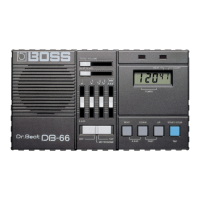
OPERATING THE UNIT
Using the DB-66 as Metronome
1546
2
3
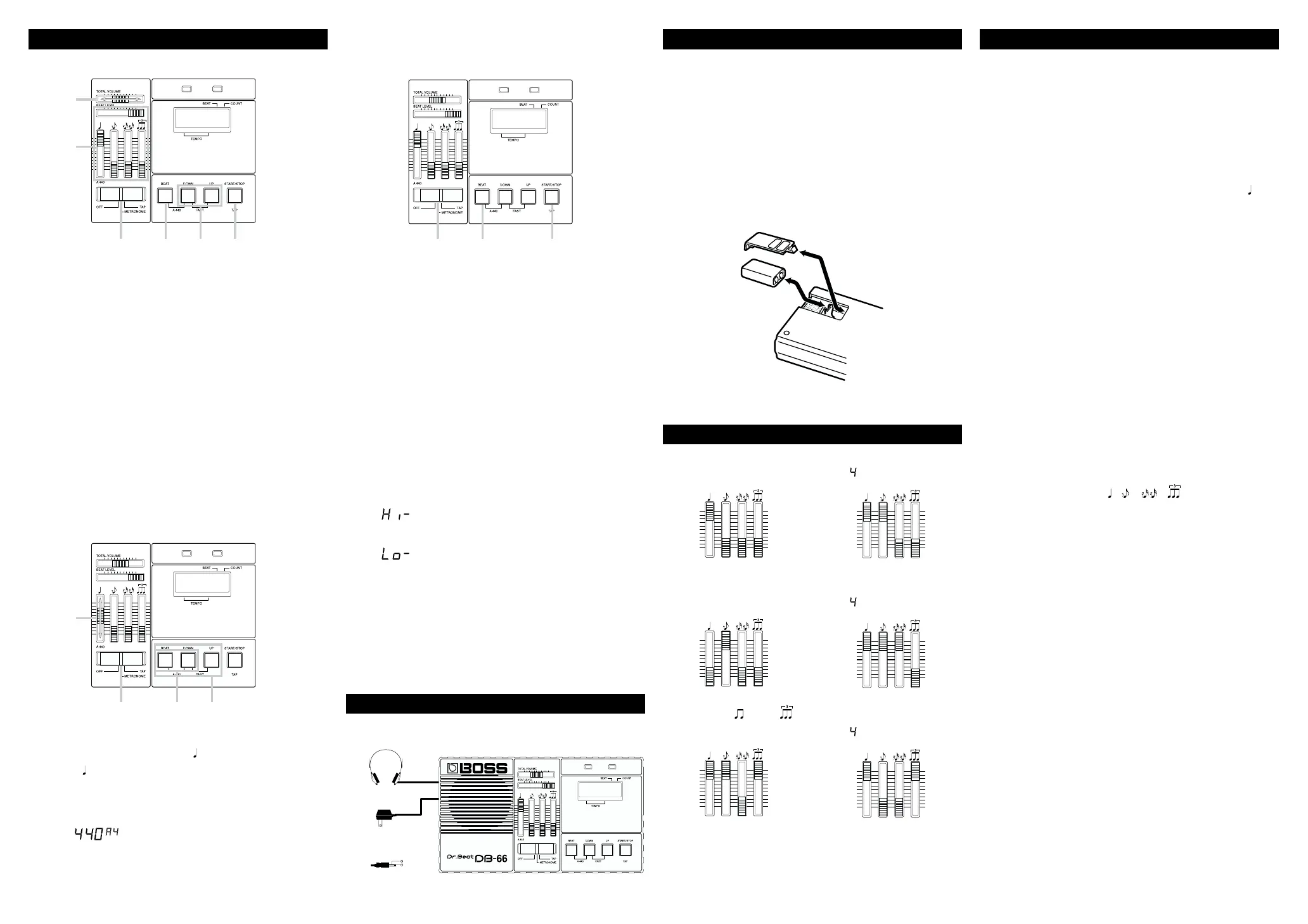
1. Set the Power/Mode Selection Switch to "METRONOME".
* When the DB-66 is turned on, tempo is set to 120, and beat to 4.
2. Set the BEAT LEVEL Slider and the Rhythm Volume Sliders as shown
in the illustration.
3. Adjust the overall volume with the TOTAL VOLUME Slider.
4. By using the UP and DOWN Buttons, set the tempo you like.
* Hold down either "DOWN" or "UP" while you press the other
button to obtain a more rapid change in the tempo value.
5. Press the BEAT Button to select the beat you like.
6. Press the START/STOP Button to start the rhythm and press it again
to stop.
Try making more complicated rhythm like syncopation,
16 beat, etc., by varying the Rhythm Volume setting.
Standard Pitch 440 Hz (A4) Mode
13
2
4
1. Set the Power/Mode Selection Switch to "METRONOME" or "TAP".
2. Adjust the Rhythm Volume Slider to your taste.
* If this Slider is set to low, there is no sound heard from the
speaker.
3. Press the BEAT Button and the DOWN Button at the same time. The
Display will show
(440 A4)
And the Standard Pitch will be output through the speaker.
4. To stop the sound, press any of the BEAT Button, the DOWN Button
or UP Button.
Tempo Setting in Real Time (Tap Mode)
12 3
1. Set the Power/Mode Selection Switch to "TAP".
* When the DB-66 is turned on, tempo is set to 120, and beat to 4.
2. By pressing the BEAT Button, Select the desired beat.
3. Tap the TAP Button in the tempo you like, as many times as
necessary depending on the beat setting in the step 2.
* When 0 or 1 beat is selected in the step 2, hitting the TAP Button
twice is enough. But when 2, 3, 4, 5 or 6 beat is selected, hit the
TAP Button as many times as the number of selected beat, and
next tapping will cause the Display to show the average tempo
of the tapping.
* At this stage if you return the Power/Mode Selection Switch to
"METRONOME", the DB-66 is ready to work as a metronome in
the last temp setting.
Error Indications in Tap Mode
When the tempo you set is faster than 250 the Display will show
(High)
When the tempo you set is as slow as 30 to 34, the Display will show
(Low)
When the tempo you set is slower than 30, the tempo setting just before
that will remain. Therefore, if you stop the real time tempo setting in the
middle and start again later, the DB-66 will work in this last tempo.
* Turning the DB-66 off sill erase the tempo setting.
SPECIFICATIONS
DB-66 : Dr.Beat
Power Supply
9 V DC : Dry battery S-006P/9 V (6F22/9 V)
AC Adaptor (PSA Series : Optional)
Current Draw
55 mA (MAX)
* Expected battery life under continuous use :
Carbon : 17 hours
Alkaline : 45 hours
(TEMPO : 120, TOTAL VOLUME : MAX, BEAT LEVEL : MAX, : MAX)
These figures will vary depending on the actual conditions of use.
Tempo Range
M. M. 35 to 250
Tempo Accuracy
+/- 0.15 %
Beat
0, 1, 2, 3, 4, 5 and 6
Standard Pitch
440 Hz (A4) +/- 0.2 cent
Display
7 segments, 5 characters
Speaker
1
Indicators
Tempo Indicator x2
Controls
TOTAL VOLUME Slider
BEAT LEVEL Slider
RHYTHM VOLUME Sliders ( , , , )
Power/Mode Selection Switch
BEAT Button
DOWN Button
UP Button
START/STOP (TAP) Button
Connectors
HEADPHONES Jack (Stereo Miniature phone type)
AC ADAPTOR Jack
Dimensions
170 (W) x 96 (D) x 33 (H) mm
6-11/16 (W) x 3-3/4 (D) x 1-5/16 (H) inches
Weight
320 g / 11 oz (including battery)
Accessories
Soft Case, Owner’s Manual, Dry battery S-006P/9 V (6F22/9 V),
Roland Service
Options
AC Adaptor PSA-Series
0 dBm = 0.775 V rms
* In the interest of product improvement, the specifications and/or appearance
of this unit are subject to change without prior notice.
©1995 BOSS Corporation
All rights reserved. No part of this publication may be reproduced in
any form without the written permission of BOSS Corporation.
CHANGING THE BATTERY
When the battery is nearly exhausted, speaker output becomes low or
the Tempo Indicators light dimmer. To prevent this, replace the battery
as soon as possible.
1. Press down and slide off the lid of the battery compartment (located
on the bottom of the unit).
2. Remove the old battery from the compartment and disconnect the
snap cord.
3. Connect the snap cord to the new battery.
4. Place the new battery inside the compartment and slide the lid back
into place.
8 beat
BEAT
16 beat
BEAT
12 beat
BEAT
Metronome
Syncopation
Combined and
rhythm
MAKING THE CONNECTIONS
Headphones
AC Adaptor
(PSA-Series ; Optional)
OUT 9V DC / 200mA
SAMPLE SETTINGS
* For the rhythm without BEAT setting, set it as you like.
* To accent a beat, set the corresponding volume higher than others.


 To Previous Page
 Loading...