EasyManua.ls Logo

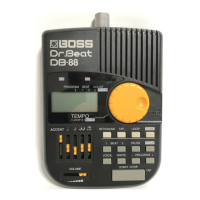
Boss Dr. Beat DB-88 - User Manual

Boss Dr. Beat DB-88
36 pages
Print Icon
To Next Page IconTo Next Page
Loading...
1
Owner's Manual
Question and Answer IconNeed help?

Do you have a question about the Boss Dr. Beat DB-88 and is the answer not in the manual?

Summary

IMPORTANT NOTES

Power Supply and Battery Usage

Guidelines for using AC adapter and batteries, including precautions.

Unit Placement and Environment

Advice on where to place the unit to avoid interference and extreme temperatures.

Maintenance and Cleaning

Instructions for cleaning the unit and avoiding damage from solvents.

Repairs and Data Handling

Information about data loss during repairs and general data precautions.

Memory Backup and Precautions

Importance of battery for memory and additional precautions for operation.

Handling and Transportation

Guidance on careful use of controls and packaging for transport.

FEATURES

PANEL DESCRIPTIONS

Tempo Indicators, Jacks, and Volume Controls

Description of tempo LEDs, headphone jacks, and volume sliders.

Main Controls and Mode Buttons

Details the dial, mode selection buttons, and pause/pitch buttons.

Program, Beat, and Function Buttons

Explains program, beat, voice, write, and start/stop buttons.

Input;Output and Power Controls

Covers AC adaptor jack, power switch, and input jack.

CONNECTIONS

OPERATION

Using the Unit as a Metronome

Guide to setting up and using the unit as a metronome.

Writing Programs in Metronome Mode

Steps to save metronome settings into program numbers.

Tempo Setting in Tap Mode

How to set tempo by tapping the beat.

Playback in Loop Mode

Instructions for playing back programmed sequences in a loop.

Tune Mode

Using the unit for reference notes and tuning.

Back Up Function

Battery Replacement

Stand Installation

Attaching the Drum Set

Initialization

Setting Samples and Preset Memories

Specifications

Setting Memo

USING THE UNIT SAFELY

Warning and Caution Notices

Explains the meaning of warning and caution symbols and their importance.

General Safety Precautions

Covers unit placement, power, and cord handling to prevent hazards.

Health and Object Precautions

Advises on hearing protection, preventing object/liquid ingress, and child supervision.

AC Adaptor Safety

Safety guidelines for AC adapter connection, handling, and placement.

Battery Handling and Disposal

Precautions for battery installation, use, and disposal.

Summary

IMPORTANT NOTES

Power Supply and Battery Usage

Guidelines for using AC adapter and batteries, including precautions.

Unit Placement and Environment

Advice on where to place the unit to avoid interference and extreme temperatures.

Maintenance and Cleaning

Instructions for cleaning the unit and avoiding damage from solvents.

Repairs and Data Handling

Information about data loss during repairs and general data precautions.

Memory Backup and Precautions

Importance of battery for memory and additional precautions for operation.

Handling and Transportation

Guidance on careful use of controls and packaging for transport.

FEATURES

PANEL DESCRIPTIONS

Tempo Indicators, Jacks, and Volume Controls

Description of tempo LEDs, headphone jacks, and volume sliders.

Main Controls and Mode Buttons

Details the dial, mode selection buttons, and pause/pitch buttons.

Program, Beat, and Function Buttons

Explains program, beat, voice, write, and start/stop buttons.

Input;Output and Power Controls

Covers AC adaptor jack, power switch, and input jack.

CONNECTIONS

OPERATION

Using the Unit as a Metronome

Guide to setting up and using the unit as a metronome.

Writing Programs in Metronome Mode

Steps to save metronome settings into program numbers.

Tempo Setting in Tap Mode

How to set tempo by tapping the beat.

Playback in Loop Mode

Instructions for playing back programmed sequences in a loop.

Tune Mode

Using the unit for reference notes and tuning.

Back Up Function

Battery Replacement

Stand Installation

Attaching the Drum Set

Initialization

Setting Samples and Preset Memories

Specifications

Setting Memo

USING THE UNIT SAFELY

Warning and Caution Notices

Explains the meaning of warning and caution symbols and their importance.

General Safety Precautions

Covers unit placement, power, and cord handling to prevent hazards.

Health and Object Precautions

Advises on hearing protection, preventing object/liquid ingress, and child supervision.

AC Adaptor Safety

Safety guidelines for AC adapter connection, handling, and placement.

Battery Handling and Disposal

Precautions for battery installation, use, and disposal.

Boss Dr. Beat DB-88 Specifications

General IconGeneral
ModelDB-88
CategoryMetronome
ManufacturerBoss
Tempo Range30 - 250 BPM
DisplayLCD
Volume ControlYes
Tap TempoYes
Time Signatures1/4, 2/4, 3/4, 4/4, 5/4, 6/8
Sound OptionsMetronome sounds
Output1/4" phone jack (for headphones or amplifier)
Power SupplyBattery or AC adapter

Related product manuals