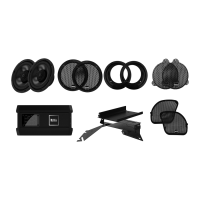
Operation Voltage 10-16 V
THD <0.1%
S/N >85 dB
Channel Separation >50 dB
Frequency Response 50Hz – 15KHz
Sensitivity >400mv
Speaker Wires 4.6′
Volume Control Wire 6.2′
Audio Input Cable 1.9′
Power Cable 6.2′
Clamp Size Range 0.75″ -1.25″
Fuse Rating 7.5A
Amplifier dimensions 3.6″x2.3″x1.5
Installation
1. Screw the clamps to the bottom of the speakers.
2. Find a safe, ideal mounting location and fit the clamps over the chosen mounting bars.
3. Fasten the mounting screws after you review the safety of the mounting location.
Wiring
1. Be sure to run the wiring securely and far away from any
moving components.
2. Connecting the power cable to the power source: You will need to connect the 12V red wire to a (fused 7.5 A)
switched power source.
3. Use the 3.5mm stereo jack to connect to your entertainment source(MP3 player, etc).
4. Use your player device and wired remote volume controller to control your level of loudness.



 To Next Page