EasyManua.ls Logo

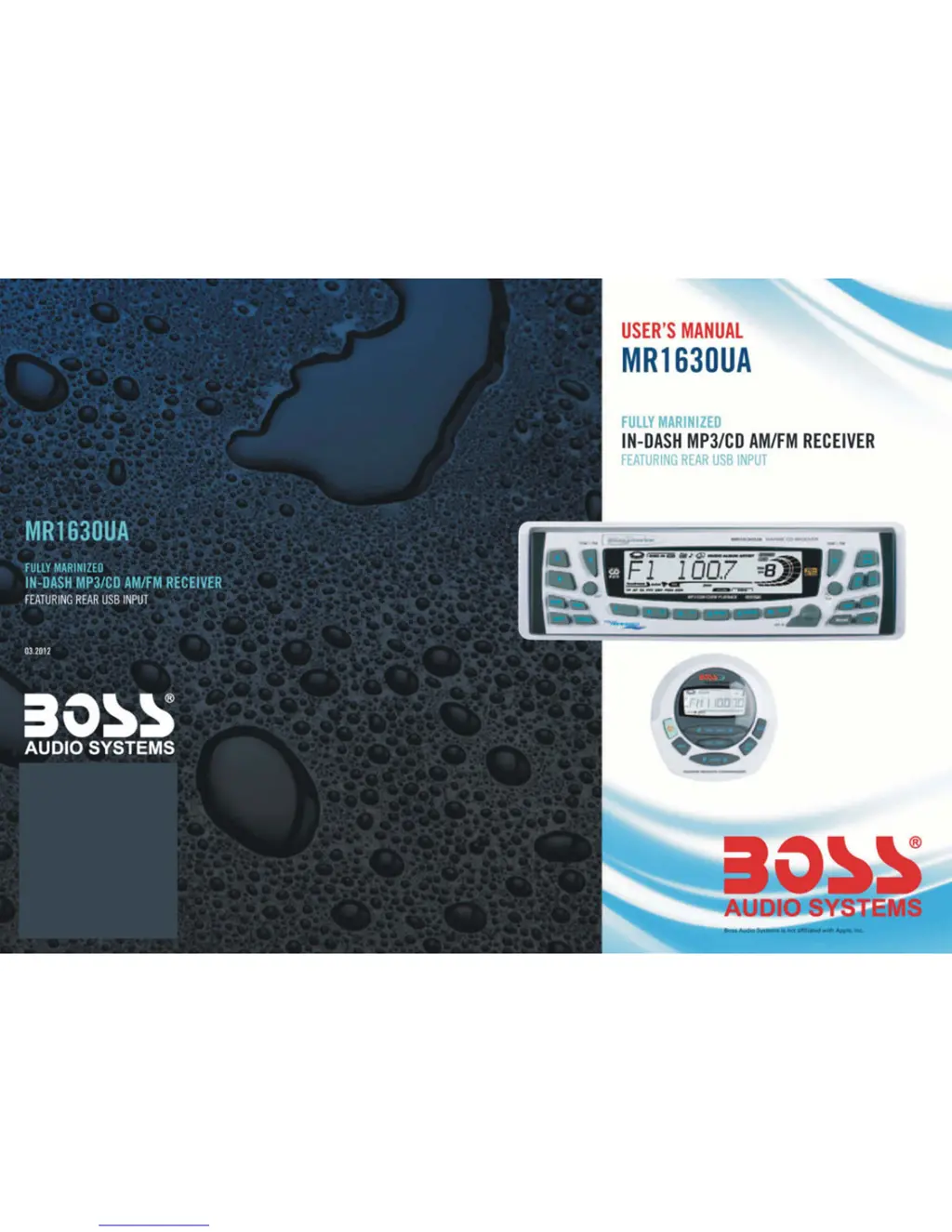
Boss MR1630UA - User Manual

Boss MR1630UA
8 pages
Print Icon
To Next Page IconTo Next Page
Loading...

Questions and Answers

  • J
    Jennifer OrtizAug 15, 2025
    Why is there no sound coming from my Boss Car Receiver?
    • R
      Robert BrownAug 15, 2025
      If you're not getting any sound from your Boss Car Receiver, first, make sure the volume isn't set too low; try turning it up. Also, verify that the power and earth connections are correctly wired according to the wiring diagram.
  • D
    david89Aug 18, 2025
    How to fix a Boss Car Receiver that has no power?
    • J
      James CarlsonAug 18, 2025
      If your Boss Car Receiver isn't powering on, check if the car ignition is switched off. If it is, switch the ignition key to "ON" or "ACC". Also, check the fuse and replace it according to the wiring diagram if it has blown.
  • D
    Denise MccallAug 22, 2025
    What to do if the operation keys on my Boss MR1630UA Car Receiver don't work?
    • R
      Russell SharpAug 22, 2025
      If the operation keys on your Boss Car Receiver aren't working, try switching the device off and on again. Alternatively, press the RESET button to resume the program. Also, ensure the front panel is properly fixed into its place; reinstall it if necessary.
  • A
    Annette SwansonAug 26, 2025
    Why doesn't my Boss MR1630UA Car Receiver stop at transmitting stations in automatic search mode?
    • M
      Mary JonesAug 26, 2025
      If your Boss Car Receiver is not picking up radio stations in automatic search mode, it might be because the transmission signals are too weak. Try tuning in to a radio station manually.
  • M
    Matthew Medina MDAug 28, 2025
    What to do if the CD player sound skips on my Boss MR1630UA?
    • A
      Amber WarrenAug 28, 2025
      If the sound of the CD player skips on your Boss Car Receiver, make sure the installation angle is less than 30 degrees. If you are on an uneven road, wait until the road becomes smoother before playing the CD. Also, clean the CD or try another one, as the current CD may be dirty or damaged.
  • K
    Kimberly HoustonAug 31, 2025
    How to improve radio reception on a Boss MR1630UA Car Receiver?
    • C
      conradcatherineAug 31, 2025
      If you're not getting any radio reception on your Boss Car Receiver, make sure the antenna cable is firmly inserted into the antenna socket of the device.
  • J
    Joseph WilliamsSep 4, 2025
    Why is my Boss MR1630UA Car Receiver not working correctly (EJECT, LOAD, PLAY)?
    • N
      Nicole StoutSep 4, 2025
      If your Boss Car Receiver isn't working correctly (EJECT, LOAD, PLAY), make sure you're inserting the compact disc with the label facing upward. Clean the CD or try another CD, if this works correctly, the first CD is probably damaged. If the temperature inside the car is too high, cool off until the ambient temperature returns to normal.
  • M
    Makayla CervantesSep 7, 2025
    Why are CDs only loading halfway into my Boss MR1630UA Car Receiver?
    • R
      Raymond McdonaldSep 7, 2025
      If CDs are being loaded only halfway into the CD tray of your Boss Car Receiver, it's likely that the transport screws haven't been removed. Remove the transport screws before using the device.
  • D
    Dr. Ryan ThomasSep 12, 2025
    What to do if CDs cannot be loaded into my Boss Car Receiver?
    • S
      smithmariaSep 12, 2025
      If the CDs cannot be loaded into your Boss Car Receiver, it might be due to the presence of a CD disc inside the player. Remove the disc in the player then put a new one upward.

Summary

Control Functions Overview

Power and Basic Controls

Manages unit power and basic audio adjustments like volume, bass, and treble.

Advanced Settings and Modes

Configures TA SEEK/TA ALARM, PI SOUND/PI MUTE, RETUNE, MASK, BEEP, and Volume settings.

Display and Source Selection

Details the LCD display information and allows selection of audio sources and frequency areas.

Tuning, Track, and Playback Navigation

Controls radio tuning, track skipping, and playback navigation for discs and USB.

Radio Band and Audio Features

Manages radio bands, Mute, Play/Pause, Display information, PTY, EQ, and Loudness features.

Traffic Announcement and Alternative Frequencies

Controls Traffic Announcement (TA) and Alternative Frequencies (AF) modes for radio reception.

Preset Station Memory and Scan

Manages preset station storage, auto-storage, preset scanning, and track searching.

Playback Control and Special Functions

Handles playback functions like INT, RPT, RDM, and special features like SCAN and EON.

Input, Panel, and Reset Operations

Covers AUX input, front panel release, disc ejection, and system reset procedures.

Remote Control Unit Functions

Remote Power and Mode Selection

Operates unit power, selects audio sources, and accesses frequency area modes via remote.

Remote Band, Scan, and Track Control

Manages radio bands, scan functions, and track selection/navigation remotely.

Remote Playback and Volume Adjustment

Controls playback, Mute, and Volume adjustments using the remote commander.

Installation Method and Wiring

Anti-Theft Installation Procedure

Details the anti-theft installation method using the metal mounting sleeve and faceplate.

Wiring Connection Diagram

Illustrates the wiring connections for power, speakers, USB, AUX, and RCA outputs.

Boss MR1630UA Specifications

General IconGeneral
BrandBoss
ModelMR1630UA
CategoryCar Receiver
Channels4
TunerAM/FM
BluetoothYes
USB PortYes
Aux InputYes
Display TypeLCD
Subwoofer OutputYes
Detachable FaceplateYes
Wireless RemoteYes
SD Card SlotYes
ID3 Tag SupportYes
Remote ControlYes

Related product manuals