6
Connecting the System8000 (cont.)
Speaker-Level Connections (cont.)
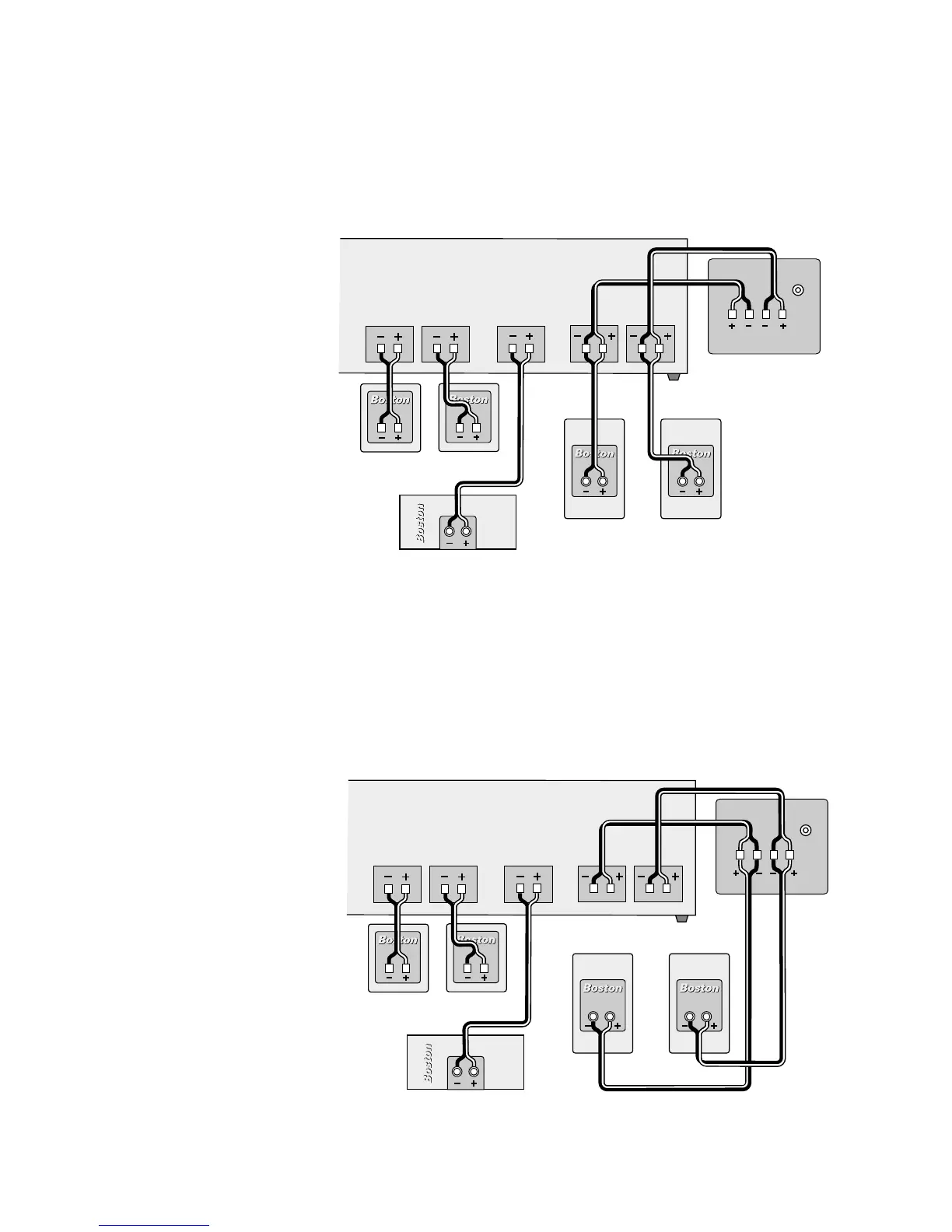
Option 1: Connect the
speaker terminals on the
Micro80pv to the left and
right speaker outputs
of your receiver. Use the
same speaker outputs
that drive the Micro80x
satellites. Do not
connect the Micro80pv
to any other speaker
outputs that may be on
your receiver.
IMPORTANT: When
making connections, be
sure to connect + to +
(positive) and – to – (negative).
Alternative options: In some cases, you may find it easier to use one of the following alternative
wiring plans. The resulting sound will be the same.
Option 2: Connect the
speaker terminals on
the Micro80pv to the left
and right main (or front)
speaker outputs of your
receiver and to the
Micro80x satellites.





 To Next Page