
 Need help?
Do you have a question about the Boston Acoustics TVee 25 and is the answer not in the manual?
Covers essential safety guidelines for operating the apparatus to prevent hazards and ensure user safety.
Details compliance standards for American, Canadian, and European users.
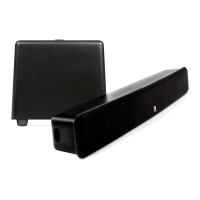
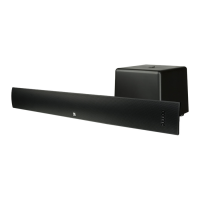
Introduces the TVee Model 25 and highlights its smart features for enhanced home entertainment.
Lists detailed technical specifications including power, dimensions, weight, and driver types.
Explains the function of front panel buttons and rear panel controls on the soundbar.
Details the various input and output ports on the soundbar for connecting audio sources.
Details the subwoofer's rear panel controls and provides guidance on optimal placement for sound.
Provides guidance on placing the soundbar on a table or mounting it on a wall.
Offers recommendations for optimal wireless subwoofer placement for best sound performance.
Guides users on connecting audio sources using optical digital or RCA stereo audio cables.
Instructions for using the auxiliary input and connecting the system's power supply.
Details how to power on the system and select audio input sources.
Explains how to adjust volume, select sound modes, and set subwoofer output level.
Guides on programming the soundbar to respond to your remote control commands.
Details how to set the Wireless ID switch for proper subwoofer-soundbar communication.
Provides solutions for common issues like no power, no sound, or distorted audio.
Addresses specific issues like pop noises, volume fluctuations, and wireless interference.
Outlines the product's limited warranty terms and provides contact information for service.
 General
| Audio decoders | Dolby Digital |
|---|---|
| RMS rated power | 150 W |
| Audio output channels | 2.1 channels |
| Subwoofer included | Yes |
| Subwoofer connectivity | Wireless |
| Receiver included | No |
| Product color | Black |
| Recommended usage | TV |
| Apple docking compatibility | Not supported |
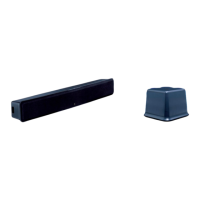
| Soundbar dimensions (WxDxH) | 800 x 112 x 112 mm |
| Subwoofer dimensions (WxDxH) | 266 x 277 x 241 mm |
| Audio (L/R) in | 1 |
| HDMI ports quantity | - |
| Connectivity technology | Wired & Wireless |
| Power source | AC |
 Weight and Dimensions
| Soundbar weight | 2300 g |
|---|---|
| Subwoofer weight | 5400 g |



 To Next Page

