Need help?
Do you have a question about the Boston MC200Air and is the answer not in the manual?
Details FCC compliance rules and radio frequency exposure limits for the device.
States compliance with Industry Canada licence-exempt RSS standards in English and French.
Highlights hazards from dangerous voltages and double insulation, and general safety precautions.
Provides 18 numbered instructions for safe operation, installation, and maintenance of the apparatus.
Specifies usage conditions and restrictions for users in America, Canada, and Europe.
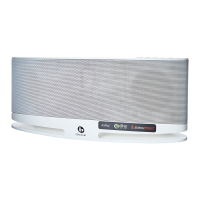
Welcomes the user and introduces the MC200Air wireless speaker system for AirPlay.
Lists the main functionalities, such as AirPlay streaming, sound quality, and connectivity options.
Details the necessary Wi-Fi network and iOS device versions for AirPlay functionality.
Instructions for unpacking, antenna positioning, and optimal placement for sound and ventilation.
Explains how to connect the power supply cord to the MC200Air unit.
Describes the function of each button on the top of the MC200Air, including power, mute, and input selection.
Details remote control functions and basic music playback operations.
Explains the prerequisite of connecting the MC200Air to a Wi-Fi or Ethernet network.
Guides on selecting and using AirPlay for wireless streaming and DLNA for media sharing.
Details connecting iOS devices via USB and analog sources via AUX input.
Explains how to connect headphones and its effect on internal speakers.
Guides on connecting the MC200Air to a wireless network.
Provides step-by-step instructions for the easiest WPS connection method.
Details setting up the MC200Air via Wi-Fi, including network selection and configuration.
Provides instructions for connecting the MC200Air via an Ethernet cable.
Guides on accessing and configuring network settings through a web browser interface.
Details selecting the Wi-Fi network and entering passwords via the browser interface.
Explains the benefits of using a wired connection for improved performance.
Guides on controlling music playback from iOS devices using the AirPlay feature.
Instructions on enabling remote speaker audio control within iTunes preferences.
Provides general guidance on using DLNA for media streaming with the MC200Air.
Details how to mount the MC200Air speaker system securely on a wall.
Troubleshooting steps for no power, failed network connections, and connectivity issues.
Solutions for issues where music is not playing or stops intermittently.
Guidance on re-entering passwords and understanding network compatibility (class n, g, b).
Step-by-step guide for downloading and installing the latest firmware for the MC200Air.
Outlines the one-year limited warranty, responsibilities, and common exclusions.
Provides instructions on how to obtain service and contact Boston Acoustics for support.
Information for EU customers regarding proper disposal of the product and batteries.
 General
| Brand | Boston |
|---|---|
| Model | MC200Air |
| Category | Speaker System |
| Language | English |

 To Next Page