
 Need help?
Do you have a question about the Boston OPA-100 and is the answer not in the manual?
Details crucial safety advice for users working with engines and potential hazards.
Highlights potential injuries from moving parts and unexpected fan operation.
Warns about hot engine components and advises caution.
Alerts to fire risks associated with fuel systems and vapors.
Discusses potential hearing damage from high noise levels during testing.
Warns about electrical hazards from instruments and vehicle systems.
Addresses risks from toxic exhaust gases and necessary precautions.
Provides critical safety instructions specific to the instrument itself.
Contains general advice and operational notes for the instrument.
Specifies that installation must be done by specialized personnel.
Details critical safety guidelines for handling and using the instrument's battery.
Covers essential safety measures during the operation of the instrument and engine.
Provides instructions on proper shutdown and storage when the instrument is idle.
Details the correct procedure for cleaning the instrument's outer surfaces.
Explains the various safety symbols used throughout the manual.
Lists and describes common safety symbols found on the instrument.
Explains the CE conformity marking.
Outlines the physical and technical specifications of the OPA-100 unit.
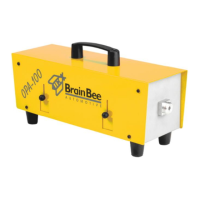
Describes the physical appearance and components of the OPA-100.
Lists and illustrates the accessories included with the OPA-100.
Lists the operational ranges and key technical parameters of the OPA-100.
Guides the user through the initial physical installation process of the OPA-100.
Explains the process for installing the necessary PC software for the OPA-100.
Provides specific steps for installing the software in a Windows operating system.
Covers initial configuration settings required after software installation.
Details how to input company and workshop information for test reports.
Guides the user through setting the instrument's date and time.
Explains how to configure serial port settings for computer communication.
Describes how to configure the revolution counter settings for RPM measurement.
Explains how to operate the instrument software via a personal computer.
Details how to perform and read smoke values during continuous testing.
Outlines the steps for conducting the official UK MOT test.
Describes the mandatory weekly calibration verification process.
Explains how to input specific data for the vehicle being tested.
Details the procedure for measuring the engine oil temperature.
Explains how to read opacity values during engine accelerations.
Describes how test results are printed and the available copy options.
Lists the current emission limits for different engine types.
Guides on how to check the calibration expiry date.
Provides instructions on cleaning the instrument's filtering system.
Explains the mandatory annual calibration procedure for the instrument.
Outlines the procedures and documentation requirements for instrument repairs.
 General
| Brand | Boston |
|---|---|
| Model | OPA-100 |
| Category | Measuring Instruments |
| Language | English |

 To Next Page