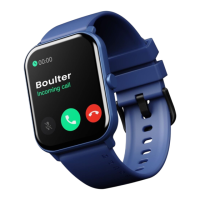
Watch
Strap
Timer: After selecting the corresponding time, start
the timer, and the timer will end with a vibration.
Brightness adjustment: Brightness or darkness can be
adjusted.
Power on/off: Press and hold the side button for 5
seconds on the dial page.
Power saving mode: When turned on, the watch will not
vibrate to notify, raise to wake function gets disable and
screen brightness lowers
Do not disturb: After turning it on, the watch will not vibrate
for calls and notifications.
Restart: Restart the watch in settings or hold the power
button for 5 seconds to get power options.
Version: Displays the Bluetooth name and version
number.
Reset: Restores factory settings.
Using in wet conditions: Your gadget is water-resistant,
workout
Do not wear your smartwatch while swimming. Additionally,
you can use your smartwatch while bathing, however, wearing
it constantly prevents your skin from getting enough oxygen.
When your smartwatch gets wet, dry it properly before wearing
it again.
Using Quick View: With Quick View, you can view the time or a
message from your phone on your smartwatch without tapping.
Simply turn your wrist in your direction, and the time screen will
appear for a brief period of time.
NOTE:
which means It can withstand even the sweatiest
while remaining splash and rain-proof.



 To Next Page