www.etractorimplements.com 24
OPERATION
CONTROLS
All controls are conveniently positioned next to where the operator would stand when feeding the
machine to provide easy operation. Review this section to familiarize yourself with the loca- tion
and function of each control before starting.
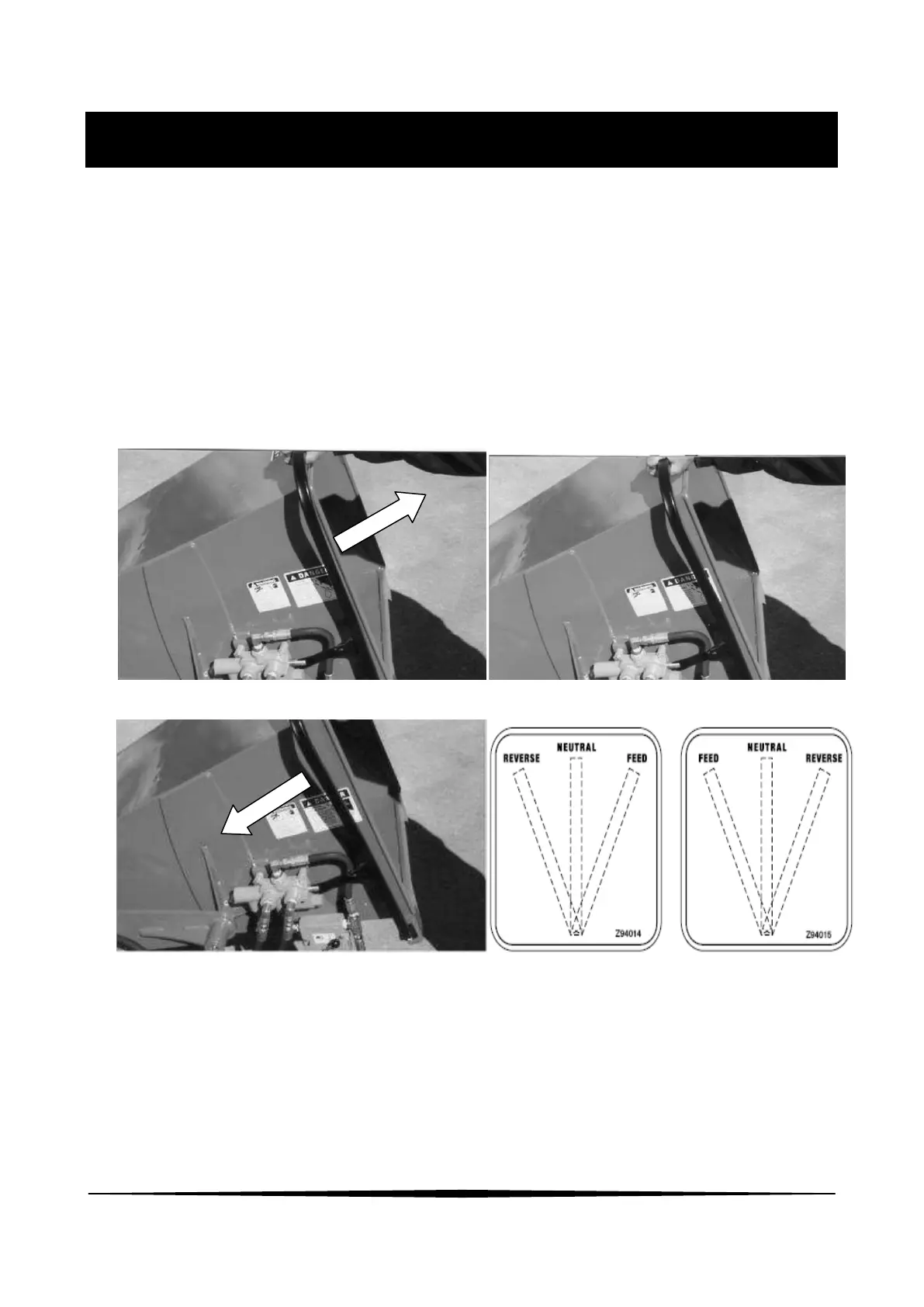
1. Hydraulic Feed Control Lever:
This lever is positioned to extend around the feed hopper and provides access from all sides. It
is only available when the chipper is equipped with the optional hydraulic feed hopper.
Pull the control all the way out to engage the feeding system. Push in slightly to the first detent
to stop the feeding system. Push the control all the way in to reverse the feeding system.
NOTE
Use the typical flow divider next to the control valve to set the feeding spread.
Feeding Neutral/Stop
Reversing
Left side Right side


 To Next Page