The unit is considered to be in bracketing mode when the display indicates Bracketing
Options or Bracketing Mode. Under these conditions the unit will automatically check and
warn if the selection is not possible within the existing setting constraints. A warning occurs
if the bracket step will take the unit outside of it’s normal operating range.
Bracketing Mode Example
As an example, assume a single head in socket A1 set for 7.0. First select a 0.3 stop
bracket step. Now select Low to High by scrolling and pressing ⇒.
The screen indicates the first flash will occur 0.3 stop below the present power setting. The
second flash will be at the present power setting and the final flash will be 0.3 stop above
the present power setting. At any time, pressing ⇐ will take the user back and out of
bracketing mode.
Speaker On/Off
This menu allows the speaker to be switched On or
Off.
Use the ⇑⇓ to toggle the speaker On or Off.
Set IR Channel
This menu allows the Infra Red Channel to be
adjusted.
Use the ⇑⇓ to adjust the IR Channel
Setting ALL allows the unit to respond to any IR
transmitter.
Advanced Options
To select Advanced Options, press
⇒
at the menu above. See section Advanced Options.
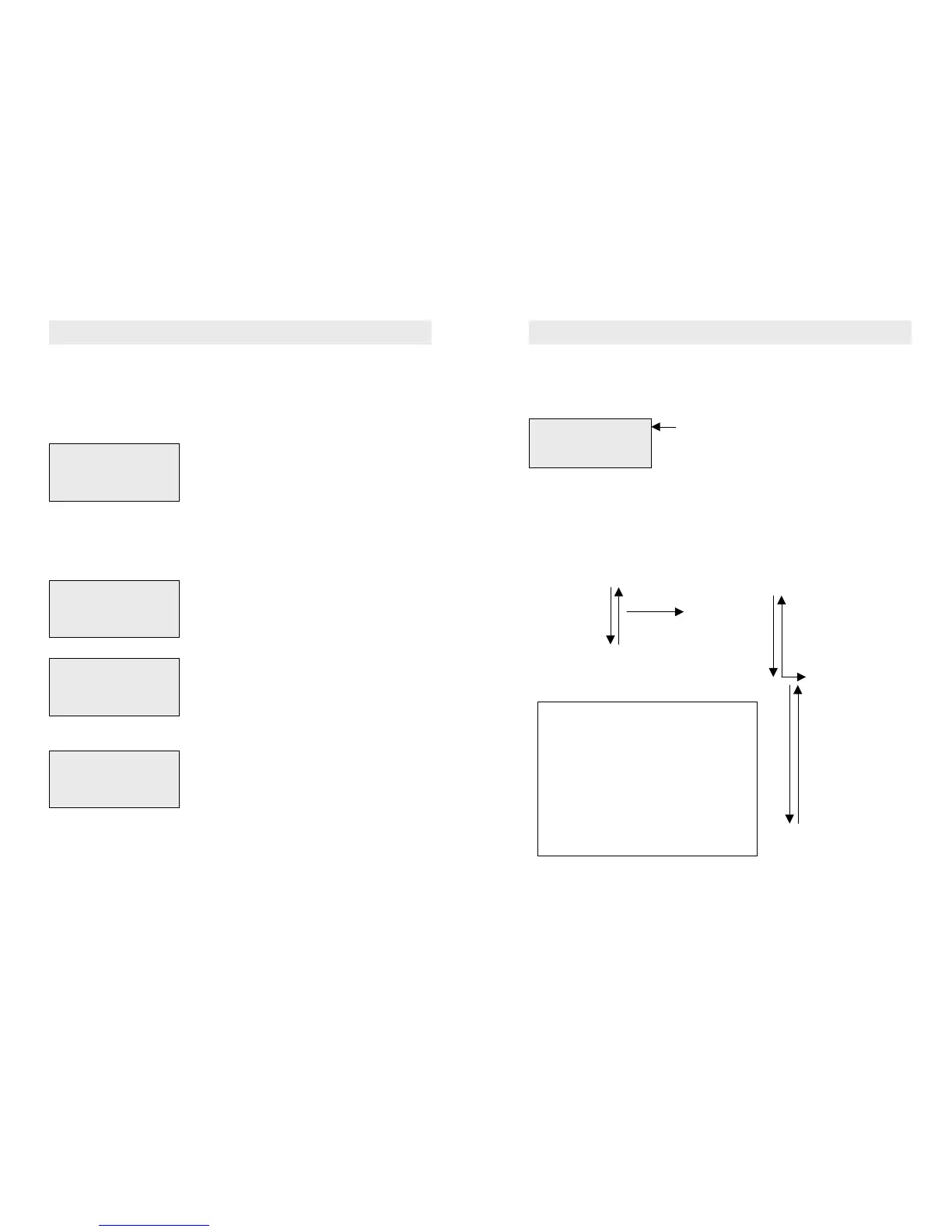
The QuadX has a 3 tier menu which is simple to use and operate. The menus are
selected using the four navigation keys at the bottom of the sloping panel.
At switch on, the unit displays the DEFAULT MENU. This shows the following information :-
HINT : REMEMBER, TO GET BACK TO THE DEFAULT MENU, JUST KEEP PRESSING
THE LEFT (BACK
⇐
) ARROW KEY
The menu structure is arranged as shown below :-
Information Menu List Main Selection Menu Advanced Options
Default Menu Bracketing Mode
Modelling Status Modelling Mode
Flash Count/Temp Speaker On/Off
Supplier Information Set IR Channel
Advanced Options Speaker Setup
Alternate Units
Brightness
Time Out Setting
Save/Recall Setting
Charge Control
Setup Flash Mode
Reset Job Counter
HINT : The easiest way to learn the menu, is to have a play to see what’s there.
You can’t damage anything.
A1 only CHB Off
250J ******
1/1430 ******
Mod 100% Normal
Socket Status
Energy per socket
Expected Flash duration per head
Modelling = 100% and mode = Normal
Use ⇑ & ⇓ to scroll to the desired function.
Use ⇒ to select an option
Use ⇐ to go back.
Items in the information menu can not be modified
and are there to quickly view the main settings.
From the information menu, modelling is always
selected as the first item in the main selection
menu.
Pressing ⇒ at each selection, allows values to be
changed.
Use ⇑ & ⇓ to modify values, ⇐ when set.
4.0 Menu System Overview
BRACKETING MODE
Start -0.3F Next
Centre 0.0F Pending
Finish +0.3F Pending
SPEAKER ON/OFF MENU
The Speaker is ON
IR CHANNEL SETUP
Use Up/Dwn to modify
Current Channel= 1
MAIN SELECTION MENU
Set IR Channel
> Advanced Options
Bracketing Modes
6.0 The Main Selection Menu


 To Next Page
 Loading...