Need help?
Do you have a question about the Bowers & Wilkins Zeppelin Mini and is the answer not in the manual?
Connect the Zeppelin Mini Power Supply to a mains outlet socket using the supplied mains cable.
Connect your PC/Mac using a USB cable for audio playback or data synchronisation.
Connect an external analogue audio source or PC/Mac analogue audio output.
Lists compatible iPod and iPhone models and explains how to dock them.
Docking an iPod or iPhone automatically selects the dock input.
Connect your Zeppelin Mini to a PC/Mac via USB to play stored or streamed audio.
Use Zeppelin Mini as an iTunes synchronisation dock for your iPod or iPhone.
 General
| Tweeter | No |
|---|---|
| Driver diameter | 75 mm |
| Number of drivers | 2 |
| Speaker enclosure | Closed |
| Speaker placement | Portable |
| Audio output channels | 1.0 channels |
| Amplifier output power | 36 W |
| Frequency range | 38 - 20000 Hz |
| AC (power) in | Yes |
| Apple docking compatibility | iPod |
| Headphone connectivity | 3.5 mm |
| USB 2.0 ports quantity | 1 |
| Connectivity technology | Wired |
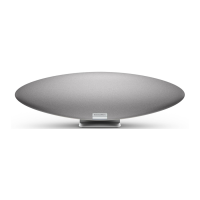
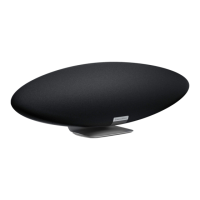
| Product color | Black |
| Housing material | - |
| AC input voltage | 100 - 240 V |
| Power source type | AC |
| AC input frequency | 50 - 60 Hz |
| Power consumption (standby) | 0.8 W |
| Power consumption (typical) | 15 W |
 Weight and Dimensions
| Depth | 100 mm |
|---|---|
| Width | 320 mm |
| Height | 200 mm |
| Weight | 2500 g |


 To Next Page