General Operation & Weight Only Use
Your BMI/Goal Weight Tracking scale will operate as a basic weight-
reading scale. No special programming steps are required.
1. This scale operates on 4 “AAA” batteries, which are included.
Please see “Battery Installation” section of this manual for installation
instructions. Also, some models have a static cling label on the lens to
prevent scratching. Please remove before use.
2. Your scale has been set at the factory to read weight in pounds.
You may select kilogram units of measurement or stone units of
measurement (14 pounds = 1 stone) by pressing the “kg/lb/st” button on
the bottom of the scale.
3. Place scale on at, hard surface. Carpeted or uneven oors may affect
accuracy.
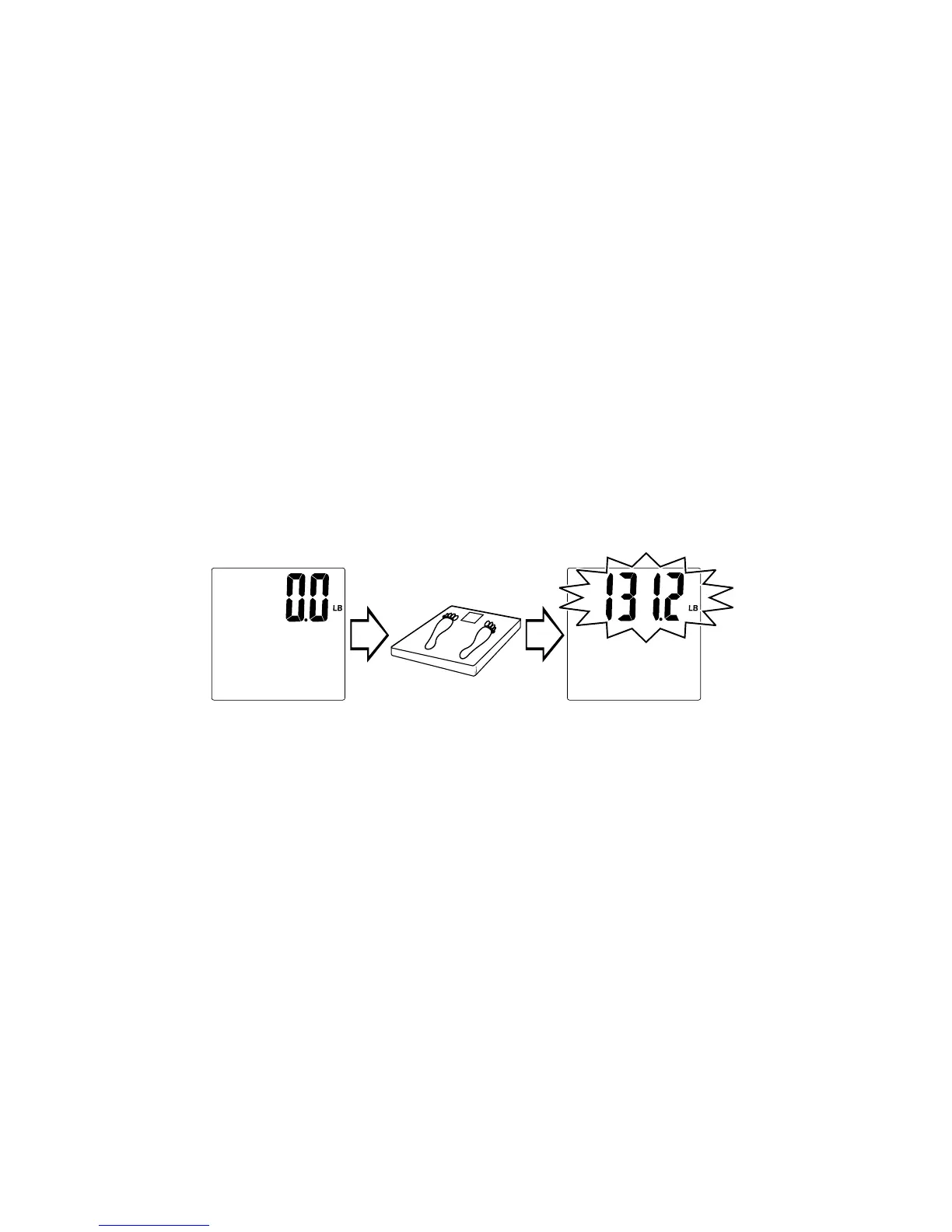
4. Step on the scale (disregarding the reading) and step off. This process
insures the scale is set and is now ready for use. At all other times step
straight onto the scale.
5. Step onto the scale platform and remain still. The display will count up to
your weight. The display will ash three times when the weight is locked.
Your weight is now displayed.
6. The scale will turn off automatically after approximately 10 seconds.
Save Personal Data & Goal Weight into Memory
The scale will calculate your body mass index (BMI) and estimate your
daily calorie intake to maintain your current weight. These readings are
based on your gender, height, age, activity level and weight. You must
rst save this data into one of the scale’s memory numbers. You may also
save a goal weight into memory to help track your weight loss goals. Your
data will be stored into memory for future use, thus eliminating the need
to enter it before each reading.
1. While the scale is off, press the “¤” (On) button. The scale will turn on
and display a memory number (P1-P8).
2. Press “▲” or “▼” until the memory number you wish to use appears.
Press “¤” to select the memory number.
3. Press “▲” or “▼”to toggle between male and female icons. Press “¤” to
select. The height digits blink.
4. Press “▲” or “▼” to change the height. Press “¤” to select. The age
digits blink.
Scale shows zero. Step on scale. Weight displays.


 To Next Page