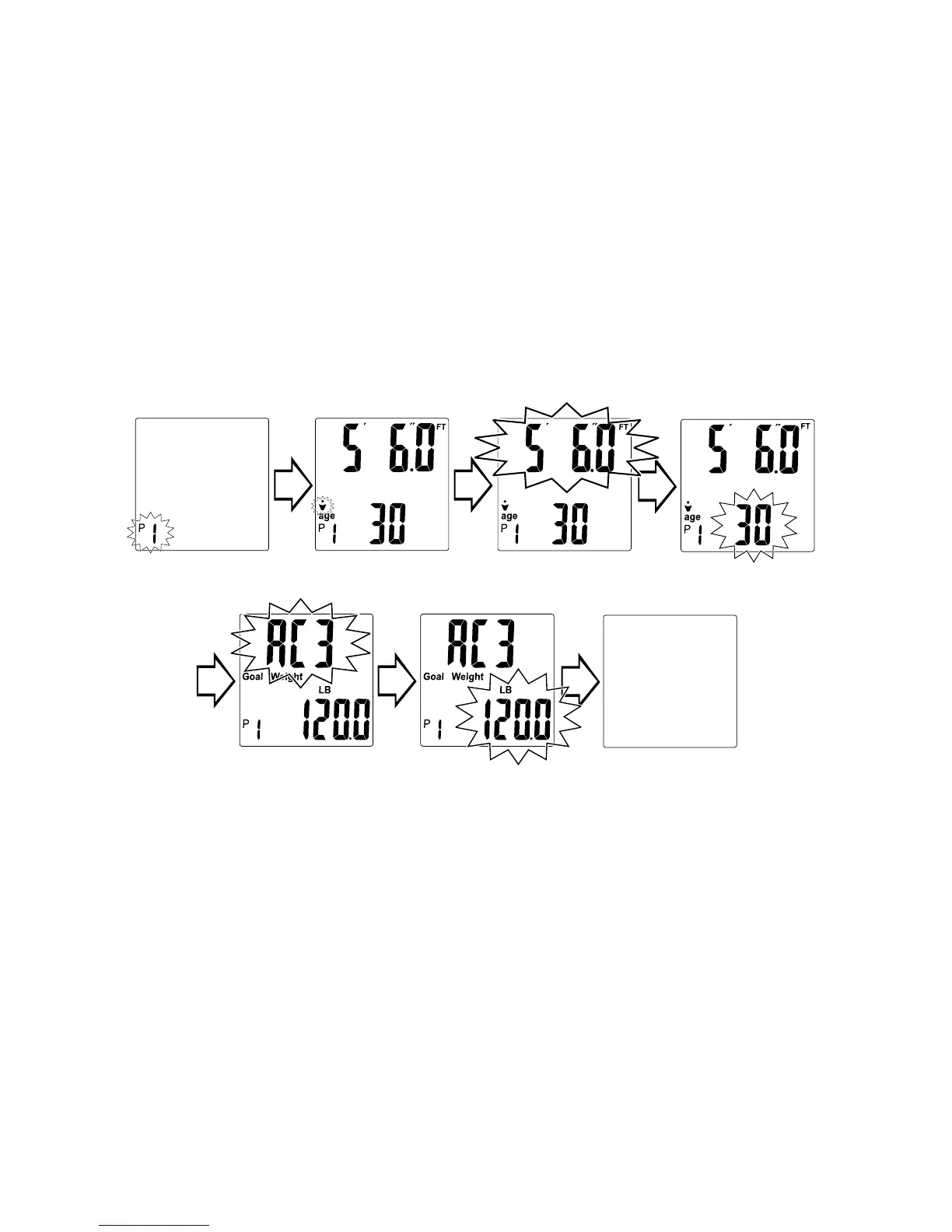
Scale turns off.
5. Press “▲” or “▼” to change the age. Press “¤” to select. An activity
level blinks.
6. Press “▲” or “▼” to change the activity level. Press “¤” to select. “Goal
Weight” appears on screen.
Select your Activity Level according to the following guidelines.
AC-1 Sedentary / very inactive
AC-2 Limited Activity
AC-3 Moderate
AC-4 Moderately active lifestyle
AC-5 Very active, rarely stationary
7. Press “▲” or “▼”to change the goal weight setting. Press “¤” to select.
8. Allow the scale to turn off automatically. Your personal data and goal
weight are saved into memory.
To Get Readings
After storing your personal data and goal weight into memory, you may
use the scale to get your readings. The scale will calculate your body mass
index (BMI), estimate your daily recommended calories to maintain your
present weight, and show the difference between your current weight
and your goal weight.
1. Program your personal data and goal weight as described in the
previous section “To Save Personal Data and Goal Weight into
Memory”.
2. While the scale is off, press the “¤” (On) button. Press “▲” or “▼” until
your memory number ashes (P1-P8). The scale will show zero.
3. Step on the scale platform when the display shows zero and remain
still. The upper part of the display will count up to your weight and
ash three times when the weight is locked. Your current weight is now
displayed.
Select memory
number.
Select gender. Select height.
Select age.
Select activity
level.
Select goal
weight.


 To Next Page