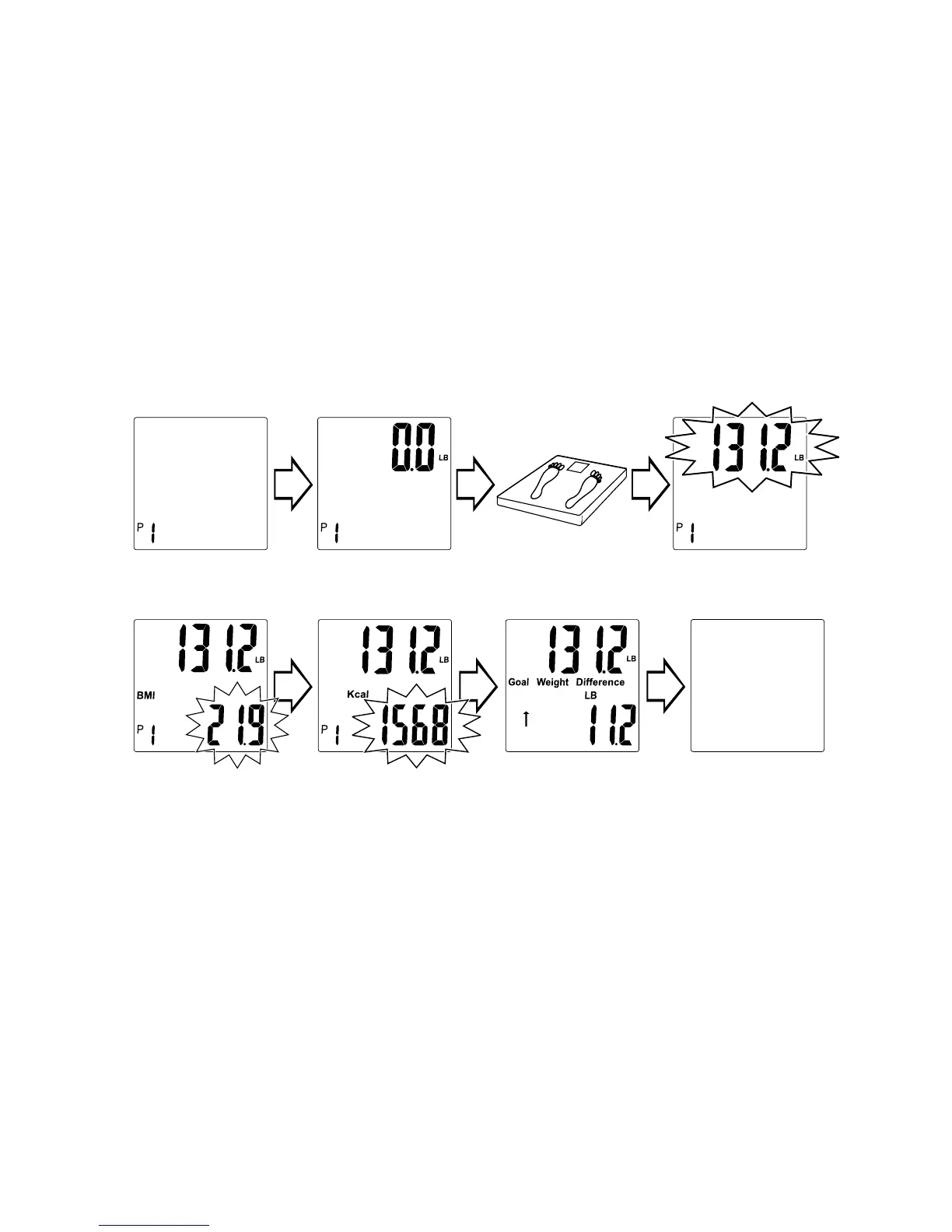
4. Stay on the scale. Your current weight will continue to show on the
upper part of the display. After a few seconds, your readings will appear
in the bottom part of the display as follows:
A) BMI
B) Calorie estimate (Kcal)
C) Difference between current weight and goal weight.
● An up arrow (“↑”) number indicates how much you are over
your goal weight.
● A down arrow (“↓”) indicates how much you are under your
goal weight.
5. The scale shows zero and turns off automatically.
Note: You may change your personal data and Goal Weight. Simply
repeat steps above and change programming as desired.
Press“¤”. Memory
number blinks. Press
“▲”/“▼” to change.
Scale shows zero. Step on scale. Weight displays.
Weight & BMI
display.
Weight & Calorie
display.
Weight & Difference
from Goal display.
Scale turns off.
To Recall Previous Results
You may recall up to your 4 last weighing results.
1. Press “¤” (On) button to turn the scale on.
2. Press “▲” or “▼” until your memory number ashes (P1-P8).
3. When zero appears, press and hold the “kg/st/lb” button on the bottom
of the scale for 3 seconds to enter Recall mode.
4. Memory 1 (“M1”) results appear in order: BMI, Kcal, and Goal Weight
Difference.
5. While the scale is still on, press “▲” or “▼” to view Memories 2, 3 and 4.
(Note: if there are no readings in memory, the scale will show dashes.)
6. The scale will turn off automatically, or press “¤” to turn the scale off
manually.


 To Next Page