14
Connecting the garage door opener to Wi-Fi:
Preparation:
Connect your smartphone to a stable Wi-Fi network with a good signal strength.
1. Hold your smartphone close to the garage door opener (about 1-3 metres
away, depending on the strength of the Wi-Fi signal) during the entire
connection process.
2. Download the “TUYA Smart” app from the AppStore or Google Play. Complete
the registration process.
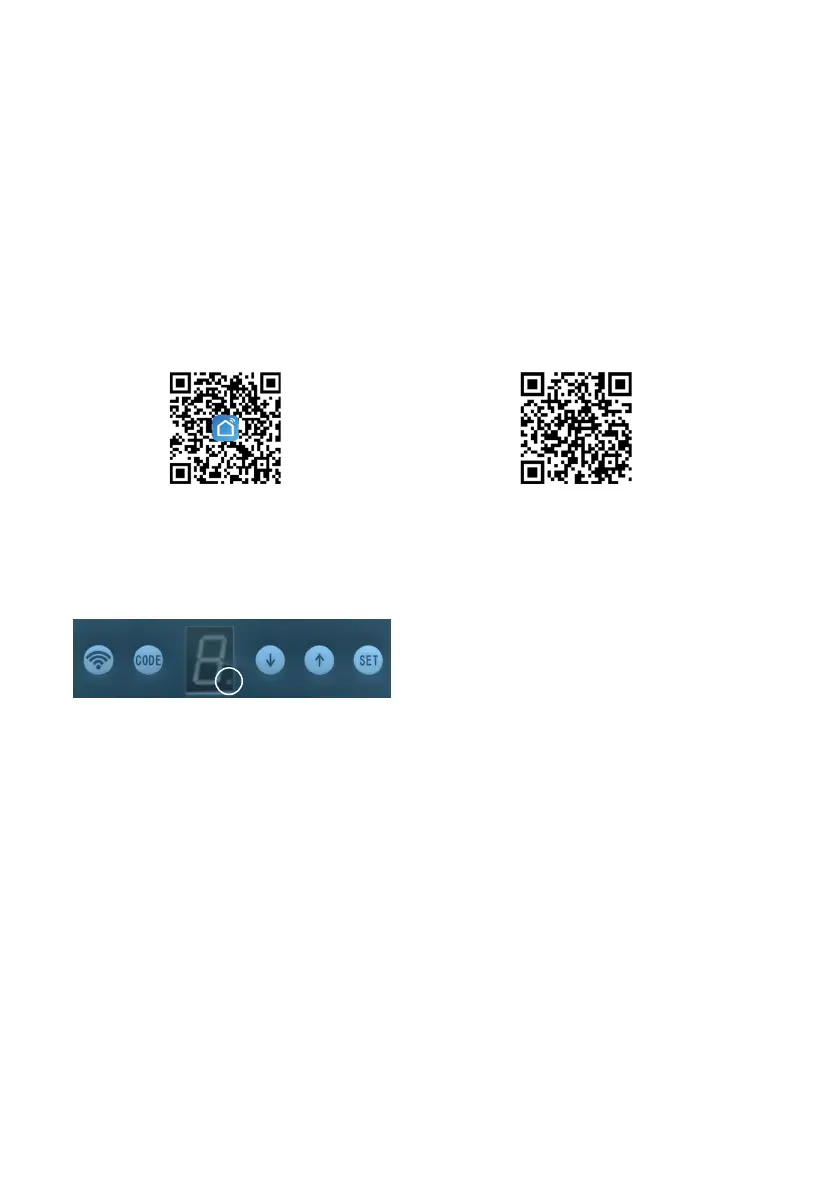
3. You can also download the app to your smartphone by scanning the QR
code labelled “download” in this user manual. You can also scan the QR code
marked “guide” to download the user guide for the Tuya Smart app.
The illustration below shows where the Wi-Fi indicator is located on the control
panel. The Wi-Fi indicator can show three status signals for the garage door
opener:
1. Notashing(off)=ThegaragedooropenerisconnectedtotheWi-Fi
network.
2. Flashingslowly=ThegaragedooropenerisnotconnectedtotheWi-Fi
network.
3. Flashingrapidly=ThegaragedooropenerisreadytoconnecttotheWi-Fi
network.
download guide


 To Next Page